
Game Overview
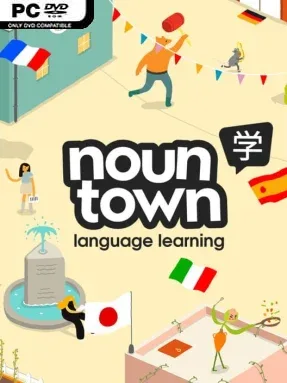
A colorful virtual town turns beginner vocabulary practice into a hands-on language adventure rather than a stack of flashcards. Noun Town Language Learning is an educational indie experience built around Japanese, Korean, Chinese, Spanish, French, German, and Italian, letting players start with the basics and steadily develop a practical foundation of more than 1,000 words and phrases. Its mood is friendly, low-pressure, and deliberately playful, making it far less intimidating than traditional study software. Instead of presenting language as a test to survive, it frames learning as a place to poke around, experiment, and make mistakes safely.
Players move through interactive spaces, identify everyday objects, complete short lessons, and tackle mini-games that reinforce new vocabulary through repetition and context. The central loop is simple: encounter words in the environment, connect them to what you see and do, then revisit them through activities designed to make recall feel natural. Speech recognition adds another important layer, allowing conversations with 16 distinct characters and giving learners a private place to practice pronunciation before speaking with real people. Progress starts at absolute beginner level, so no previous language knowledge is required, while the steady accumulation of phrases gives each session a clear sense of advancement.
What separates Noun Town from a typical app is its emphasis on physical interaction and spatial memory; words are attached to places, objects, and small moments instead of isolated menus. The mini-games prevent practice from becoming completely routine, though players looking for a deep RPG or a fully structured academic course should treat it as a supplement rather than a replacement for serious study materials. Its bright, approachable presentation makes it especially suitable for anxious learners, younger players, or anyone who bounces off rigid lessons and streak-based apps. Fans of Duolingo’s accessible progression who want something more game-like and conversational find a welcoming alternative here, while dedicated language students gain a useful pronunciation and vocabulary practice tool.
Installation
- Click the green button below to be redirected to UploadHaven.
- Wait 15 seconds, then hit “Free Download.” (Free downloads may be slower — upgrade to UploadHaven Pro for faster speeds.)
- Once downloaded, right-click the .zip file and choose “Extract to Noun Town Language Learning.” (You’ll need 7-Zip for this.)
- Open the extracted folder and run the game as administrator.
- Enjoy! 🎮 If you see missing DLL errors, check the <strong>_Redist</strong> folder inside and install what’s needed.
System Requirements
- Requires a 64-bit processor and operating system
- OS: Windows 10
- Processor: Intel Core i5-4590/AMD FX 8350 equivalent or better
- Memory: 8 GB RAM
- Graphics: NVIDIA GTX 1050 Ti / AMD Radeon RX 470 or greater
- DirectX: Version 11
- Storage: 400 MB available space
Setup Guide & Troubleshooting
How do I fix missing DLL errors for Noun Town Language Learning (v2025.01.27)?
After extracting Noun Town Language Learning (v2025.01.27), navigate to the _Redist or _CommonRedist folder inside the game directory and install DirectX, Vcredist, and any other dependencies included.
What should I do if the downloaded file is corrupted?
The full archive is 1.68 GB — make sure your download completed fully before extracting. Use 7-Zip to extract the files. If you still see a "file corrupted" error, re-download and try again.
Why should I run the game as administrator?
Right-click the game executable and select "Run as Administrator" to avoid save file issues and permission errors. This is especially important on the first launch.
How do I update my GPU drivers for this game?
Noun Town Language Learning (v2025.01.27) requires a NVIDIA GTX 1050 Ti / AMD Radeon RX 470 or greater or equivalent. Update your NVIDIA or AMD drivers to the latest version for the best performance.
The game won't launch — what should I try?
This game requires Version 11. Try running in compatibility mode, install the latest DirectX runtime, or install the All-in-One VC Redist Package.
My antivirus is blocking the game — is it safe?
Antivirus false positives are common with pre-installed games. Temporarily pause your antivirus during extraction to prevent it from quarantining game files. You can re-enable it after the extraction completes.