

Game Overview
Larcenest Gap turns small-town journalism into a warm, offbeat mystery built around curiosity rather than combat. As the newest reporter in a place where odd sightings are routine, you roam streets, woods, and hidden corners looking for stories that reveal something more troubling beneath the town’s cheerful surface. The tone stays cozy and funny even when the central investigation grows stranger, with eccentric residents, peculiar errands, and moments that feel designed to make players stop and take a picture. Its appeal comes from treating observation as the adventure: the most important clues may be a strange scene, a passing conversation, or an event that only happens after dark.
Most of your time goes toward talking with locals, accepting their unusual requests, wandering the open town, and using a camera to document whatever catches your eye. Completing a story lets you frame the resulting article in one of three tones, allowing a comforting, comedic, or more suspicious version of events to influence local gossip and alter the atmosphere of areas around town. Residents remember the coverage they receive, so reporting is more than a flavor choice; it becomes the main way you leave a mark on Larcenest Gap. A day-and-night cycle adds another layer to exploration, as particular characters, secrets, and encounters appear only during certain hours, encouraging repeat visits with the camera ready.
The standout idea is the way investigation, photography, and scrapbooking feed into one another. Captured oddities, quest progress, and tucked-away discoveries unlock stickers for a customizable journal, which can look like a charming travel diary or a wall of evidence assembled by an increasingly suspicious reporter. Handcrafted locations and reactive visual details give the town personality without demanding twitch reflexes or complex systems. Players who enjoy the gentle wandering of A Short Hike, the conversational charm of Night in the Woods, or the investigative texture of cozy detective games should find plenty to like, especially if they prefer solving mysteries at their own pace.
Screenshots
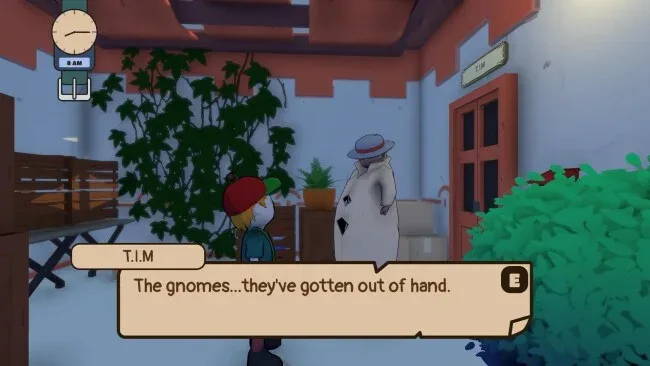
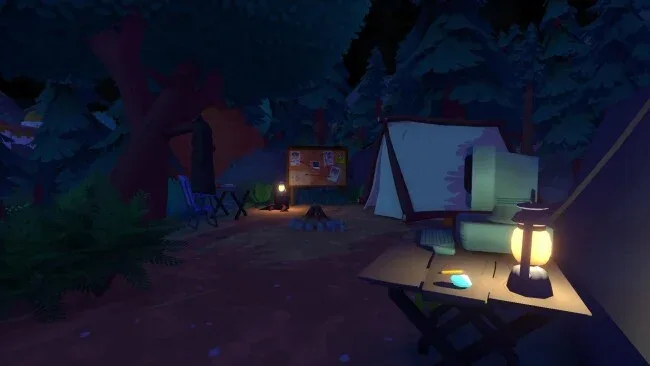
Installation
- Click the green button below to be redirected to UploadHaven.
- Wait 15 seconds, then hit “Free Download.” (Free downloads may be slower — upgrade to UploadHaven Pro for faster speeds.)
- Once downloaded, right-click the .zip file and choose “Extract to Nothing Strange Here.” (You’ll need 7-Zip for this.)
- Open the extracted folder and run the game as administrator.
- Enjoy! 🎮 If you see missing DLL errors, check the <strong>_Redist</strong> folder inside and install what’s needed.
System Requirements
- OS: Windows 10 64-bit
- Processor: Intel Core i5-1135G7
- Graphics: GeForce GTX 970
Setup Guide & Troubleshooting
How do I fix missing DLL errors for Nothing Strange Here (v1.0.1)?
After extracting Nothing Strange Here (v1.0.1), navigate to the _Redist or _CommonRedist folder inside the game directory and install DirectX, Vcredist, and any other dependencies included.
What should I do if the downloaded file is corrupted?
The full archive is 524.53 MB — make sure your download completed fully before extracting. Use 7-Zip to extract the files. If you still see a "file corrupted" error, re-download and try again.
Why should I run the game as administrator?
Right-click the game executable and select "Run as Administrator" to avoid save file issues and permission errors. This is especially important on the first launch.
How do I update my GPU drivers for this game?
Nothing Strange Here (v1.0.1) requires a GeForce GTX 970 or equivalent. Update your NVIDIA or AMD drivers to the latest version for the best performance.
The game won't launch — what should I try?
Try running in compatibility mode, install the latest DirectX runtime, or install the All-in-One VC Redist Package.
My antivirus is blocking the game — is it safe?
Antivirus false positives are common with pre-installed games. Temporarily pause your antivirus during extraction to prevent it from quarantining game files. You can re-enable it after the extraction completes.