
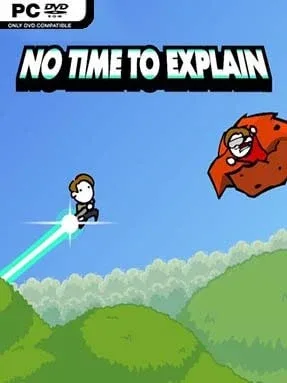
No Time To Explain Remastered Cover Art

No Time To Explain Remastered

INDIE 485.83 MB

Game Overview

A time-traveling stranger bursts through the wall, announces that there is no time to explain, and is immediately dragged away by a giant claw. That absurd opening sets the pace for No Time To Explain Remastered, a loud, fast 2D platformer built around comedy, panic, and deliberately ridiculous sci-fi. You chase versions of yourself across fractured timelines, hopping between worlds filled with aliens, dinosaurs, lava, lasers, and monsters that look like they escaped from a Saturday-morning cartoon. The tone stays gleefully stupid in the best way, backed by energetic music, exaggerated voice work, and a willingness to escalate every joke far beyond reason.

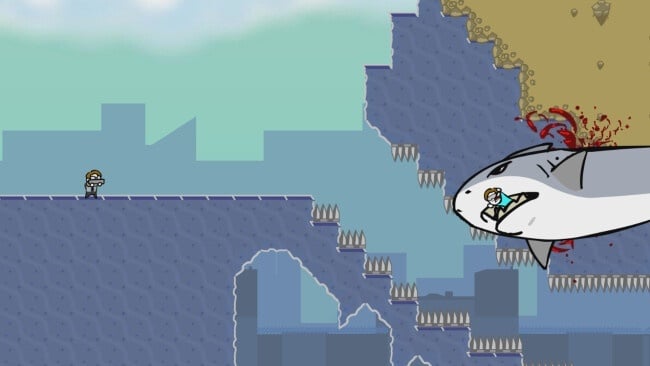
Movement is the real challenge rather than traditional shooting. Your all-purpose weapon fires powerful blasts that knock enemies back, but its recoil also launches your character through the air, effectively turning the gun into a jetpack. Success depends on learning how to aim beneath yourself for height, control momentum in cramped tunnels, and make split-second corrections while hazards fill the screen. Levels mix platforming gauntlets, enemy encounters, boss fights, collectible hats, and secret routes, with the campaign continually introducing stranger variations on the central movement system. Checkpoints keep the punishing sections manageable, although later stages demand quick reactions and a willingness to fail repeatedly while mastering tricky launches.

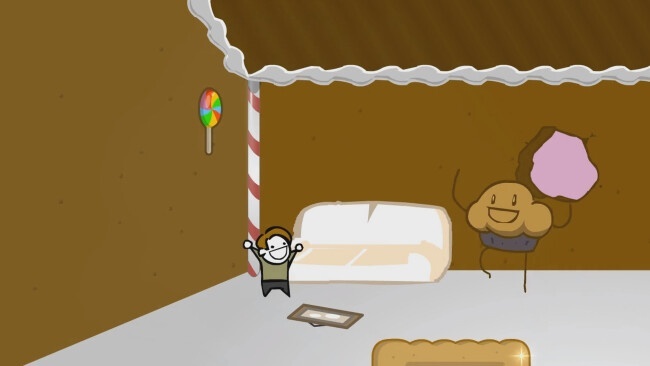
The Remastered edition gives the original’s chaotic formula a cleaner presentation and a more polished feel without sanding away its rough-edged charm. Its best moments come from improvised recoveries: missing a platform, firing downward at the last instant, and rocketing through a hazard you were sure had ended the run. The visual style is simple and cartoonish, yet each dimension has enough personality to make the trip feel varied. Fans of Super Meat Boy’s demanding platforming or the recoil-driven movement of old-school action games should find plenty to enjoy, while newcomers can appreciate its checkpoints and joke-heavy delivery.

Installation

  1. Click the green button below to be redirected to UploadHaven.
  2. Wait 15 seconds, then hit “Free Download.” (Free downloads may be slower — upgrade to UploadHaven Pro for faster speeds.)
  3. Once downloaded, right-click the .zip file and choose “Extract to No Time To Explain Remastered.” (You’ll need 7-Zip for this.)
  4. Open the extracted folder and run the game as administrator.
  5. Enjoy! 🎮 If you see missing DLL errors, check the <strong>_Redist</strong> folder inside and install what’s needed.

System Requirements

  • OS: Windows XP
  • Processor: 1 GHz
  • Memory: 512 MB RAM
  • Graphics: 128 MB

Setup Guide & Troubleshooting

How do I fix missing DLL errors for No Time To Explain Remastered?

After extracting No Time To Explain Remastered, navigate to the _Redist or _CommonRedist folder inside the game directory and install DirectX, Vcredist, and any other dependencies included.

What should I do if the downloaded file is corrupted?

The full archive is 485.83 MB — make sure your download completed fully before extracting. Use 7-Zip to extract the files. If you still see a "file corrupted" error, re-download and try again.

Why should I run the game as administrator?

Right-click the game executable and select "Run as Administrator" to avoid save file issues and permission errors. This is especially important on the first launch.

How do I update my GPU drivers for this game?

No Time To Explain Remastered requires a  128 MB or equivalent. Update your NVIDIA or AMD drivers to the latest version for the best performance.

The game won't launch — what should I try?

Try running in compatibility mode, install the latest DirectX runtime, or install the All-in-One VC Redist Package.

My antivirus is blocking the game — is it safe?

Antivirus false positives are common with pre-installed games. Temporarily pause your antivirus during extraction to prevent it from quarantining game files. You can re-enable it after the extraction completes.

Need more help? Browse our FAQ & Troubleshooting Guide for solutions to common issues.
Looking for something else? Explore all games on Steam Unlocked