
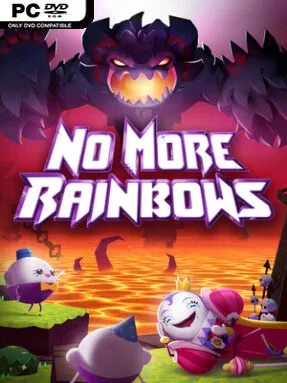
Game Overview
A snarling Underworld guardian wakes to find his lava-soaked home smothered in sunshine, flowers, and aggressively cheerful invaders. No More Rainbows turns that absurd setup into a physical VR platformer where the hero’s answer to happiness is usually a fist, a leap, or a frantic climb up a wall. Its tone is deliberately cartoonish and mean-spirited in the fun sense: bright paradise imagery clashes with a hulking monster determined to restore a properly miserable hell. Beneath the jokes sits a demanding movement game built around momentum, precision, and learning the shortest route through dangerous stages.
Players propel themselves with their hands, using arm swings and grips to run, jump, scramble across surfaces, and launch over gaps without relying on conventional stick-based movement. The campaign spans more than 30 levels across five distinct regions, mixing timed platforming, hidden collectibles, side activities, environmental details, and boss encounters. Challenges reward efficient routes as much as simple survival, and level-specific leaderboards encourage repeated attempts to shave seconds from a run. Online play expands the package with Deathmatch combat and Chicken Catch, a more chaotic competitive mode where agility and map knowledge matter across 17 arenas.
Hand-driven locomotion gives the game a distinctive physical rhythm that feels closer to a playground obstacle course than a standard first-person action title. It also uses its exaggerated world well, moving from volcanic hellscapes to absurdly pristine vacation-like spaces while keeping the visual joke intact. Extensive cosmetic options let players build a suitably hideous creature for multiplayer, while the speedrunning structure gives skilled players a reason to master every shortcut and movement trick. Fans of Gorilla Tag-style hand movement, VR platforming, and arcade competition find plenty to enjoy here, although newcomers should expect a learning curve and the physical exertion that comes with its energetic controls.
Installation
- Click the green button below to be redirected to UploadHaven.
- Wait 15 seconds, then hit “Free Download.” (Free downloads may be slower — upgrade to UploadHaven Pro for faster speeds.)
- Once downloaded, right-click the .zip file and choose “Extract to No More Rainbows.” (You’ll need 7-Zip for this.)
- Open the extracted folder and run the game as administrator.
- Enjoy! 🎮 If you see missing DLL errors, check the <strong>_Redist</strong> folder inside and install what’s needed.
System Requirements
- OS: Windows 10
- Processor: Intel Core i5-4590 / AMD FX 8350
- Memory: 4 GB RAM
- Graphics: NVIDIA GTX 970 / AMD Radeon R9 290
- Network: Broadband Internet connection
- Storage: 1400 MB available space
- VR Support: OpenXR. Standing or Room Scale
Setup Guide & Troubleshooting
How do I fix missing DLL errors for No More Rainbows (v1.14.56)?
After extracting No More Rainbows (v1.14.56), navigate to the _Redist or _CommonRedist folder inside the game directory and install DirectX, Vcredist, and any other dependencies included.
What should I do if the downloaded file is corrupted?
The full archive is 1.25 GB — make sure your download completed fully before extracting. Use 7-Zip to extract the files. If you still see a "file corrupted" error, re-download and try again.
Why should I run the game as administrator?
Right-click the game executable and select "Run as Administrator" to avoid save file issues and permission errors. This is especially important on the first launch.
How do I update my GPU drivers for this game?
No More Rainbows (v1.14.56) requires a NVIDIA GTX 970 / AMD Radeon R9 290 or equivalent. Update your NVIDIA or AMD drivers to the latest version for the best performance.
The game won't launch — what should I try?
Try running in compatibility mode, install the latest DirectX runtime, or install the All-in-One VC Redist Package.
My antivirus is blocking the game — is it safe?
Antivirus false positives are common with pre-installed games. Temporarily pause your antivirus during extraction to prevent it from quarantining game files. You can re-enable it after the extraction completes.