
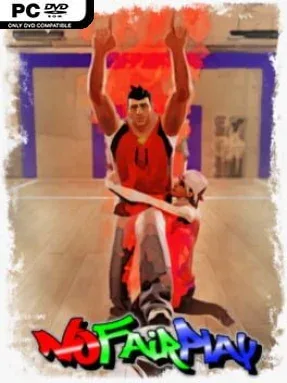
Game Overview
Football becomes a chaotic brawl where scoring goals matters almost as much as knocking the opposition flat. No Fair Play treats the pitch less like a sacred sporting arena and more like a physics-driven playground for cheap shots, desperate tackles, shoves, punches, and improvised interference. The tone is deliberately silly and competitive rather than realistic, with ragdoll collisions ensuring that even a losing match can produce a memorable disaster. It is built for groups who prefer laughter, grudges, and sudden reversals to clean tactical play.
Matches revolve around moving the ball toward goal while deciding how far you are willing to go to stop a skilled dribbler. Players can grab and tackle rivals, target their legs, disrupt runs, and exploit the confusion created when bodies and ball physics collide. A rage mechanic gives the trailing side a chance to swing momentum back in its favor, so an apparently settled match can turn ugly in seconds. Controls remain accessible and the aiming system helps direct the ball, while more serious players can reduce assistance for greater precision and a higher skill ceiling. Games begin with bots when needed, yet human players can join mid-match and replace AI participants; departing players are likewise covered immediately by bots.
The standout feature is its willingness to turn football’s usual fouls into the main event, creating something closer to a party fighter fused with a casual sports game. First-person play, including VR headset support, makes the roughhousing feel even more immediate, while customizable hair, clothing, and colors let friends build recognizable on-field identities. Unpredictable ragdolls make every match less about polished simulation and more about adapting to absurd situations as they happen. Fans of Gang Beasts-style physical comedy or arcade sports games with loose rules should find plenty to enjoy, especially with friends, while dedicated football simulation players may find its intentional chaos harder to embrace.
Installation
- Click the green button below to be redirected to UploadHaven.
- Wait 15 seconds, then hit “Free Download.” (Free downloads may be slower — upgrade to UploadHaven Pro for faster speeds.)
- Once downloaded, right-click the .zip file and choose “Extract to No Fair Play.” (You’ll need 7-Zip for this.)
- Open the extracted folder and run the game as administrator.
- Enjoy! 🎮 If you see missing DLL errors, check the <strong>_Redist</strong> folder inside and install what’s needed.
System Requirements
- Requires a 64-bit processor and operating system
- OS: Windows 10 (64 bits)
- Processor: dual core (2,5GHZ)
- Memory: 6 GB RAM
- Graphics: 2GB VRAM
- Network: Broadband Internet connection
- Storage: 5 GB available space
- VR Support: SteamVR or OpenXR. Gamepad required
- Additional Notes: A ping lower than 150 ms.
Setup Guide & Troubleshooting
How do I fix missing DLL errors for No Fair Play (v1.01)?
After extracting No Fair Play (v1.01), navigate to the _Redist or _CommonRedist folder inside the game directory and install DirectX, Vcredist, and any other dependencies included.
What should I do if the downloaded file is corrupted?
The full archive is 1.97 GB — make sure your download completed fully before extracting. Use 7-Zip to extract the files. If you still see a "file corrupted" error, re-download and try again.
Why should I run the game as administrator?
Right-click the game executable and select "Run as Administrator" to avoid save file issues and permission errors. This is especially important on the first launch.
How do I update my GPU drivers for this game?
No Fair Play (v1.01) requires a 2GB VRAM or equivalent. Update your NVIDIA or AMD drivers to the latest version for the best performance.
The game won't launch — what should I try?
Try running in compatibility mode, install the latest DirectX runtime, or install the All-in-One VC Redist Package.
My antivirus is blocking the game — is it safe?
Antivirus false positives are common with pre-installed games. Temporarily pause your antivirus during extraction to prevent it from quarantining game files. You can re-enable it after the extraction completes.