
Game Overview
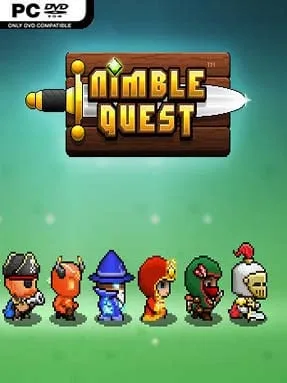
A bright pixel-art fantasy adventure turns the simple act of steering into a tense survival challenge. Nimble Quest sends a growing conga line of heroes through forests, deserts, icy ruins, and infernal depths, where every turn matters because the party never stops moving. The tone is cheerful and arcade-like on the surface, but a single bad route can send a long, carefully built run crashing into enemies or terrain.
Players guide the lead hero around compact battlefields while every recruit follows in snake-like formation, attacking automatically whenever foes come within range. The real skill lies in weaving through crowds, grabbing coins and temporary power-ups, positioning ranged fighters, and avoiding collisions that can wipe out followers or end the run. New heroes unlock over time and can be upgraded, adding stronger attacks, different combat roles, and more bodies to the line. Runs steadily become more demanding as enemy types mix together and the screen fills with hazards, so progress depends on quick reactions as much as long-term roster improvement.
Its strongest idea is the way it blends the movement pressure of Snake with lightweight RPG progression and an endless-score-chasing structure. Each hero changes the feel of a run, whether the party leans on melee damage, projectiles, healing, or sturdier front-line fighters, while the colorful retro presentation keeps the chaos easy to read. Guild Quests add a competitive layer for players who want to contribute to timed challenges and compare their results on worldwide rankings rather than simply chase a personal best. Nimble Quest suits anyone who enjoys mobile-style arcade loops, roguelite-adjacent repetition, and score attacks; think Snake crossed with a compact fantasy action RPG, with enough unlocks to reward repeated attempts without demanding deep genre knowledge.
Installation
- Click the green button below to be redirected to UploadHaven.
- Wait 15 seconds, then hit “Free Download.” (Free downloads may be slower — upgrade to UploadHaven Pro for faster speeds.)
- Once downloaded, right-click the .zip file and choose “Extract to Nimble Quest.” (You’ll need 7-Zip for this.)
- Open the extracted folder and run the game as administrator.
- Enjoy! 🎮 If you see missing DLL errors, check the <strong>_Redist</strong> folder inside and install what’s needed.
System Requirements
- OS: Windows XP
- Processor: 2.4 Ghz Core 2 Duo
- Memory: 2 GB RAM
Setup Guide & Troubleshooting
How do I fix missing DLL errors for Nimble Quest?
After extracting Nimble Quest, navigate to the _Redist or _CommonRedist folder inside the game directory and install DirectX, Vcredist, and any other dependencies included.
What should I do if the downloaded file is corrupted?
The full archive is 72.52 MB — make sure your download completed fully before extracting. Use 7-Zip to extract the files. If you still see a "file corrupted" error, re-download and try again.
Why should I run the game as administrator?
Right-click the game executable and select "Run as Administrator" to avoid save file issues and permission errors. This is especially important on the first launch.
How do I update my GPU drivers for this game?
Update your NVIDIA or AMD drivers to the latest version for the best performance and compatibility.
The game won't launch — what should I try?
Try running in compatibility mode, install the latest DirectX runtime, or install the All-in-One VC Redist Package.
My antivirus is blocking the game — is it safe?
Antivirus false positives are common with pre-installed games. Temporarily pause your antivirus during extraction to prevent it from quarantining game files. You can re-enable it after the extraction completes.