
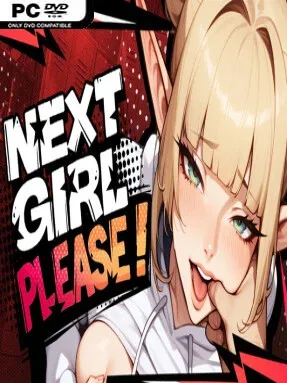
Game Overview
A cramped casting office becomes the stage for an urban-fantasy visual novel built around pressure, personality reading, and adult-industry satire. You play a newly hired assistant at an unusual studio, where elves, demons, and other fantasy performers arrive with ambitions, eccentric habits, and complications that extend well beyond a routine audition. Across ten increasingly tense days, professional survival matters as much as picking talent, because a rival is waiting for any mistake that damages your standing. The tone is playful and provocative rather than grim, but its workplace competition gives the story a welcome edge.
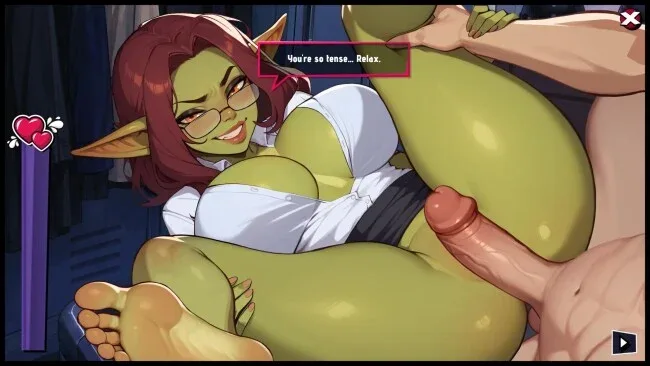
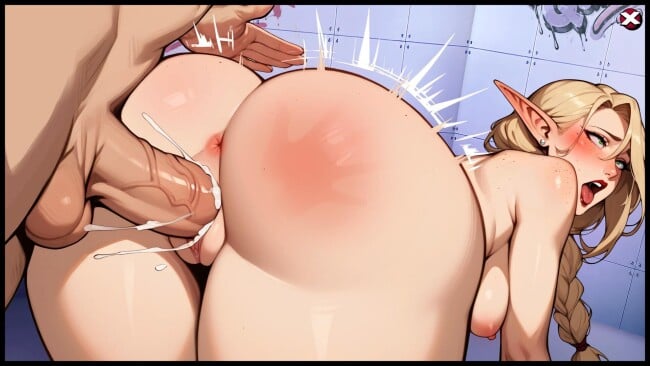
Most of the action unfolds through illustrated conversations, screening scenarios, and decisions about which applicants deserve a place in the studio’s next production. Players weigh each candidate’s responses, traits, and apparent potential, then decide whether to approve, reject, or handle awkward situations in ways that can raise or lower reputation. Early choices are comparatively straightforward, while later sessions introduce more demanding evaluation mechanics and consequences that make it harder to rely on instinct alone. There is no action combat or open-world wandering here; progression comes from learning the cast, managing risk, and deciding when a safe professional choice is better than a gamble.
Its strongest asset is the mixture of dating-sim-style character encounters with an audition-management structure, making every new applicant feel like both a narrative branch and a practical test. The colorful city setting and varied fantasy designs keep the limited office-centered premise from becoming visually monotonous, while three endings encourage another run with a different approach to reputation and rivalries. Next Girl, Please 🎬 suits players who enjoy choice-heavy adult visual novels with light simulation elements more than those seeking deep strategy or elaborate sandbox systems. Fans of branching romance games and workplace-management stories will find a compact, replayable experience where reading people correctly matters more than clicking through scenes.
Screenshots
Installation
- Click the green button below to be redirected to UploadHaven.
- Wait 15 seconds, then hit “Free Download.” (Free downloads may be slower — upgrade to UploadHaven Pro for faster speeds.)
- Once downloaded, right-click the .zip file and choose “Extract to Next Girl, Please.” (You’ll need 7-Zip for this.)
- Open the extracted folder and run the game as administrator.
- Enjoy! 🎮 If you see missing DLL errors, check the <strong>_Redist</strong> folder inside and install what’s needed.
System Requirements
- OS: Windows 10 or above
- Processor: Intel or AMD
- Memory: 8 GB RAM
- Graphics: Direct X compatible
- Storage: 6 GB available space
Setup Guide & Troubleshooting
How do I fix missing DLL errors for Next Girl, Please (Uncensored)?
After extracting Next Girl, Please (Uncensored), navigate to the _Redist or _CommonRedist folder inside the game directory and install DirectX, Vcredist, and any other dependencies included.
What should I do if the downloaded file is corrupted?
The full archive is 1.70 GB — make sure your download completed fully before extracting. Use 7-Zip to extract the files. If you still see a "file corrupted" error, re-download and try again.
Why should I run the game as administrator?
Right-click the game executable and select "Run as Administrator" to avoid save file issues and permission errors. This is especially important on the first launch.
How do I update my GPU drivers for this game?
Next Girl, Please (Uncensored) requires a Direct X compatible or equivalent. Update your NVIDIA or AMD drivers to the latest version for the best performance.
The game won't launch — what should I try?
Try running in compatibility mode, install the latest DirectX runtime, or install the All-in-One VC Redist Package.
My antivirus is blocking the game — is it safe?
Antivirus false positives are common with pre-installed games. Temporarily pause your antivirus during extraction to prevent it from quarantining game files. You can re-enable it after the extraction completes.