
Game Overview
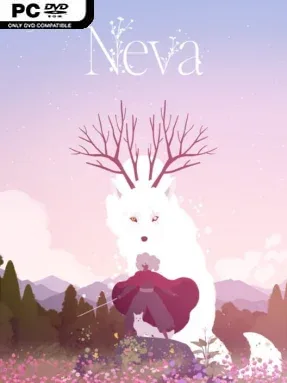
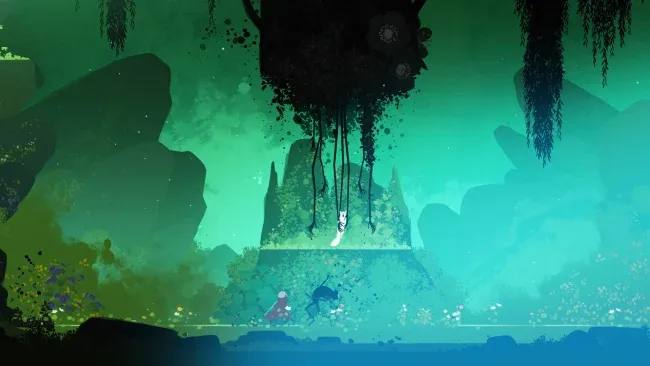
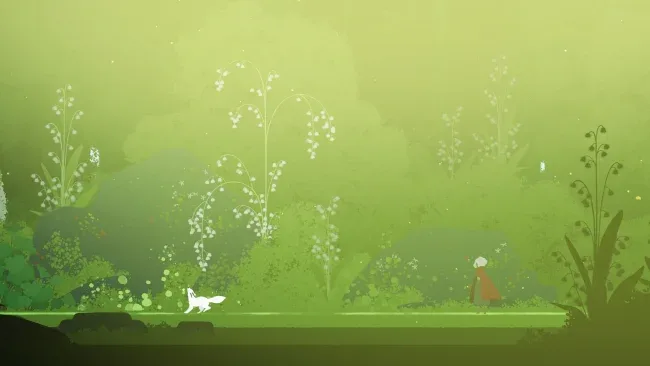
A dying fantasy landscape frames an intimate story about grief, responsibility, and the bond between a woman and the wolf she raises. Neva comes from Nomada Studio, the team behind GRIS, but trades that game’s mostly peaceful platforming for a more forceful side-scrolling action adventure. Alba and her young wolf companion cross forests, ruined settlements, and dreamlike wastelands as a spreading corruption consumes the natural world. The mood is melancholy and beautiful, balancing hand-painted scenery with moments of genuine danger and loss.
Alba handles direct combat with a sword, using slashes, evasive movement, and careful positioning to survive encounters with shadowy creatures. Her wolf is not merely a mascot: she grows over the course of the journey, learns to attack and assist, and gradually becomes a more independent partner in fights and traversal challenges. Levels mix brisk platforming, environmental navigation, light puzzle-like obstacles, and arena battles that ask players to read enemy patterns rather than mash through them. The campaign is focused and story-led rather than open-ended, with its emotional progression tied closely to the passage of time and the changing seasons.
Its greatest strength is how mechanics reinforce the relationship at the center of the story. Watching the wolf develop from an unruly cub into a powerful adult gives combat and quiet interludes more weight than a standard companion system, while the expressive animation sells every tender or painful beat without relying on constant dialogue. The art retains the flowing watercolor quality associated with GRIS, although Neva is harsher, more kinetic, and more willing to challenge players with combat. Anyone who enjoys cinematic indie adventures such as Ori and the Will of the Wisps, but wants a shorter, more personal tale with a stronger emotional edge, should find plenty to appreciate here.
Screenshots
Installation
- Select the <strong>Download</strong> button at the top of this page to open UploadHaven.
- On UploadHaven, wait for any countdown, then select <strong>Free Download</strong>. Optional: UploadHaven Pro for faster downloads.
- When complete, extract the archive to a <strong>Neva</strong> folder using 7-Zip.
- Open the extracted folder and start the game normally.
- For errors, check <strong>Setup Guide & Troubleshooting</strong> below. Keep your security software enabled.
System Requirements
- Requires a 64-bit processor and operating system
- OS: Windows 10 x64 Bit
- Processor: Intel Core i5-4570T / AMD FX-4350
- Memory: 8 GB RAM
- Graphics: GeForce GTX 650 (1024 MB) / Radeon HD 7750 (1024 MB) / Intel UHD Graphics 620
- DirectX: Version 11
- Storage: 15 GB available space
- Additional Notes: Low Quality setting, in 720p, producing 120 FPS
Setup Guide & Troubleshooting
How do I fix missing DLL errors for Neva (v2026.02.19 & ALL DLC)?
After extracting Neva (v2026.02.19 & ALL DLC), navigate to the _Redist or _CommonRedist folder inside the game directory and install DirectX, Vcredist, and any other dependencies included.
What should I do if the downloaded file is corrupted?
The full archive is 11.72 GB — make sure your download completed fully before extracting. Use 7-Zip to extract the files. If you still see a "file corrupted" error, re-download and try again.
Why should I run the game as administrator?
Right-click the game executable and select "Run as Administrator" to avoid save file issues and permission errors. This is especially important on the first launch.
How do I update my GPU drivers for this game?
Neva (v2026.02.19 & ALL DLC) requires a GeForce GTX 650 (1024 MB) / Radeon HD 7750 (1024 MB) / Intel UHD Graphics 620 or equivalent. Update your NVIDIA or AMD drivers to the latest version for the best performance.
The game won't launch — what should I try?
This game requires Version 11. Try running in compatibility mode, install the latest DirectX runtime, or install the All-in-One VC Redist Package.
My antivirus is blocking the game — is it safe?
Antivirus false positives are common with pre-installed games. Temporarily pause your antivirus during extraction to prevent it from quarantining game files. You can re-enable it after the extraction completes.