
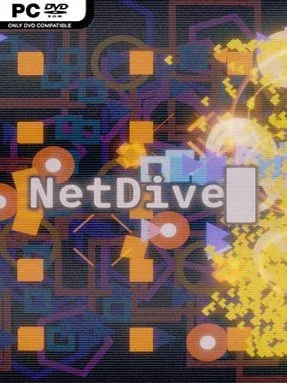
Game Overview
An artificial intelligence studies humanity from inside the machinery of the internet, turning abstract questions about identity, memory, and learning into a compact arcade-infused journey. NetDive is an indie incremental game with a reflective sci-fi premise: you feed an AI new stimuli, reinforce what it learns, and push through increasingly resistant digital barriers in search of an answer to what defines a person. Its mood is more thoughtful than aggressive, pairing neon network imagery with a calm soundtrack and a story that unfolds through the act of playing rather than lengthy exposition. The result feels like a focused, two-to-three-hour experiment built around curiosity instead of endless grinding.
Most of your time is spent diving into network layers and intercepting streams of packets through shoot-’em-up-style sequences. Successful runs provide the resources and information needed to expand the AI’s capabilities, unlock upgrades, and improve its ability to handle later challenges. A branching skill tree lets you decide how to develop your growing system, while retraining introduces new starting conditions when an earlier approach no longer reaches the next firewall. The loop is intentionally incremental: make gains, refine the build, absorb more complex input, and return better equipped to break through another locked section of the net.
What makes NetDive stand out is the way its mechanics support its theme. Rather than treating upgrades as simple power increases, the game frames progress as an AI building a model of human thought from scattered signals and repeated experience. The arcade controls keep that philosophical idea from becoming dry, while the short runtime prevents the incremental structure from overstaying its welcome. Players who enjoy small, inventive games such as OneShot, A Dark Room, or lightweight bullet-hell hybrids will find plenty to appreciate, especially if they value mood and narrative experimentation over mechanical depth. It suits newcomers to incremental games as well as genre veterans looking for a concise, unusual detour.
Installation
- Click the green button below to be redirected to UploadHaven.
- Wait 15 seconds, then hit “Free Download.” (Free downloads may be slower — upgrade to UploadHaven Pro for faster speeds.)
- Once downloaded, right-click the .zip file and choose “Extract to NetDive.” (You’ll need 7-Zip for this.)
- Open the extracted folder and run the game as administrator.
- Enjoy! 🎮 If you see missing DLL errors, check the <strong>_Redist</strong> folder inside and install what’s needed.
System Requirements
- Requires a 64-bit processor and operating system
- OS: Windows 11
- Processor: Quad Core 3.0 GHz
- Memory: 1 GB RAM
- Graphics: AMD RX 470 or equivalent
- DirectX: Version 12
- Storage: 500 MB available space
- Additional Notes: The game is optimized for Steam Deck at 800p/90FPS
Setup Guide & Troubleshooting
How do I fix missing DLL errors for NetDive?
After extracting NetDive, navigate to the _Redist or _CommonRedist folder inside the game directory and install DirectX, Vcredist, and any other dependencies included.
What should I do if the downloaded file is corrupted?
The full archive is 156.64 MB — make sure your download completed fully before extracting. Use 7-Zip to extract the files. If you still see a "file corrupted" error, re-download and try again.
Why should I run the game as administrator?
Right-click the game executable and select "Run as Administrator" to avoid save file issues and permission errors. This is especially important on the first launch.
How do I update my GPU drivers for this game?
NetDive requires a AMD RX 470 or equivalent or equivalent. Update your NVIDIA or AMD drivers to the latest version for the best performance.
The game won't launch — what should I try?
This game requires Version 12. Try running in compatibility mode, install the latest DirectX runtime, or install the All-in-One VC Redist Package.
My antivirus is blocking the game — is it safe?
Antivirus false positives are common with pre-installed games. Temporarily pause your antivirus during extraction to prevent it from quarantining game files. You can re-enable it after the extraction completes.