
Game Overview
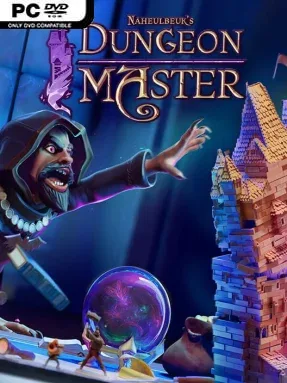
Running an evil dungeon sounds glamorous until the staff starts striking, the tavern clientele complains, and Zangdar the sorcerer decides your latest mistake is personally offensive. Naheulbeuk’s Dungeon Master is a comedic management sim set years before the adventurers of the Naheulbeuk series come crashing through the tower. Players take the role of Reivax, Zangdar’s long-suffering steward, building a thriving underground operation while trying to keep its volatile master from losing patience. The tone is cheerfully irreverent, packed with fantasy stereotypes, dysfunctional minions, and the kind of petty workplace drama most dungeon lords conveniently ignore.
The central loop revolves around constructing and furnishing rooms, recruiting workers, and expanding upward through the tower as reputation and resources grow. Different races bring distinct strengths and shortcomings, so assigning them to serve, craft, defend, or raid requires more thought than simply hiring the cheapest goblin available. Keeping employees satisfied matters, as poor conditions can lead to reduced productivity, insubordination, and strikes that disrupt the whole dungeon. Valuable treasures offer useful bonuses but also make tempting targets, while expeditions let guards and mercenaries loot rival dungeons, handle threats across Fangh, and remove inconvenient competitors.
Rather than focusing on tactical battles, the game emphasizes the messy logistics behind running a fantasy villain’s headquarters: room placement, workforce morale, faction relations, and the never-ending effort to impress Zangdar. Its humor and colorful presentation distinguish it from colder, more systems-heavy builders, giving the management genre a personality closer to Dungeon Keeper’s mischievous spirit than a grim strategy sim. Progression continually opens new floors, staff options, decorations, and opportunities to specialize the tower, making each growing dungeon feel increasingly busy and personal. Fans of lighthearted tycoon games, fantasy parody, and optimization challenges should find plenty to enjoy, while newcomers benefit from its approachable premise and veterans can chase a smoother, more efficient evil empire.
Installation
- Click the green button below to be redirected to UploadHaven.
- Wait 15 seconds, then hit “Free Download.” (Free downloads may be slower — upgrade to UploadHaven Pro for faster speeds.)
- Once downloaded, right-click the .zip file and choose “Extract to Naheulbeuk's Dungeon Master.” (You’ll need 7-Zip for this.)
- Open the extracted folder and run the game as administrator.
- Enjoy! 🎮 If you see missing DLL errors, check the <strong>_Redist</strong> folder inside and install what’s needed.
System Requirements
- Requires a 64-bit processor and operating system
- OS: Windows 7
- Processor: CPU i7-4790K
- Memory: 8 GB RAM
- Graphics: GTX Nvidia 960
- DirectX: Version 11
- Storage: 5 GB available space
Setup Guide & Troubleshooting
How do I fix missing DLL errors for Naheulbeuk’s Dungeon Master?
After extracting Naheulbeuk’s Dungeon Master, navigate to the _Redist or _CommonRedist folder inside the game directory and install DirectX, Vcredist, and any other dependencies included.
What should I do if the downloaded file is corrupted?
The full archive is 4.02 GB — make sure your download completed fully before extracting. Use 7-Zip to extract the files. If you still see a "file corrupted" error, re-download and try again.
Why should I run the game as administrator?
Right-click the game executable and select "Run as Administrator" to avoid save file issues and permission errors. This is especially important on the first launch.
How do I update my GPU drivers for this game?
Naheulbeuk’s Dungeon Master requires a GTX Nvidia 960 or equivalent. Update your NVIDIA or AMD drivers to the latest version for the best performance.
The game won't launch — what should I try?
This game requires Version 11. Try running in compatibility mode, install the latest DirectX runtime, or install the All-in-One VC Redist Package.
My antivirus is blocking the game — is it safe?
Antivirus false positives are common with pre-installed games. Temporarily pause your antivirus during extraction to prevent it from quarantining game files. You can re-enable it after the extraction completes.