
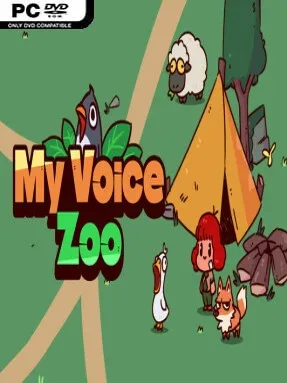
Game Overview
A microphone becomes the main tool in a gentle idle zoo where your own noises supply the animals’ personalities. MyVoiceZoo turns roars, quacks, bleats, and improvised squawks into recorded animal calls, giving every enclosure a deliberately silly and personal touch. The mood stays cozy rather than competitive: it is less about running a demanding business and more about enjoying the strange charm of hearing a zoo populated by your voice. For players who want a short, low-pressure routine with room for laughter, its central idea is immediately easy to understand.
Play revolves around recording a sound for each animal, then letting that animal’s calls produce money over time. Those earnings fund further adoptions, expanding the collection and opening the next stage of the zoo’s gradual growth. Naming animals adds another layer of ownership, especially when a serious-sounding name is paired with a completely unconvincing impression recorded at the microphone. Progress continues through idle income when you are away, while active sessions are about checking the zoo, making new recordings, and deciding which creature to bring in next; a working microphone is therefore essential to the intended experience.
The standout feature is not deep management simulation but the way it turns the player into the sound designer of a tiny animal park. No two zoos sound alike, and even poor impressions become part of the joke rather than a failure state, making it approachable for players who dislike precision or optimization-heavy idle games. Its simple presentation and calm pacing make it feel closer to a novelty toy or digital fidget activity than to the complex tycoon systems of Zoo Tycoon or Planet Zoo. MyVoiceZoo suits casual players, younger audiences, streamers, and anyone looking for a relaxed game that can turn a few minutes of vocal nonsense into a personalized collection.
Installation
- Click the green button below to be redirected to UploadHaven.
- Wait 15 seconds, then hit “Free Download.” (Free downloads may be slower — upgrade to UploadHaven Pro for faster speeds.)
- Once downloaded, right-click the .zip file and choose “Extract to MyVoiceZoo.” (You’ll need 7-Zip for this.)
- Open the extracted folder and run the game as administrator.
- Enjoy! 🎮 If you see missing DLL errors, check the <strong>_Redist</strong> folder inside and install what’s needed.
System Requirements
- Requires a 64-bit processor and operating system
- OS *: Windows 7 or later
- Processor: Intel Core i3
- Memory: 2048 MB RAM
- Graphics: Intel HD Graphics 4000 or better
- DirectX: Version 10
- Storage: 300 MB available space
- Sound Card: Any
- Additional Notes: Requires a microphone to record animal voices.
Setup Guide & Troubleshooting
How do I fix missing DLL errors for MyVoiceZoo?
After extracting MyVoiceZoo, navigate to the _Redist or _CommonRedist folder inside the game directory and install DirectX, Vcredist, and any other dependencies included.
What should I do if the downloaded file is corrupted?
The full archive is 104.21 MB — make sure your download completed fully before extracting. Use 7-Zip to extract the files. If you still see a "file corrupted" error, re-download and try again.
Why should I run the game as administrator?
Right-click the game executable and select "Run as Administrator" to avoid save file issues and permission errors. This is especially important on the first launch.
How do I update my GPU drivers for this game?
MyVoiceZoo requires a Intel HD Graphics 4000 or better or equivalent. Update your NVIDIA or AMD drivers to the latest version for the best performance.
The game won't launch — what should I try?
This game requires Version 10. Try running in compatibility mode, install the latest DirectX runtime, or install the All-in-One VC Redist Package.
My antivirus is blocking the game — is it safe?
Antivirus false positives are common with pre-installed games. Temporarily pause your antivirus during extraction to prevent it from quarantining game files. You can re-enable it after the extraction completes.