
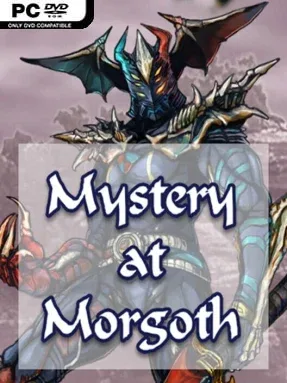
Game Overview
Qaedon’s Age of Chaos provides a grimly traditional fantasy backdrop for a party-based role-playing adventure built around suspicion, survival, and hard-earned rewards. Morgoth lives under the quiet terror of the Cabal, a hidden power whose secrets carry dangerous consequences for anyone reckless enough to pursue them. Rather than casting the player as an effortless chosen hero, the campaign frames its adventurers as working swords and spellcasters trying to keep their party fed while chasing coin, renown, and answers. The result is a deliberately old-school dungeon-crawling experience with a serious tone and hand-drawn 2D presentation.
Players assemble a group of four to six heroes from familiar fantasy peoples including humans, elves, dwarves, half-elves, and halflings, then shape their approach through class choices and multiclass combinations. Warriors hold the line in direct fights, rogues favor stealthy positioning, clerics counter undead threats, while battlemages and mages bring increasingly potent spells at the cost of physical resilience. Combat unfolds in turn-based battles on square-grid maps, emphasizing placement, action economy, and careful use of each party member instead of reflexes. Outside combat, the party travels between locations, accepts quests, gathers resources, and grows stronger through the steady rhythm of exploration and danger.
Its strongest appeal lies in how openly it embraces tabletop-inspired computer RPG design rather than trying to modernize every rough edge away. The hand-rendered visuals, broad party construction, tactical encounters, and focus on an interconnected campaign give it the feel of a classic Gold Box-style adventure made for players who enjoy managing a full roster. Veterans of The Curse of Feldar Vale can import their established party, but the mystery also works with a newly created group, making it accessible without prior knowledge. Mystery At Morgoth suits patient RPG fans who value tactical planning and quest-heavy fantasy worlds more than cinematic spectacle, especially those who miss the methodical pace of early Dungeons & Dragons computer games.
Installation
- Click the green button below to be redirected to UploadHaven.
- Wait 15 seconds, then hit “Free Download.” (Free downloads may be slower — upgrade to UploadHaven Pro for faster speeds.)
- Once downloaded, right-click the .zip file and choose “Extract to Mystery At Morgoth.” (You’ll need 7-Zip for this.)
- Open the extracted folder and run the game as administrator.
- Enjoy! 🎮 If you see missing DLL errors, check the <strong>_Redist</strong> folder inside and install what’s needed.
System Requirements
- OS: Windows 7/8/10
- Processor: Intel Celeron 1.33 GHz
- Memory: 2 GB RAM
- Graphics: nVidia GT 520 or above
- DirectX: Version 11
- Storage: 1 GB available space
- Sound Card: Any
- Additional Notes: 1024×768 Display or Higher (16:9 or 16:10 aspect is best)
Setup Guide & Troubleshooting
How do I fix missing DLL errors for Mystery At Morgoth (v1.011)?
After extracting Mystery At Morgoth (v1.011), navigate to the _Redist or _CommonRedist folder inside the game directory and install DirectX, Vcredist, and any other dependencies included.
What should I do if the downloaded file is corrupted?
The full archive is 1.07 GB — make sure your download completed fully before extracting. Use 7-Zip to extract the files. If you still see a "file corrupted" error, re-download and try again.
Why should I run the game as administrator?
Right-click the game executable and select "Run as Administrator" to avoid save file issues and permission errors. This is especially important on the first launch.
How do I update my GPU drivers for this game?
Mystery At Morgoth (v1.011) requires a nVidia GT 520 or above or equivalent. Update your NVIDIA or AMD drivers to the latest version for the best performance.
The game won't launch — what should I try?
This game requires Version 11. Try running in compatibility mode, install the latest DirectX runtime, or install the All-in-One VC Redist Package.
My antivirus is blocking the game — is it safe?
Antivirus false positives are common with pre-installed games. Temporarily pause your antivirus during extraction to prevent it from quarantining game files. You can re-enable it after the extraction completes.