
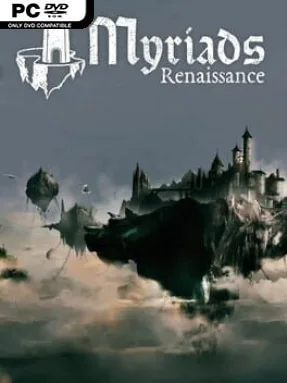
Game Overview
A fragile kingdom hangs above the clouds, where every new district begins with a shard of land suspended in an endless sky. Myriads: Renaissance blends turn-based strategy, city construction, and light 4X expansion into a fantasy campaign focused on making one capital island strong enough to endure. The atmosphere is colorful rather than grim, but danger is always close as pirate-like corsair forces repeatedly test the defenses around your growing realm. Success depends as much on careful planning and resource flow as it does on military ambition.
Turns revolve around expanding the capital by linking together terrain fragments, each bringing different environmental opportunities and material needs. Players scout a shifting archipelago with galleons, uncovering islands, ancient knowledge, trade opportunities, potential colony sites, and hostile targets. New settlements supply the central city with exports, while commerce converts goods into the gold needed to maintain growth and fund bigger plans. Defensive towers hold back incoming raids, but merely surviving is not enough: building a stronger fleet lets you strike corsair bases, claim territory, and reduce the threats surrounding your domain. Research comes from exploration and recovered secrets, gradually opening new tools and strategic options.
Its most appealing idea is the physical growth of the capital itself; instead of placing buildings on a standard map, you assemble a custom island chain that reflects your priorities and available resources. The floating-world setting also gives exploration a pleasant sense of discovery, since each expedition can reveal another useful route, biome, or problem demanding attention. Myriads: Renaissance favors deliberate, readable strategy over the overwhelming scale of Civilization or the relentless complexity of grand strategy games, though its defense pressure keeps passive builders from becoming too comfortable. It suits newcomers who want a compact introduction to 4X systems, while experienced strategy players may enjoy optimizing colonies, research, trade, and fortifications across changing maps.
Installation
- Click the green button below to be redirected to UploadHaven.
- Wait 15 seconds, then hit “Free Download.” (Free downloads may be slower — upgrade to UploadHaven Pro for faster speeds.)
- Once downloaded, right-click the .zip file and choose “Extract to Myriads: Renaissance.” (You’ll need 7-Zip for this.)
- Open the extracted folder and run the game as administrator.
- Enjoy! 🎮 If you see missing DLL errors, check the <strong>_Redist</strong> folder inside and install what’s needed.
System Requirements
- Requires a 64-bit processor and operating system
- OS: Windows: 7 (64 bit)
- Processor: Intel i5-4440 or equivalent
- Memory: 8 GB RAM
- Graphics: Nvidia gtx 750 or equivalent
- DirectX: Version 11
- Storage: 2500 MB available space
Setup Guide & Troubleshooting
How do I fix missing DLL errors for Myriads: Renaissance (v1.0)?
After extracting Myriads: Renaissance (v1.0), navigate to the _Redist or _CommonRedist folder inside the game directory and install DirectX, Vcredist, and any other dependencies included.
What should I do if the downloaded file is corrupted?
The full archive is 815.29 MB — make sure your download completed fully before extracting. Use 7-Zip to extract the files. If you still see a "file corrupted" error, re-download and try again.
Why should I run the game as administrator?
Right-click the game executable and select "Run as Administrator" to avoid save file issues and permission errors. This is especially important on the first launch.
How do I update my GPU drivers for this game?
Myriads: Renaissance (v1.0) requires a Nvidia gtx 750 or equivalent or equivalent. Update your NVIDIA or AMD drivers to the latest version for the best performance.
The game won't launch — what should I try?
This game requires Version 11. Try running in compatibility mode, install the latest DirectX runtime, or install the All-in-One VC Redist Package.
My antivirus is blocking the game — is it safe?
Antivirus false positives are common with pre-installed games. Temporarily pause your antivirus during extraction to prevent it from quarantining game files. You can re-enable it after the extraction completes.