
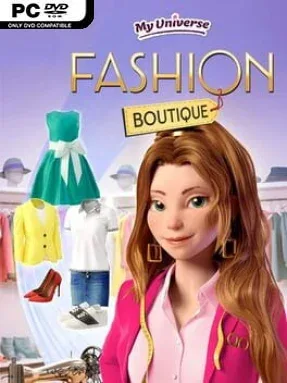
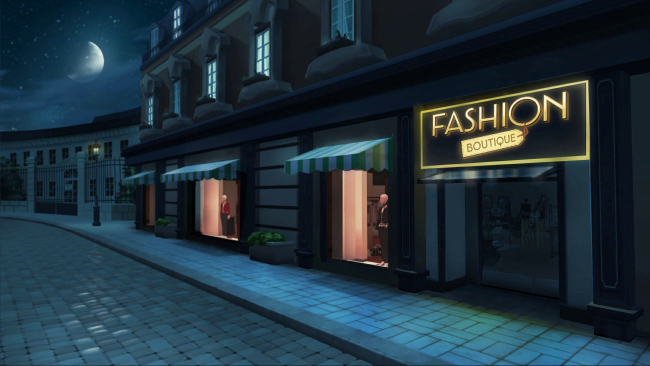
My Universe – Fashion Boutique Cover Art

My Universe – Fashion Boutique

INDIE 700.53 MB

Game Overview

A compact fashion-management sim puts the player behind the counter, at the cutting table, and eventually under the runway lights. My Universe – Fashion Boutique favors bright colors, accessible systems, and a lighthearted rise-from-small-shop fantasy rather than the pressure of a hardcore business simulator. You begin by shaping a boutique around your own taste, creating a recognizable look for both the store and its owner. Success comes from turning passing customers into regulars, then using the profits to make the showroom more appealing and the catalog more ambitious.

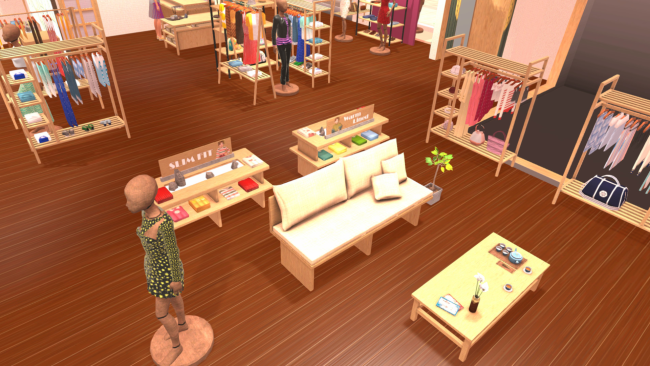
Daily play revolves around serving shoppers, identifying outfits that suit their requests, and keeping the boutique stocked with fresh designs. Clothing creation uses a chain of simple hands-on mini-games: choose silhouettes, fabrics, patterns, and colors, then cut, sew, and finish the item yourself. Thousands of possible combinations give the wardrobe room to grow, while character customization lets you wear your own work and present a consistent brand image. As customer traffic increases, you expand and decorate the store, improve its appeal, and build enough reputation to take part in fashion events beyond your home town.

The strongest idea here is that fashion design is not just a menu of prebuilt garments; every new piece feels tied to a small creative process. Showroom decoration, social-media fame, and model shows in cities such as Paris, Milan, Tokyo, and Moscow provide a satisfying sense of progression without demanding deep economic micromanagement. The visual style and repeated mini-games make it best suited to younger players, casual sim fans, or anyone who enjoys the creative side of titles like Style Savvy more than the complexity of a traditional tycoon game. Veteran management players may find its systems straightforward, but it remains a cheerful, low-stress outlet for building a personal fashion label.

Installation

  1. Click the green button below to be redirected to UploadHaven.
  2. Wait 15 seconds, then hit “Free Download.” (Free downloads may be slower — upgrade to UploadHaven Pro for faster speeds.)
  3. Once downloaded, right-click the .zip file and choose “Extract to My Universe - Fashion Boutique.” (You’ll need 7-Zip for this.)
  4. Open the extracted folder and run the game as administrator.
  5. Enjoy! 🎮 If you see missing DLL errors, check the <strong>_Redist</strong> folder inside and install what’s needed.

System Requirements

  • OS: Windows 7/8/10
  • Processor: Intel Core 2 Duo CPU E6550 2.33GHz
  • Memory: 4 GB RAM
  • Graphics: 1GB
  • Storage: 1300 MB available space

Setup Guide & Troubleshooting

How do I fix missing DLL errors for My Universe – Fashion Boutique?

After extracting My Universe – Fashion Boutique, navigate to the _Redist or _CommonRedist folder inside the game directory and install DirectX, Vcredist, and any other dependencies included.

What should I do if the downloaded file is corrupted?

The full archive is 700.53 MB — make sure your download completed fully before extracting. Use 7-Zip to extract the files. If you still see a "file corrupted" error, re-download and try again.

Why should I run the game as administrator?

Right-click the game executable and select "Run as Administrator" to avoid save file issues and permission errors. This is especially important on the first launch.

How do I update my GPU drivers for this game?

My Universe – Fashion Boutique requires a 1GB or equivalent. Update your NVIDIA or AMD drivers to the latest version for the best performance.

The game won't launch — what should I try?

Try running in compatibility mode, install the latest DirectX runtime, or install the All-in-One VC Redist Package.

My antivirus is blocking the game — is it safe?

Antivirus false positives are common with pre-installed games. Temporarily pause your antivirus during extraction to prevent it from quarantining game files. You can re-enable it after the extraction completes.

Need more help? Browse our FAQ & Troubleshooting Guide for solutions to common issues.
Looking for something else? Explore all games on Steam Unlocked