
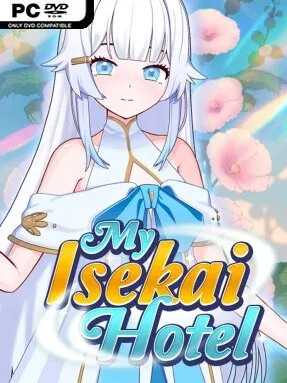
Game Overview
A second life begins not with a sword or prophecy, but with a half-built mountain inn and a goddess’s demand to make it prosper. My Isekai Hotel mixes isekai fantasy, hotel management, light resource simulation, and visual-novel storytelling in a relaxed, character-driven package. The mood is cozy and playful despite its reincarnation premise, with the focus placed on turning an empty plot into a busy refuge for wandering visitors. Its adult category comes through in mature character interactions and relationship-focused scenes rather than combat-heavy adventuring.
Each in-game day revolves around spending limited stamina wisely: gathering wood, mining stone, earning gold, improving rooms, and deciding which upgrades matter most. Resource collection is handled through short skill-based activities, giving routine chores more involvement than simple menu clicking, while new furnishings and expanded facilities help draw in additional guests. Residents and visitors have individual relationship levels, and raising them opens dialogue choices, personal events, and visual-novel sequences that reveal more about the people staying under your roof. Skills gradually improve efficiency by increasing energy reserves, strengthening material yields, or making social progress faster, so the hotel’s development has a satisfying sense of momentum.
Rather than treating management as an abstract spreadsheet exercise, My Isekai Hotel ties every renovation to new characters and story opportunities. The mountain setting, steadily growing inn, and cyclical daily routine give it the approachable rhythm of Stardew Valley-style progression, though its focus is firmly on hospitality and mature social encounters instead of farming. Players who enjoy incremental building, simple minigames, and seeing a home base fill with recurring personalities should find plenty to work toward. It suits newcomers to management sims thanks to its clear resource loop, while genre veterans may appreciate optimizing stamina, upgrades, and relationship routes.
Installation
- Click the green button below to be redirected to UploadHaven.
- Wait 15 seconds, then hit “Free Download.” (Free downloads may be slower — upgrade to UploadHaven Pro for faster speeds.)
- Once downloaded, right-click the .zip file and choose “Extract to My Isekai Hotel.” (You’ll need 7-Zip for this.)
- Open the extracted folder and run the game as administrator.
- Enjoy! 🎮 If you see missing DLL errors, check the <strong>_Redist</strong> folder inside and install what’s needed.
System Requirements
- OS *: Windows® 7/8/8.1/10
- Processor: Intel Core2 Duo or better
- Memory: 4 GB RAM
- Graphics: DirectX 9/OpenGL 4.1 capable GPU
- Storage: 2 GB available space
Setup Guide & Troubleshooting
How do I fix missing DLL errors for My Isekai Hotel (v1.00 & Uncensored)?
After extracting My Isekai Hotel (v1.00 & Uncensored), navigate to the _Redist or _CommonRedist folder inside the game directory and install DirectX, Vcredist, and any other dependencies included.
What should I do if the downloaded file is corrupted?
The full archive is 630.80 MB — make sure your download completed fully before extracting. Use 7-Zip to extract the files. If you still see a "file corrupted" error, re-download and try again.
Why should I run the game as administrator?
Right-click the game executable and select "Run as Administrator" to avoid save file issues and permission errors. This is especially important on the first launch.
How do I update my GPU drivers for this game?
My Isekai Hotel (v1.00 & Uncensored) requires a DirectX 9/OpenGL 4.1 capable GPU or equivalent. Update your NVIDIA or AMD drivers to the latest version for the best performance.
The game won't launch — what should I try?
Try running in compatibility mode, install the latest DirectX runtime, or install the All-in-One VC Redist Package.
My antivirus is blocking the game — is it safe?
Antivirus false positives are common with pre-installed games. Temporarily pause your antivirus during extraction to prevent it from quarantining game files. You can re-enable it after the extraction completes.