
Game Overview
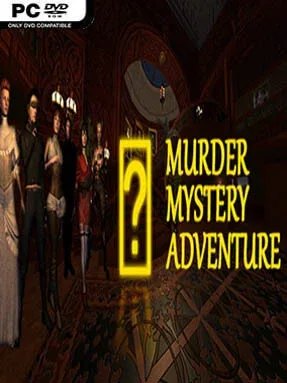
A murder in an isolated hillside mansion sets up a classic whodunit built around locked doors, suspicious guests, and rooms that clearly hide more than they reveal. Murder Mystery Adventure leans into old-school detective fiction, creating a tense but approachable investigation where every dusty study, shadowy corridor, and abandoned object may matter. The mood is more spooky and puzzling than outright terrifying, making it a straightforward mystery for players who enjoy following clues at their own pace.
Players move through the mansion in point-and-click fashion, examining scenes, collecting useful items, and matching objects to the obstacles blocking further progress. Hidden-object sequences ask you to pick important evidence from cluttered rooms, while keys, weapons, and discovered mechanisms open new sections of the estate. Mini-games break up the searching with smaller logic challenges, and a notebook keeps track of hints and evidence when the case becomes difficult to untangle. Conversations with the mansion’s many suspects are central to the final deduction, since the goal is not merely to find clues but to decide whose story does not hold up before calling the police.
Its appeal comes from combining a compact murder investigation with the familiar rhythm of hidden-object adventures: search a room, solve a barrier, uncover a new lead, then push deeper into the house. Secret passageways and restricted areas give the mansion a satisfying sense of layered discovery, even if the structure remains more guided than an open-ended detective simulator. Players looking for the freedom and deduction depth of Return of the Obra Dinn may find it simple, but fans of casual mystery adventures such as the Mystery Case Files series should appreciate its accessible puzzles and steadily unfolding case. It suits newcomers especially well, while genre veterans can treat it as a relaxed evening mystery with a clear objective and a suitably sinister setting.
Installation
- Click the green button below to be redirected to UploadHaven.
- Wait 15 seconds, then hit “Free Download.” (Free downloads may be slower — upgrade to UploadHaven Pro for faster speeds.)
- Once downloaded, right-click the .zip file and choose “Extract to Murder Mystery Adventure.” (You’ll need 7-Zip for this.)
- Open the extracted folder and run the game as administrator.
- Enjoy! 🎮 If you see missing DLL errors, check the <strong>_Redist</strong> folder inside and install what’s needed.
System Requirements
- OS: Windows 7, 8, 10
- Processor: Intel® Core™ 2 Duo / AMD® Athlon™ X2, min. 2.8 GHZ
- Memory: 4 GB RAM
- Graphics: Nvidia® / AMD® with 512 MB memory
- DirectX: Version 10
- Storage: 2 GB available space
Setup Guide & Troubleshooting
How do I fix missing DLL errors for Murder Mystery Adventure?
After extracting Murder Mystery Adventure, navigate to the _Redist or _CommonRedist folder inside the game directory and install DirectX, Vcredist, and any other dependencies included.
What should I do if the downloaded file is corrupted?
The full archive is 601.57 MB — make sure your download completed fully before extracting. Use 7-Zip to extract the files. If you still see a "file corrupted" error, re-download and try again.
Why should I run the game as administrator?
Right-click the game executable and select "Run as Administrator" to avoid save file issues and permission errors. This is especially important on the first launch.
How do I update my GPU drivers for this game?
Murder Mystery Adventure requires a Nvidia® / AMD® with 512 MB memory or equivalent. Update your NVIDIA or AMD drivers to the latest version for the best performance.
The game won't launch — what should I try?
This game requires Version 10. Try running in compatibility mode, install the latest DirectX runtime, or install the All-in-One VC Redist Package.
My antivirus is blocking the game — is it safe?
Antivirus false positives are common with pre-installed games. Temporarily pause your antivirus during extraction to prevent it from quarantining game files. You can re-enable it after the extraction completes.