
Game Overview
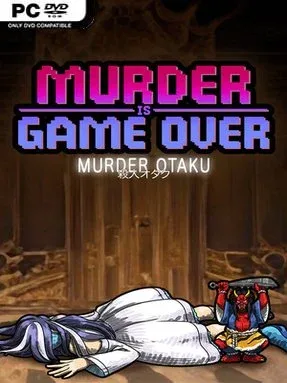
A murder at YokaiKon turns a bright celebration of anime, games, cosplay, and J-pop into a compact supernatural-tinged whodunit. Murder Is Game Over: Murder Otaku places Detective Guy and his remarkably capable dog Cleo inside a historic 1920s high-rise hotel, where a beloved idol singer’s death casts a long shadow over the convention crowd. The mood balances cozy pixel-art detective fiction with the stranger corners of fandom, from obsessive admirers and professional jealousy to whispers of an ancient oni curse. It is a short, focused mystery that values atmosphere, character, and deduction over action.
Players search the hotel’s rooms and convention spaces for interactive details, speak with a deliberately eccentric cast of suspects, and assemble the evidence needed to identify who benefits from the singer’s death. Cleo’s investigative talents are central to the case, helping the duo track down leads that Detective Guy cannot simply spot on his own. Progress comes from thoroughly checking each scene, following up on suspicious dialogue, and connecting clues as new locations and revelations open up. There is no combat-driven detour from the investigation; the emphasis stays on observing the environment and pushing the story toward its final confrontation with the culprit.
Its Japanese pop-culture convention setting gives the series’ familiar murder-mystery structure a more distinctive personality than a standard manor-house case. Cosplay, idol culture, anime enthusiasm, and folklore create a playful backdrop, while the ominous oni statue adds just enough paranormal uncertainty to keep the suspects and motives from feeling routine. The retro hotel also makes for an appealing enclosed setting, with a small cast and manageable map that suit a single-sitting detective adventure. Fans of pixel-art point-and-click mysteries, especially players who enjoy the approachable investigations of classic adventure games rather than punishing logic puzzles, should find Murder Otaku an easy case to recommend.
Installation
- Click the green button below to be redirected to UploadHaven.
- Wait 15 seconds, then hit “Free Download.” (Free downloads may be slower — upgrade to UploadHaven Pro for faster speeds.)
- Once downloaded, right-click the .zip file and choose “Extract to Murder Is Game Over: Murder Otaku.” (You’ll need 7-Zip for this.)
- Open the extracted folder and run the game as administrator.
- Enjoy! 🎮 If you see missing DLL errors, check the <strong>_Redist</strong> folder inside and install what’s needed.
System Requirements
- OS *: Windows XP, 7, 8, 10, 11
- Processor: Intel/AMD Quad-Core 2+ Ghz
- Memory: 2 GB RAM
- Graphics: nVidia GT 400 / Radeon 6000 or better
- Storage: 500 MB available space
- Sound Card: DirectX Compatible Sound Card
Setup Guide & Troubleshooting
How do I fix missing DLL errors for Murder Is Game Over: Murder Otaku?
After extracting Murder Is Game Over: Murder Otaku, navigate to the _Redist or _CommonRedist folder inside the game directory and install DirectX, Vcredist, and any other dependencies included.
What should I do if the downloaded file is corrupted?
The full archive is 387.69 MB — make sure your download completed fully before extracting. Use 7-Zip to extract the files. If you still see a "file corrupted" error, re-download and try again.
Why should I run the game as administrator?
Right-click the game executable and select "Run as Administrator" to avoid save file issues and permission errors. This is especially important on the first launch.
How do I update my GPU drivers for this game?
Murder Is Game Over: Murder Otaku requires a nVidia GT 400 / Radeon 6000 or better or equivalent. Update your NVIDIA or AMD drivers to the latest version for the best performance.
The game won't launch — what should I try?
Try running in compatibility mode, install the latest DirectX runtime, or install the All-in-One VC Redist Package.
My antivirus is blocking the game — is it safe?
Antivirus false positives are common with pre-installed games. Temporarily pause your antivirus during extraction to prevent it from quarantining game files. You can re-enable it after the extraction completes.