
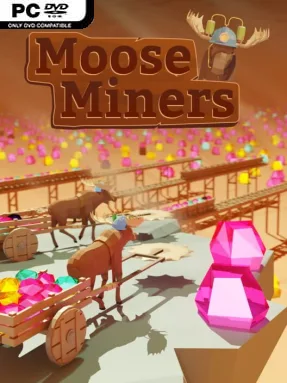
Game Overview
A crew of hard-working moose turns the traditional mining sim into a gentle, steadily escalating idle-management game. Moose Miners revolves around expanding a gem operation from a modest dig site into a sprawling underground industrial network, with every deeper layer promising richer rewards. Its tone is deliberately relaxed: there is no enemy pressure, no timer, and no failure state hanging over each decision. Instead, the appeal comes from watching an orderly machine of miners, carts, tracks, and processing equipment become increasingly efficient.
Your moose handle the physical labor, digging up gems and hauling them from the tunnels, while you direct the money earned from sales toward the next useful improvement. Hiring additional miners raises output, while gear upgrades help the workforce break through rock and collect valuables at a faster pace. Gems must pass through grinders before they can be sold, so processing speed can become just as important as extraction. Expanding rail lines and improving minecarts lets the operation reach farther underground and prevents distant resources from becoming a logistical bottleneck. Progress arrives through a familiar loop of earning, reinvesting, unlocking access to deeper territory, and finding increasingly valuable gem types.
What makes it stand out is its focus on a huge mine packed with more than 100 million gems and a progression ladder built around 19 resource tiers. Rather than demanding constant clicks, it supports both active optimization and hands-off play: check in frequently to fine-tune every upgrade, or leave the mine running and return to a pile of profits. The simple premise gives it the approachable rhythm of idle games such as AdVenture Capitalist, but the rails, carts, and grinders add a light production-chain flavor. Moose Miners suits players who enjoy incremental growth, low-stress resource management, and the satisfaction of turning small efficiency gains into a massive automated operation.
Installation
- Click the green button below to be redirected to UploadHaven.
- Wait 15 seconds, then hit “Free Download.” (Free downloads may be slower — upgrade to UploadHaven Pro for faster speeds.)
- Once downloaded, right-click the .zip file and choose “Extract to Moose Miners.” (You’ll need 7-Zip for this.)
- Open the extracted folder and run the game as administrator.
- Enjoy! 🎮 If you see missing DLL errors, check the <strong>_Redist</strong> folder inside and install what’s needed.
System Requirements
- Requires a 64-bit processor and operating system
- OS: WIndows 10
- Processor: Intel Core i3 or AMD equivalent with with SSE4.1 support
- Memory: 4 GB RAM
- Graphics: Intel UHD Graphics 630
- Storage: 1 GB available space
- Additional Notes: for 720p 30 fps.
Setup Guide & Troubleshooting
How do I fix missing DLL errors for Moose Miners?
After extracting Moose Miners, navigate to the _Redist or _CommonRedist folder inside the game directory and install DirectX, Vcredist, and any other dependencies included.
What should I do if the downloaded file is corrupted?
The full archive is 136.77 MB — make sure your download completed fully before extracting. Use 7-Zip to extract the files. If you still see a "file corrupted" error, re-download and try again.
Why should I run the game as administrator?
Right-click the game executable and select "Run as Administrator" to avoid save file issues and permission errors. This is especially important on the first launch.
How do I update my GPU drivers for this game?
Moose Miners requires a Intel UHD Graphics 630 or equivalent. Update your NVIDIA or AMD drivers to the latest version for the best performance.
The game won't launch — what should I try?
Try running in compatibility mode, install the latest DirectX runtime, or install the All-in-One VC Redist Package.
My antivirus is blocking the game — is it safe?
Antivirus false positives are common with pre-installed games. Temporarily pause your antivirus during extraction to prevent it from quarantining game files. You can re-enable it after the extraction completes.