
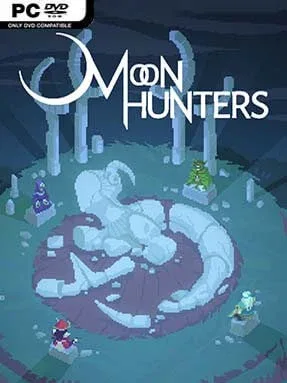
Moon Hunters Cover Art

Moon Hunters

INDIE 622.59 MB v2.0.3491

Game Overview

A missing moon turns the kingdom of Issaria into a land of frightened villages, roaming monsters, and broken old myths. Moon Hunters is an isometric action RPG built around short, repeatable adventures for one to four players, with a Mesopotamian-inspired fantasy setting that feels more like a folktale than a standard dungeon crawl. Each expedition asks the chosen Children of the Moon to uncover why the sky has gone dark before the world falls further into chaos. The tone balances colorful pixel art and approachable co-op action with choices that can be surprisingly grim, strange, or funny.

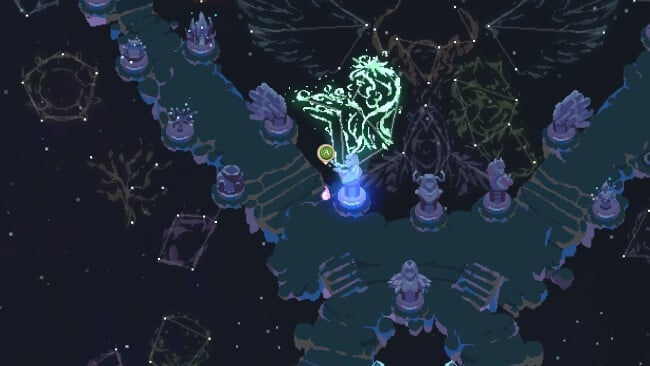
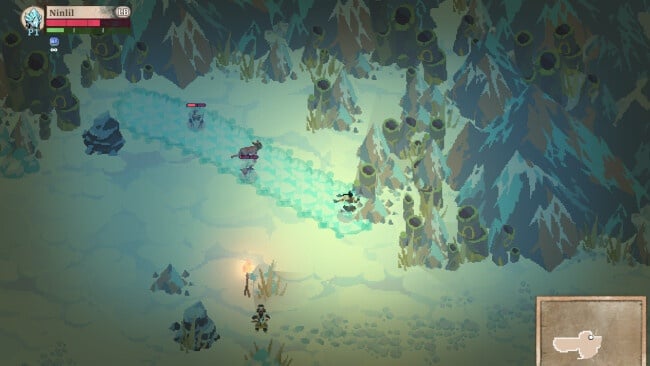
Players select from distinct warrior, mage, hunter, and support-oriented classes, then travel across a semi-randomized map over a limited number of in-game days. Combat is fast and simple to grasp, relying on melee strikes, ranged attacks, dodges, class skills, and teamwork when playing with friends. Along the way, conversations, quests, and decisions quietly track your behavior: generosity, pride, aggression, caution, and other traits shape the legend told about your hero after each run. That personality-driven structure gives failure and success equal value, since every attempt unlocks new stories, cosmetic options, lore, and possible directions for later journeys.

What separates Moon Hunters from other pixel-art roguelites is its focus on identity rather than pure loot grinding. Your character can become remembered as a merciful protector, reckless destroyer, cunning trickster, or something much stranger, while the world’s events and regional layouts keep repeat runs from feeling identical. The Eternal Echoes expansion adds a snowbound culture, another playable class, constellation progression, a climactic enemy, and an endless combat arena for players who want a tougher mechanical challenge. Fans of short co-op runs like Children of Morta or the accessible action of Gauntlet should find plenty to enjoy, especially if they value storytelling and replayable group sessions over deep build crafting.

Installation

  1. Click the green button below to be redirected to UploadHaven.
  2. Wait 15 seconds, then hit “Free Download.” (Free downloads may be slower — upgrade to UploadHaven Pro for faster speeds.)
  3. Once downloaded, right-click the .zip file and choose “Extract to Moon Hunters.” (You’ll need 7-Zip for this.)
  4. Open the extracted folder and run the game as administrator.
  5. Enjoy! 🎮 If you see missing DLL errors, check the <strong>_Redist</strong> folder inside and install what’s needed.

System Requirements

  • OS: Windows 7 or later (32 or 64 bit)
  • Processor: Dual Core CPU – 2.6GHz
  • Memory: 4 GB RAM
  • Graphics: 1GB of VRAM: Intel HD 3000 GPU / AMD HD 5450 / Nvidia 9400 GT
  • DirectX: Version 9.0
  • Storage: 2 GB available space

Setup Guide & Troubleshooting

How do I fix missing DLL errors for Moon Hunters (v2.0.3491)?

After extracting Moon Hunters (v2.0.3491), navigate to the _Redist or _CommonRedist folder inside the game directory and install DirectX, Vcredist, and any other dependencies included.

What should I do if the downloaded file is corrupted?

The full archive is 622.59 MB — make sure your download completed fully before extracting. Use 7-Zip to extract the files. If you still see a "file corrupted" error, re-download and try again.

Why should I run the game as administrator?

Right-click the game executable and select "Run as Administrator" to avoid save file issues and permission errors. This is especially important on the first launch.

How do I update my GPU drivers for this game?

Moon Hunters (v2.0.3491) requires a  1GB of VRAM: Intel HD 3000 GPU / AMD HD 5450 / Nvidia 9400 GT or equivalent. Update your NVIDIA or AMD drivers to the latest version for the best performance.

The game won't launch — what should I try?

This game requires  Version 9.0. Try running in compatibility mode, install the latest DirectX runtime, or install the All-in-One VC Redist Package.

My antivirus is blocking the game — is it safe?

Antivirus false positives are common with pre-installed games. Temporarily pause your antivirus during extraction to prevent it from quarantining game files. You can re-enable it after the extraction completes.

Need more help? Browse our FAQ & Troubleshooting Guide for solutions to common issues.
Looking for something else? Explore all games on Steam Unlocked