
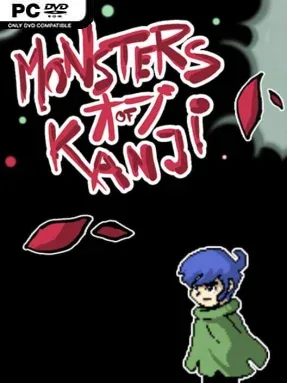
Game Overview
A strange world full of roaming kanji monsters gives this old-school RPG an unusual identity: it doubles as a Japanese-language study companion without turning every battle into homework. Players follow Marty across a broad, secret-filled map, meeting allies, confronting dangerous bosses, and uncovering why this setting feels so disconnected from ordinary life. The mood is colorful and curious rather than relentlessly grim, with classic JRPG adventure pacing built around towns, dungeons, exploration, and plenty of optional detours. Language learners get an extra layer of satisfaction from recognizing symbols and vocabulary, while everyone else can treat them as collectible creatures and rewards.
Combat and progression follow a familiar retro role-playing structure, with six party members to recruit and level as the journey opens up. More than fifteen bosses test party growth and preparation, while over a hundred locations encourage players to leave the critical route and search for quests, loot, and hidden paths. Kanji and vocabulary appear as collectible Monsters of Kanji, and finding them can unlock alternate character color schemes rather than blocking story progress. Cara the crow offers another learning tool through signs teaching additional characters, while the Ancient Archive lets players revisit every discovered monster, word, and symbol at their own pace.
What separates Monsters Of Kanji from a standard indie JRPG is how gently it handles education. Nearly 1,900 words, a large collection of kanji, and dozens of Memory Discs give curious players a substantial amount to absorb, yet none of that knowledge is required to finish the adventure. The Memory Discs also reward thorough exploration with pieces of the setting’s deeper lore, and 37 side quests give completionists a reason to keep poking into overlooked areas. Fans of classic 16-bit-style RPGs who enjoy collecting everything will find plenty to chase, while Japanese beginners and enthusiasts get a notably relaxed way to reinforce recognition between battles.
Installation
- Click the green button below to be redirected to UploadHaven.
- Wait 15 seconds, then hit “Free Download.” (Free downloads may be slower — upgrade to UploadHaven Pro for faster speeds.)
- Once downloaded, right-click the .zip file and choose “Extract to Monsters Of Kanji.” (You’ll need 7-Zip for this.)
- Open the extracted folder and run the game as administrator.
- Enjoy! 🎮 If you see missing DLL errors, check the <strong>_Redist</strong> folder inside and install what’s needed.
System Requirements
- OS: WindowsR 7/8/8.1/10 (32bit/64bit)
- Processor: Intel Core2 Duo or better
- Memory: 4 GB RAM
- Graphics: DirectX 9/OpenGL 4.1 capable GPU
- DirectX: Version 9.0
- Sound Card: DirectX 9.0 Compatible Sound
- Additional Notes: 1280×768 or better Display
Setup Guide & Troubleshooting
How do I fix missing DLL errors for Monsters Of Kanji (v1.1)?
After extracting Monsters Of Kanji (v1.1), navigate to the _Redist or _CommonRedist folder inside the game directory and install DirectX, Vcredist, and any other dependencies included.
What should I do if the downloaded file is corrupted?
The full archive is 481.14 MB — make sure your download completed fully before extracting. Use 7-Zip to extract the files. If you still see a "file corrupted" error, re-download and try again.
Why should I run the game as administrator?
Right-click the game executable and select "Run as Administrator" to avoid save file issues and permission errors. This is especially important on the first launch.
How do I update my GPU drivers for this game?
Monsters Of Kanji (v1.1) requires a DirectX 9/OpenGL 4.1 capable GPU or equivalent. Update your NVIDIA or AMD drivers to the latest version for the best performance.
The game won't launch — what should I try?
This game requires Version 9.0. Try running in compatibility mode, install the latest DirectX runtime, or install the All-in-One VC Redist Package.
My antivirus is blocking the game — is it safe?
Antivirus false positives are common with pre-installed games. Temporarily pause your antivirus during extraction to prevent it from quarantining game files. You can re-enable it after the extraction completes.