
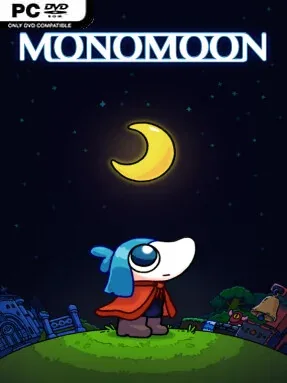
Game Overview
A compact, strange world rewards curiosity more than reflexes, turning every overlooked screen, object, and odd detail into a possible lead. MONOMOON is a non-linear exploration puzzle adventure built around knowledge-gated progression: rather than constantly handing over keys or abilities, it asks players to notice patterns and work out what the world is quietly teaching them. Its tone is deliberately mysterious and playful, with the pleasure of discovery often arriving when a seemingly insignificant find suddenly changes the meaning of an earlier area. A straightforward run can reach an ending in roughly ten hours, but that finish line is only part of the experience.
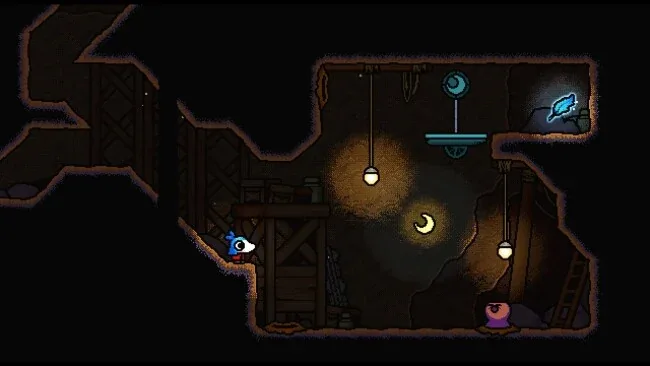
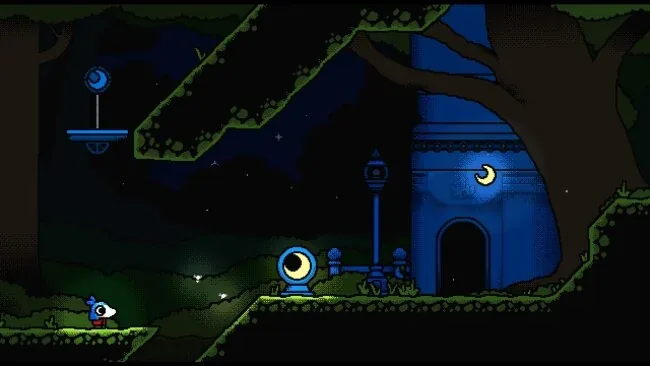
Movement blends side-scrolling platforming with mouse-driven point-and-click interaction, so players jump, inspect, manipulate, and experiment as they roam its small open-ended map. There is little in the way of formal instruction; progression comes from solving environmental puzzles, collecting peculiar items, and using newly learned information to revisit places with sharper eyes. The challenge is less about punishing execution than deduction, observation, and the willingness to test unusual ideas, although some platforming is part of the route. Keyboard and mouse suit its interface best, while controller support remains available for those who prefer it.
What makes MONOMOON stand apart is how deeply it commits to secrets that are not merely optional collectibles, but layered mysteries with their own logic, mechanics, and revelations. It shares some DNA with Metroid-style exploration, classic adventure games, and the “metroidbrainia” approach associated with games such as Tunic or The Witness, where understanding itself unlocks progress. Every answer is intended to be found within the game, yet comparing notes with a friend can make its most cryptic threads especially satisfying. It suits patient puzzle fans, secret hunters, and players who enjoy feeling genuinely lost before becoming genuinely clever; those wanting explicit objectives or constant action may find its deliberate opacity frustrating.
Screenshots
Installation
- Select the <strong>Download</strong> button at the top of this page to open UploadHaven.
- On UploadHaven, wait for any countdown, then select <strong>Free Download</strong>. Optional: UploadHaven Pro for faster downloads.
- When complete, extract the archive to a <strong>MONOMOON</strong> folder using 7-Zip.
- Open the extracted folder and start the game normally.
- For errors, check <strong>Setup Guide & Troubleshooting</strong> below. Keep your security software enabled.
System Requirements
- OS: Windows 10
- Processor: 2 GHz
- Memory: 8 GB RAM
- Graphics: Relatively modern dedicated graphics card
- Storage: 350 MB available space
Setup Guide & Troubleshooting
Is MONOMOON (v1.0.04) free to download on Steam Unlocked?
Yes, MONOMOON (v1.0.04) is available as a full-version direct download on Steam Unlocked with verified mirror links and complete release files.
How do I install MONOMOON without errors?
Download the complete archive from the mirror links, extract using 7-Zip or WinRAR into a path without special characters, install any required runtime redistributables, and launch the main executable.
Does this release of MONOMOON include the latest updates?
This listing provides build v1.0.04 of MONOMOON, tested for offline play and compatibility with modern operating systems and emulators.
What should I do if MONOMOON crashes on startup?
Verify that your GPU drivers and Visual C++ / DirectX runtimes are updated, run the executable as administrator, and ensure your antivirus did not block any extracted game files.