
Game Overview
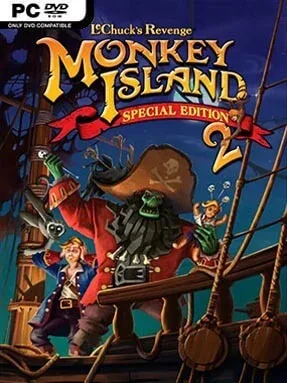
Guybrush Threepwood returns with more swagger than skill in a lavishly upgraded point-and-click pirate comedy. Set across the Caribbean’s oddball islands, Monkey Island 2 Special Edition: LeChuck’s Revenge follows the self-proclaimed mighty pirate as he hunts the legendary treasure of Big Whoop while his undead rival LeChuck plots another terrible comeback. The mood is relentlessly playful, mixing ghost ships, voodoo, treasure maps, and absurd swashbuckling with some of adventure gaming’s sharpest jokes. Beneath the cartoon charm sits a surprisingly elaborate tale full of double-crosses and one famously strange ending.
Progress comes from talking to every eccentric local, collecting objects, and connecting inventory items to increasingly outlandish problems. Guybrush rarely solves anything through force; instead, players win duels through insult trading, cheat at contests, navigate maze-like locations, and manipulate the game’s dense web of puzzles. The Special Edition modernizes the interface with direct controls, cleaner navigation, recorded voice performances, remastered music, and an optional hint system for players who do not want to remain stuck for hours. A single button also switches between the polished new presentation and the original pixel-art graphics and classic interface, making it easy to enjoy either version at any time.
Its biggest strength is the writing: nearly every conversation contains a gag, yet the characters remain memorable enough that the comedy never feels disposable. The enhanced art divides opinion because the original’s rough pixel style has enormous personality, but the instant visual toggle means purists lose nothing. Puzzle logic can be delightfully surreal and occasionally demanding, so newcomers should use hints without shame rather than treating it as a failure. Fans of Grim Fandango, Broken Sword, or modern narrative adventures will find a foundational classic here, while veterans get one of LucasArts’ most ambitious adventures in its most accessible form.
Installation
- Click the green button below to be redirected to UploadHaven.
- Wait 15 seconds, then hit “Free Download.” (Free downloads may be slower — upgrade to UploadHaven Pro for faster speeds.)
- Once downloaded, right-click the .zip file and choose “Extract to Monkey Island 2 Special Edition: Lechuck’s Revenge.” (You’ll need 7-Zip for this.)
- Open the extracted folder and run the game as administrator.
- Enjoy! 🎮 If you see missing DLL errors, check the <strong>_Redist</strong> folder inside and install what’s needed.
System Requirements
- OS: Windows XP® or Windows Vista®
- Processor: Intel Pentium 4 3GHz or AMD Athlon 64 3000+
- Memory: 256 MB RAM, 512 MB for Vista
- Hard Disk Space: 1.8GB free hard drive space
- Graphics: 128 MB with Shader Model 2.0 capability
- Sound Card: DirectX® 9.0c compliant sound card
- Controller Support: Xbox 360 controller
Setup Guide & Troubleshooting
How do I fix missing DLL errors for Monkey Island 2 Special Edition: Lechuck’s Revenge?
After extracting Monkey Island 2 Special Edition: Lechuck’s Revenge, navigate to the _Redist or _CommonRedist folder inside the game directory and install DirectX, Vcredist, and any other dependencies included.
What should I do if the downloaded file is corrupted?
The full archive is 1.39 GB — make sure your download completed fully before extracting. Use 7-Zip to extract the files. If you still see a "file corrupted" error, re-download and try again.
Why should I run the game as administrator?
Right-click the game executable and select "Run as Administrator" to avoid save file issues and permission errors. This is especially important on the first launch.
How do I update my GPU drivers for this game?
Monkey Island 2 Special Edition: Lechuck’s Revenge requires a 128 MB with Shader Model 2.0 capability or equivalent. Update your NVIDIA or AMD drivers to the latest version for the best performance.
The game won't launch — what should I try?
Try running in compatibility mode, install the latest DirectX runtime, or install the All-in-One VC Redist Package.
My antivirus is blocking the game — is it safe?
Antivirus false positives are common with pre-installed games. Temporarily pause your antivirus during extraction to prevent it from quarantining game files. You can re-enable it after the extraction completes.