
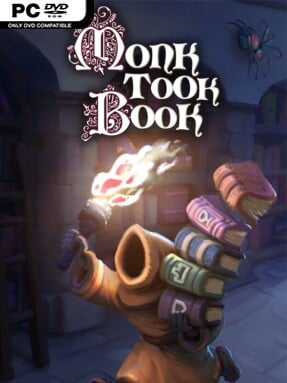
Game Overview
A medieval library becomes an unlikely battlefield in this first- or third-person cooperative management game. As a novice monk on Holy Island, you oversee a growing collection of manuscripts, arranging newly delivered volumes and committing every shelf position to memory before night arrives. The mood balances cosy organisational satisfaction with slapstick panic: a peaceful shift of stacking books can turn into a frantic scramble when spirits, pests, and other intruders start wrecking the archive. Monk Took Book treats the preservation of knowledge as both a memory challenge and a physical comedy sandbox.
Each day begins with identifying the symbols on incoming books, then deciding where they belong across an expanding network of shelves and rooms. At night, scribes request specific titles, forcing you to remember your own filing system while racing through the library to retrieve them; success earns blessings spent on personal upgrades such as speed, strength, and building ability. Enemies can be confronted with melee weapons, a crossbow, and religious tools, while damaged tomes need repairing with a quill after the chaos settles. Physical systems matter throughout: books can be hauled in unwieldy piles, hurled across rooms, knocked from shelves, set alight, or saved from fire with water, giving even routine tasks an entertainingly unpredictable edge.
The standout idea is how Monk Took Book combines the pressure of Overcooked-style co-op coordination with a memorisation game and a deliberately messy physics playground. Up to four players can manage the workload together through online lobbies, proximity voice chat, invites, and text chat, but solo play remains viable for anyone who enjoys designing an efficient personal system. Extensive difficulty settings let players reduce or entirely remove hostile creatures, alter delivery rates, and use an arachnophobia option, so the experience can lean toward calm library keeping rather than survival action. It suits groups looking for chaotic shared laughs, as well as methodical players who enjoy turning an increasingly complicated workspace into a well-organised machine.
Screenshots
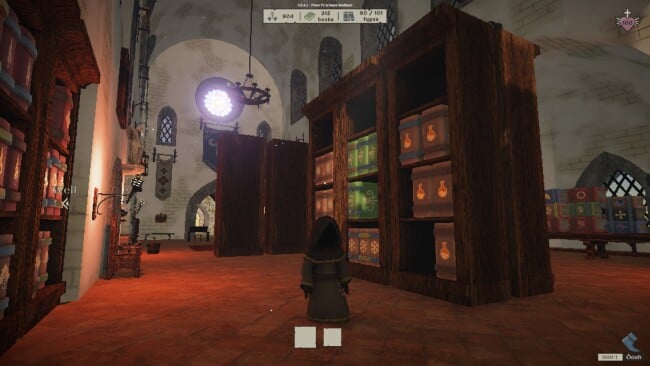
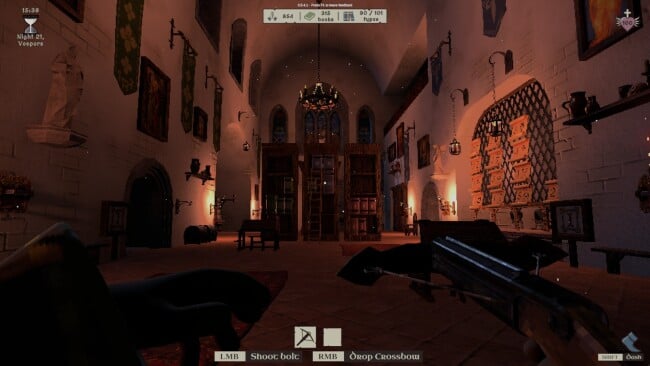
Installation
- Click the green button below to be redirected to UploadHaven.
- Wait 15 seconds, then hit “Free Download.” (Free downloads may be slower — upgrade to UploadHaven Pro for faster speeds.)
- Once downloaded, right-click the .zip file and choose “Extract to Monk Took Book.” (You’ll need 7-Zip for this.)
- Open the extracted folder and run the game as administrator.
- Enjoy! 🎮 If you see missing DLL errors, check the <strong>_Redist</strong> folder inside and install what’s needed.
System Requirements
- OS: Windows 10 or later
- Processor: Intel Core i5 or equivalent
- Graphics: Desktop Nvidia GTX 1050 4GB or equivalent (integrated GPUs/lower spec mobile laptop GPUs not supported)
Setup Guide & Troubleshooting
How do I fix missing DLL errors for Monk Took Book (v1.0.2.2)?
After extracting Monk Took Book (v1.0.2.2), navigate to the _Redist or _CommonRedist folder inside the game directory and install DirectX, Vcredist, and any other dependencies included.
What should I do if the downloaded file is corrupted?
The full archive is 317.84 MB — make sure your download completed fully before extracting. Use 7-Zip to extract the files. If you still see a "file corrupted" error, re-download and try again.
Why should I run the game as administrator?
Right-click the game executable and select "Run as Administrator" to avoid save file issues and permission errors. This is especially important on the first launch.
How do I update my GPU drivers for this game?
Monk Took Book (v1.0.2.2) requires a Desktop Nvidia GTX 1050 4GB or equivalent (integrated GPUs/lower spec mobile laptop GPUs not supported) or equivalent. Update your NVIDIA or AMD drivers to the latest version for the best performance.
The game won't launch — what should I try?
Try running in compatibility mode, install the latest DirectX runtime, or install the All-in-One VC Redist Package.
My antivirus is blocking the game — is it safe?
Antivirus false positives are common with pre-installed games. Temporarily pause your antivirus during extraction to prevent it from quarantining game files. You can re-enable it after the extraction completes.