
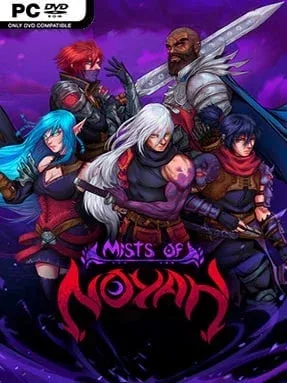
Game Overview
A ruined fortress stands as the last fragile refuge against a spreading corruption, and every day spent beyond its walls is a gamble against the horrors returning after dark. Mists of Noyah blends survival crafting, action RPG combat, and base defense into a tense pixel-art adventure where rebuilding civilization matters as much as killing monsters. Its mood shifts constantly: daylight offers the satisfaction of gathering supplies and rescuing survivors, while nighttime turns the same wilderness into a dangerous hunting ground. The looming full moon attacks give the adventure an urgent, almost siege-like rhythm rather than letting players grind safely forever.
Most of the play revolves around leaving the fort to cut wood, mine ores, gather plants, fish, hunt for food, and track down the scattered people needed to restore its services. Recruited inhabitants support the rebuilding effort, while professions such as cooking, lumber work, mining, fishing, and herbalism feed into stronger equipment, useful supplies, and long-term defenses. Character classes and skills add RPG progression to the resource loop, letting combat become more capable as increasingly rare enemies and major bosses enter the picture. Before night falls, players need to return, erect gates, organize their defenses, and survive demon assaults; losing the fortress and failing to reclaim it in time ends the run.
Randomized worlds and shifting events keep expeditions from feeling completely scripted, while factions, specialty materials, and dangerous monster encounters give the map reasons to keep pushing outward. The fort is more than a decorative home base: it is the central objective, a vulnerable resource sink, and the source of the game’s strongest tension. Visually, the retro 2D presentation recalls Terraria-style crafting adventures, but its scheduled invasions and harsher defeat condition make it more anxious and defense-focused than a relaxed sandbox. Mists of Noyah suits players who enjoy gathering and upgrading with real pressure attached, especially fans of survival RPGs who want a compact progression loop built around protecting a settlement.
Installation
- Click the green button below to be redirected to UploadHaven.
- Wait 15 seconds, then hit “Free Download.” (Free downloads may be slower — upgrade to UploadHaven Pro for faster speeds.)
- Once downloaded, right-click the .zip file and choose “Extract to Mists of Noyah.” (You’ll need 7-Zip for this.)
- Open the extracted folder and run the game as administrator.
- Enjoy! 🎮 If you see missing DLL errors, check the <strong>_Redist</strong> folder inside and install what’s needed.
System Requirements
- Requires a 64-bit processor and operating system
- OS: Windows 7+
- Processor: 2.0 Ghz
- Memory: 2 GB RAM
- Graphics: 128mb Video Memory, capable of Shader Model 2.0+
- DirectX: Version 9.0c
- Storage: 1 GB available space
Setup Guide & Troubleshooting
How do I fix missing DLL errors for Mists of Noyah (v1.0.2)?
After extracting Mists of Noyah (v1.0.2), navigate to the _Redist or _CommonRedist folder inside the game directory and install DirectX, Vcredist, and any other dependencies included.
What should I do if the downloaded file is corrupted?
The full archive is 1.10 GB — make sure your download completed fully before extracting. Use 7-Zip to extract the files. If you still see a "file corrupted" error, re-download and try again.
Why should I run the game as administrator?
Right-click the game executable and select "Run as Administrator" to avoid save file issues and permission errors. This is especially important on the first launch.
How do I update my GPU drivers for this game?
Mists of Noyah (v1.0.2) requires a 128mb Video Memory, capable of Shader Model 2.0+ or equivalent. Update your NVIDIA or AMD drivers to the latest version for the best performance.
The game won't launch — what should I try?
This game requires Version 9.0c. Try running in compatibility mode, install the latest DirectX runtime, or install the All-in-One VC Redist Package.
My antivirus is blocking the game — is it safe?
Antivirus false positives are common with pre-installed games. Temporarily pause your antivirus during extraction to prevent it from quarantining game files. You can re-enable it after the extraction completes.