
Game Overview
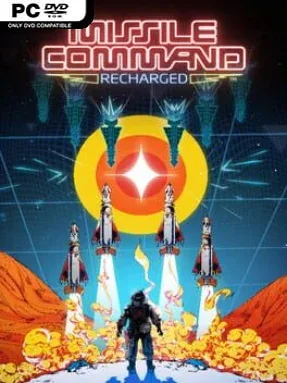
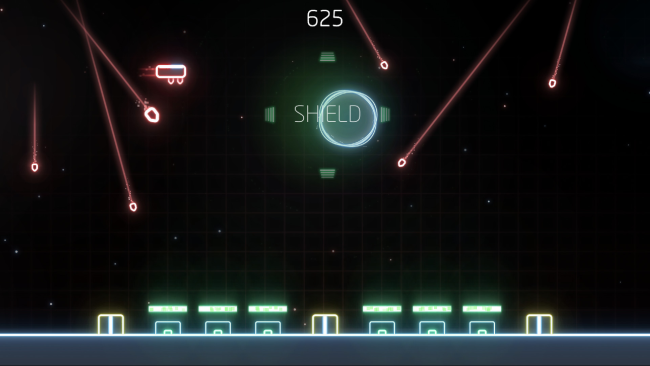
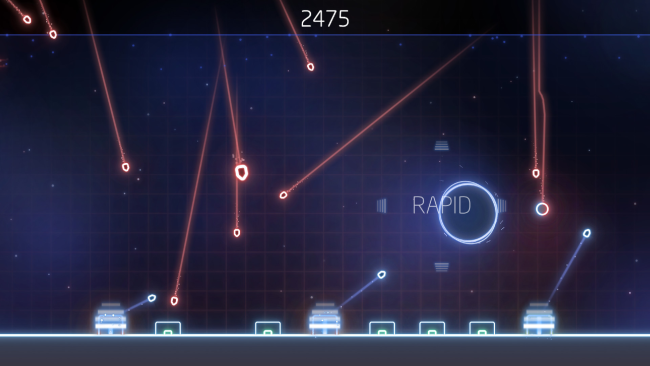
A neon war zone unfolds above a handful of vulnerable bases, and every incoming streak of light demands an immediate answer. Missile Command: Recharged rebuilds Atari’s arcade landmark as a sharp, minimalist score-chaser built around panic, precision, and split-second target selection. The premise remains wonderfully direct: hostile missiles rain from the sky, and your counterfire creates expanding explosions that can wipe out anything caught in their blast radius. Its clean visuals and pulsing electronic presentation give the old-school conflict a modern, almost hypnotic intensity, even as each run steadily becomes more desperate.
Players aim and fire counter-missiles across the battlefield, chaining detonations to destroy clustered threats before they reach the ground. Ammunition is limited, so blindly clicking at every target quickly ends in disaster; success comes from anticipating paths and placing blasts where they eliminate several enemies at once. Power-ups drift into the action and add crucial tactical choices, offering effects such as restored defenses, protective measures, or a dramatic attack that clears the screen when a wave becomes unmanageable. Points earned across attempts feed into permanent upgrades, letting you improve offensive strength, survivability, and other tools for longer runs. The basic controls are instantly readable with a mouse, but the escalating speed and overlapping missile patterns demand focused arcade reflexes.
What separates Recharged from a simple retro remake is its progression layer and its willingness to turn a familiar formula into a repeatable high-score routine. Every attempt lasts only as long as your defenses hold, yet upgrades, achievements, and online leaderboards provide a reason to keep chasing a cleaner, more efficient performance. The stripped-back neon look is easy to read under pressure, while the explosive chain reactions create satisfying moments of recovery from near-collapse. Fans of the original Missile Command, Geometry Wars, or modern arcade survival games find plenty to enjoy here, and newcomers can grasp its rules in seconds. It is best suited to players who value short, intense sessions and mastering a single elegant mechanic over lengthy campaigns or narrative depth.
Installation
- Click the green button below to be redirected to UploadHaven.
- Wait 15 seconds, then hit “Free Download.” (Free downloads may be slower — upgrade to UploadHaven Pro for faster speeds.)
- Once downloaded, right-click the .zip file and choose “Extract to Missile Command: Recharged.” (You’ll need 7-Zip for this.)
- Open the extracted folder and run the game as administrator.
- Enjoy! 🎮 If you see missing DLL errors, check the <strong>_Redist</strong> folder inside and install what’s needed.
System Requirements
- OS: Windows 7
- Processor: Dual Core +
- Memory: 1 GB RAM
- Graphics: 512MB +
- Storage: 500 MB available space
Setup Guide & Troubleshooting
How do I fix missing DLL errors for Missile Command: Recharged?
After extracting Missile Command: Recharged, navigate to the _Redist or _CommonRedist folder inside the game directory and install DirectX, Vcredist, and any other dependencies included.
What should I do if the downloaded file is corrupted?
The full archive is 67.34 MB — make sure your download completed fully before extracting. Use 7-Zip to extract the files. If you still see a "file corrupted" error, re-download and try again.
Why should I run the game as administrator?
Right-click the game executable and select "Run as Administrator" to avoid save file issues and permission errors. This is especially important on the first launch.
How do I update my GPU drivers for this game?
Missile Command: Recharged requires a 512MB + or equivalent. Update your NVIDIA or AMD drivers to the latest version for the best performance.
The game won't launch — what should I try?
Try running in compatibility mode, install the latest DirectX runtime, or install the All-in-One VC Redist Package.
My antivirus is blocking the game — is it safe?
Antivirus false positives are common with pre-installed games. Temporarily pause your antivirus during extraction to prevent it from quarantining game files. You can re-enable it after the extraction completes.