
Game Overview
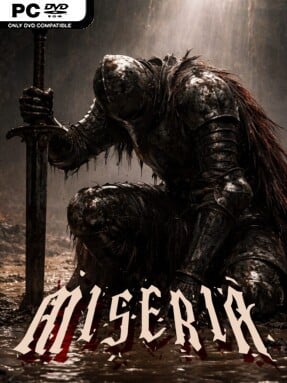
A bottomless abyss provides the entire stage for a grim, focused incremental RPG built around pushing a party beyond its last failed descent. Miseria trades hands-on dungeon crawling for a darker kind of management challenge: heroes advance and fight on their own while you decide how to turn each run’s rewards into lasting strength. The mood is bleak but not oppressive, driven by the satisfying rhythm of watching a previously hopeless floor become routine. Its appeal lies in the constant tension between cashing in a run, investing in gear, and seeing whether the team can survive just a little deeper.
Combat runs automatically, with party members attacking enemies to generate mana and trigger their stronger abilities. Rather than demanding twitch reactions, the game asks players to read the pace of battle, develop characters through experience gains, and improve the numbers that matter most for a chosen strategy. Monsters supply gold, and that gold feeds into a blacksmith system for forging and upgrading equipment, creating a familiar but effective loop of fight, earn, improve, and descend. Danger rises alongside the rewards, so progress depends on sensible upgrades and knowing when a current setup has reached its limit.
The defining feature is the Reborn system, a prestige mechanic that lets players reset a run in exchange for permanent benefits that make later attempts more productive. That structure gives defeats a purpose and turns gradual optimization into the real long-term objective, much like the satisfaction found in incremental RPGs such as Clicker Heroes or the more automated side of dungeon crawlers. Miseria is best suited to players who enjoy watching systems unfold, refining builds over time, and chasing increasingly ambitious milestones rather than directly controlling every swing of a weapon. Veterans of idle and prestige-heavy games should appreciate its concentrated loop, while newcomers can grasp the fundamentals quickly if they are comfortable with steady, numbers-driven progression.
Installation
- Click the green button below to be redirected to UploadHaven.
- Wait 15 seconds, then hit “Free Download.” (Free downloads may be slower — upgrade to UploadHaven Pro for faster speeds.)
- Once downloaded, right-click the .zip file and choose “Extract to Miseria.” (You’ll need 7-Zip for this.)
- Open the extracted folder and run the game as administrator.
- Enjoy! 🎮 If you see missing DLL errors, check the <strong>_Redist</strong> folder inside and install what’s needed.
System Requirements
- Requires a 64-bit processor and operating system
- OS: Windows 10/11 (64-bit)
- Processor: Intel Core i5-8400 / AMD Ryzen 3 3100
- Memory: 8 GB RAM
- Graphics: NVIDIA GeForce GTX 1050 Ti / AMD Radeon RX 570
- DirectX: Version 12
- Storage: 900 MB available space
Setup Guide & Troubleshooting
How do I fix missing DLL errors for Miseria (v1.1.0)?
After extracting Miseria (v1.1.0), navigate to the _Redist or _CommonRedist folder inside the game directory and install DirectX, Vcredist, and any other dependencies included.
What should I do if the downloaded file is corrupted?
The full archive is 708.85 MB — make sure your download completed fully before extracting. Use 7-Zip to extract the files. If you still see a "file corrupted" error, re-download and try again.
Why should I run the game as administrator?
Right-click the game executable and select "Run as Administrator" to avoid save file issues and permission errors. This is especially important on the first launch.
How do I update my GPU drivers for this game?
Miseria (v1.1.0) requires a NVIDIA GeForce GTX 1050 Ti / AMD Radeon RX 570 or equivalent. Update your NVIDIA or AMD drivers to the latest version for the best performance.
The game won't launch — what should I try?
This game requires Version 12. Try running in compatibility mode, install the latest DirectX runtime, or install the All-in-One VC Redist Package.
My antivirus is blocking the game — is it safe?
Antivirus false positives are common with pre-installed games. Temporarily pause your antivirus during extraction to prevent it from quarantining game files. You can re-enable it after the extraction completes.