
Game Overview
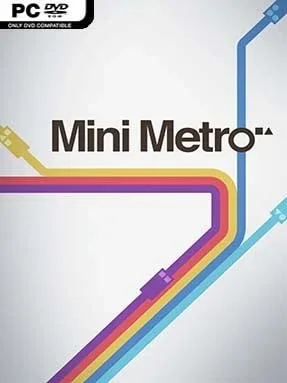
A clean transit map slowly turns into a battle against urban chaos as you draw rail lines for a city that never stops growing. Mini Metro is a minimalist strategy and puzzle game about keeping commuters moving between differently shaped stations before overcrowded platforms bring the system to a halt. Its calm, almost meditative presentation contrasts with the mounting pressure of a network stretched beyond its limits. What begins as a few circles, triangles, and squares becomes a tense exercise in planning around rivers, bottlenecks, and unpredictable expansion.
Players drag lines between stations, assign trains to routes, and redraw the map whenever passenger demand exposes a weak link. Each commuter wants to reach a particular station type, so success depends on creating efficient transfers rather than simply connecting every stop to every other stop. Weekly upgrades offer vital tools such as extra carriages, new trains, tunnels, and additional lines, but choosing the wrong reward can leave a crucial district underserved. Runs are designed to end eventually in the standard mode, while Endless mode removes the failure condition for relaxed building and Extreme mode prevents route edits after placement, forcing careful long-term decisions.
The appeal lies in how much drama Mini Metro creates with almost no visual clutter: every overloaded platform is instantly readable, and every new station can force a complete rethink of the city. Procedurally generated growth keeps individual attempts fresh, while maps inspired by major real-world cities introduce distinct geographic challenges and demand patterns. Its adaptive electronic soundtrack subtly reacts to the movement of your system, making a well-functioning network feel satisfyingly alive even as the pressure rises. Fans of streamlined management games such as Mini Motorways, Dorfromantik, or the logistical side of Cities: Skylines will find a focused, endlessly replayable puzzle experience here, and newcomers can learn its basics in minutes while veterans chase high scores through ruthless optimization.
Installation
- Click the green button below to be redirected to UploadHaven.
- Wait 15 seconds, then hit “Free Download.” (Free downloads may be slower — upgrade to UploadHaven Pro for faster speeds.)
- Once downloaded, right-click the .zip file and choose “Extract to Mini Metro.” (You’ll need 7-Zip for this.)
- Open the extracted folder and run the game as administrator.
- Enjoy! 🎮 If you see missing DLL errors, check the <strong>_Redist</strong> folder inside and install what’s needed.
System Requirements
- OS: Windows XP, Vista, 7, 8, 10 or later
- Processor: 2 GHz or faster processor
- Memory: 2 GB RAM
- Graphics: Shader Model 4.0
- DirectX: Version 9.0c
- Storage: 350 MB available space
Setup Guide & Troubleshooting
How do I fix missing DLL errors for Mini Metro (v2023.07.24)?
After extracting Mini Metro (v2023.07.24), navigate to the _Redist or _CommonRedist folder inside the game directory and install DirectX, Vcredist, and any other dependencies included.
What should I do if the downloaded file is corrupted?
The full archive is 249.28 MB — make sure your download completed fully before extracting. Use 7-Zip to extract the files. If you still see a "file corrupted" error, re-download and try again.
Why should I run the game as administrator?
Right-click the game executable and select "Run as Administrator" to avoid save file issues and permission errors. This is especially important on the first launch.
How do I update my GPU drivers for this game?
Mini Metro (v2023.07.24) requires a Shader Model 4.0 or equivalent. Update your NVIDIA or AMD drivers to the latest version for the best performance.
The game won't launch — what should I try?
This game requires Version 9.0c. Try running in compatibility mode, install the latest DirectX runtime, or install the All-in-One VC Redist Package.
My antivirus is blocking the game — is it safe?
Antivirus false positives are common with pre-installed games. Temporarily pause your antivirus during extraction to prevent it from quarantining game files. You can re-enable it after the extraction completes.