
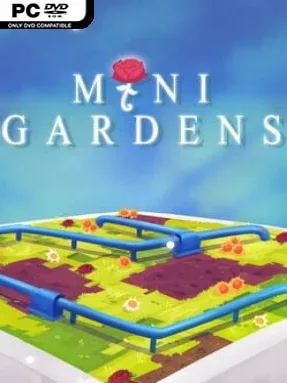
Game Overview
Mini Gardens – Logic Puzzle turns quiet concentration into a colorful trip through compact, carefully arranged puzzle boards. Inspired by Japanese-style logic challenges, it trades action and time pressure for the satisfying click of recognizing a pattern, eliminating a possibility, and bringing order to a grid. Its mood is peaceful rather than punishing, with garden-themed presentation, gentle scenery, and a soundtrack built to support long play sessions without becoming distracting. The result feels like a digital puzzle book designed for players who enjoy thinking several moves ahead.
Each of the 50 handcrafted stages asks you to read the clues on a square board and use deduction to determine the correct arrangement. Puzzles begin on approachable 6×6 grids before expanding to 8×8 and 10×10 layouts, demanding more careful note-taking, pattern recognition, and attention to how every decision affects the remaining spaces. Progress comes from mastering the logic behind the rules instead of collecting loot or upgrading a character, so each completed board delivers its own small but tangible payoff. There is no need for quick reflexes; patience, methodical reasoning, and the willingness to reconsider an assumption matter far more.
Fifteen distinct environments keep the visual backdrop changing as the puzzle sets grow more involved, giving the game a little more atmosphere than a bare spreadsheet of logic grids. The handcrafted approach is important: rather than relying on endless generated boards, it presents a finite sequence intended to introduce and test ideas at a deliberate pace. Fans of Sudoku, Picross, nonograms, and other solitary deduction games should find plenty to like, especially if they prefer a relaxed presentation over stark minimalist menus. Mini Gardens is best suited to newcomers looking for an accessible logic-puzzle routine and seasoned grid-solvers who want a concise collection of thoughtfully built challenges.
Installation
- Click the green button below to be redirected to UploadHaven.
- Wait 15 seconds, then hit “Free Download.” (Free downloads may be slower — upgrade to UploadHaven Pro for faster speeds.)
- Once downloaded, right-click the .zip file and choose “Extract to Mini Gardens - Logic Puzzle.” (You’ll need 7-Zip for this.)
- Open the extracted folder and run the game as administrator.
- Enjoy! 🎮 If you see missing DLL errors, check the <strong>_Redist</strong> folder inside and install what’s needed.
System Requirements
- OS: Windows 10
- Processor: Intel Core i5 or AMD equivalent
- Memory: 2 GB RAM
- Graphics: NVIDIA GTX 660 or AMD Radeon HD 7950
- Storage: 120 MB available space
- Sound Card: Any
Setup Guide & Troubleshooting
How do I fix missing DLL errors for Mini Gardens – Logic Puzzle?
After extracting Mini Gardens – Logic Puzzle, navigate to the _Redist or _CommonRedist folder inside the game directory and install DirectX, Vcredist, and any other dependencies included.
What should I do if the downloaded file is corrupted?
The full archive is 116.48 MB — make sure your download completed fully before extracting. Use 7-Zip to extract the files. If you still see a "file corrupted" error, re-download and try again.
Why should I run the game as administrator?
Right-click the game executable and select "Run as Administrator" to avoid save file issues and permission errors. This is especially important on the first launch.
How do I update my GPU drivers for this game?
Mini Gardens – Logic Puzzle requires a NVIDIA GTX 660 or AMD Radeon HD 7950 or equivalent. Update your NVIDIA or AMD drivers to the latest version for the best performance.
The game won't launch — what should I try?
Try running in compatibility mode, install the latest DirectX runtime, or install the All-in-One VC Redist Package.
My antivirus is blocking the game — is it safe?
Antivirus false positives are common with pre-installed games. Temporarily pause your antivirus during extraction to prevent it from quarantining game files. You can re-enable it after the extraction completes.