
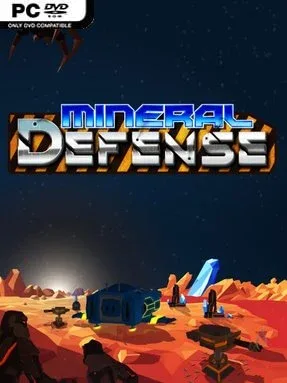
Game Overview
Every run begins with an empty battlefield and a difficult question: where should the enemy be allowed to go? Mineral Defense combines tower defense planning with roguelite unpredictability, making path construction as important as the weapons placed beside it. Rather than simply defending a fixed route, players unlock tiles and build their own maze of turns, intersections, and choke points to control how each wave advances. The tone is tactical and methodical, rewarding careful setups while still leaving room for explosive last-second recoveries.
Combat revolves around combining damage towers, support structures, active abilities, and terrain layout into a defense that counters the threats currently on screen. Enemies can be slowed, weakened, corroded with acid, and then finished with heavier firepower, but the best combinations depend on which rewards and options a run provides. After waves, card-style choices grant upgrades, new buildings, and other advantages, giving each attempt a changing build path instead of a single solved strategy. Longer-term progress comes through research points spent on a large technology tree, while adjustable speed settings let players either study every wave closely or move through routine rounds faster; automatic wave-end saves also make it easy to return later.
Its strongest idea is the freedom to design enemy paths instead of only reacting to them, which gives the familiar tower-defense formula a more puzzle-like edge. The roguelite reward system keeps experimentation central, encouraging risky catalysts, unusual tower pairings, and specialized builds rather than relying on one universal loadout. With more than a hundred run rewards and a deep research catalogue, Mineral Defense offers plenty for players who enjoy refining efficient defenses over repeated attempts. Fans of games such as Bloons TD, Rogue Tower, or other build-focused defense roguelites should find a lot to like, especially if they prefer deliberate planning over fast reflexes.
Installation
- Click the green button below to be redirected to UploadHaven.
- Wait 15 seconds, then hit “Free Download.” (Free downloads may be slower — upgrade to UploadHaven Pro for faster speeds.)
- Once downloaded, right-click the .zip file and choose “Extract to Mineral Defense.” (You’ll need 7-Zip for this.)
- Open the extracted folder and run the game as administrator.
- Enjoy! 🎮 If you see missing DLL errors, check the <strong>_Redist</strong> folder inside and install what’s needed.
System Requirements
- Requires a 64-bit processor and operating system
- OS: Windows 10 (64 bit)
- Processor: Dual Core CPU
- Memory: 6 GB RAM
- Graphics: 2GB VRAM
- DirectX: Version 12
- Storage: 1 GB available space
Setup Guide & Troubleshooting
How do I fix missing DLL errors for Mineral Defense (v0.29)?
After extracting Mineral Defense (v0.29), navigate to the _Redist or _CommonRedist folder inside the game directory and install DirectX, Vcredist, and any other dependencies included.
What should I do if the downloaded file is corrupted?
The full archive is 781.67 MB — make sure your download completed fully before extracting. Use 7-Zip to extract the files. If you still see a "file corrupted" error, re-download and try again.
Why should I run the game as administrator?
Right-click the game executable and select "Run as Administrator" to avoid save file issues and permission errors. This is especially important on the first launch.
How do I update my GPU drivers for this game?
Mineral Defense (v0.29) requires a 2GB VRAM or equivalent. Update your NVIDIA or AMD drivers to the latest version for the best performance.
The game won't launch — what should I try?
This game requires Version 12. Try running in compatibility mode, install the latest DirectX runtime, or install the All-in-One VC Redist Package.
My antivirus is blocking the game — is it safe?
Antivirus false positives are common with pre-installed games. Temporarily pause your antivirus during extraction to prevent it from quarantining game files. You can re-enable it after the extraction completes.