
Game Overview
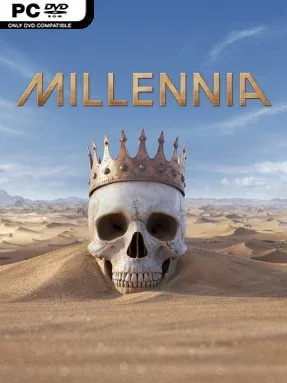
Across ten millennia of human history, every decision can push civilization toward prosperity, catastrophe, or a wildly different future. Millennia is a turn-based 4X strategy game about founding a nation, expanding its influence, and guiding it from primitive settlements to the edge of space. Its tone is more systems-heavy than character-driven, asking players to think like long-term rulers rather than conquerors chasing a quick victory. History is not a fixed track here: a well-timed achievement can unlock an alternate Variant Age, while disorder can drag the world into grim Crisis Ages shaped by war, disease, or decline.
Players establish cities, claim territory, gather essential materials, research discoveries, and build armies capable of defending borders or taking land from rivals. The economic layer is unusually hands-on, since raw goods become more useful when regions specialize: iron can feed weapon production, timber can become lumber or paper, and valuable resources can support trade or luxury industries. Logistics matter as the empire grows, letting productive heartlands supply distant cities and front-line forces instead of treating every settlement as an isolated resource generator. Nation Spirits add another evolving strategic identity, allowing a culture to lean into military expansion, exploration, monument building, finance, or other historical strengths as the ages advance.
Millennia stands apart from Civilization-style strategy through its Age system, which makes the direction of an entire campaign feel reactive to performance and choices rather than simply following a familiar technological timeline. Alternate eras introduce surprising possibilities, including strange futuristic development paths such as airborne estates and underwater settlements, giving later campaigns more personality than a standard historical march. The dense production chains and regional management reward careful planners, while the broad sweep of eras gives experimenters plenty of reasons to start again. Fans of Civilization, Humankind, and other deliberate empire builders should find a deep, demanding 4X here, especially if they enjoy optimizing an economy as much as winning wars.
Installation
- Click the green button below to be redirected to UploadHaven.
- Wait 15 seconds, then hit “Free Download.” (Free downloads may be slower — upgrade to UploadHaven Pro for faster speeds.)
- Once downloaded, right-click the .zip file and choose “Extract to Millennia.” (You’ll need 7-Zip for this.)
- Open the extracted folder and run the game as administrator.
- Enjoy! 🎮 If you see missing DLL errors, check the <strong>_Redist</strong> folder inside and install what’s needed.
System Requirements
- Requires a 64-bit processor and operating system
- OS: Windows® 10 Home 64 Bit
- Processor: Intel® Core™ i5-6600K | AMD® Ryzen™ 3 2300X
- Memory: 8 GB RAM
- Graphics: Nvidia® GeForce™ GTX 660 (2GB) | AMD® Radeon™ R9 380 (4GB)
- DirectX: Version 11
- Storage: 10 GB available space
Setup Guide & Troubleshooting
How do I fix missing DLL errors for Millennia (v1.0.23641.F & ALL DLC)?
After extracting Millennia (v1.0.23641.F & ALL DLC), navigate to the _Redist or _CommonRedist folder inside the game directory and install DirectX, Vcredist, and any other dependencies included.
What should I do if the downloaded file is corrupted?
The full archive is 5.89 GB — make sure your download completed fully before extracting. Use 7-Zip to extract the files. If you still see a "file corrupted" error, re-download and try again.
Why should I run the game as administrator?
Right-click the game executable and select "Run as Administrator" to avoid save file issues and permission errors. This is especially important on the first launch.
How do I update my GPU drivers for this game?
Millennia (v1.0.23641.F & ALL DLC) requires a Nvidia® GeForce™ GTX 660 (2GB) | AMD® Radeon™ R9 380 (4GB) or equivalent. Update your NVIDIA or AMD drivers to the latest version for the best performance.
The game won't launch — what should I try?
This game requires Version 11. Try running in compatibility mode, install the latest DirectX runtime, or install the All-in-One VC Redist Package.
My antivirus is blocking the game — is it safe?
Antivirus false positives are common with pre-installed games. Temporarily pause your antivirus during extraction to prevent it from quarantining game files. You can re-enable it after the extraction completes.