
Game Overview
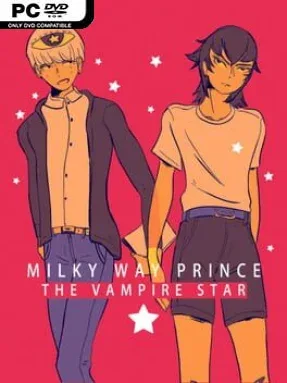
A volatile summer relationship sits at the center of this surreal visual novel, turning intimacy into something beautiful, frightening, and impossible to read with certainty. Milky Way Prince: The Vampire Star follows Nuki as he becomes entangled with Sune, a magnetic boyfriend whose tenderness can abruptly give way to manipulation, anger, or withdrawal. The tone is deliberately uncomfortable rather than escapist, examining idealization, emotional dependency, and the damage caused when affection becomes a source of control. Its cosmic imagery frames the couple like an unstable pair of stars: drawn together, yet increasingly likely to collapse.
Most of the experience unfolds through conversations, choices, and quiet encounters in stylized 3D spaces. Dialogue decisions steer the relationship along branching routes, while hidden values such as interest and submission shape Sune’s reactions and determine which of the multiple endings you reach. The standout interaction system asks you to choose the senses through which Nuki engages with Sune—focusing on sight, sound, touch, taste, or smell to uncover different details about his mood, history, and behavior. Rather than offering clean right-or-wrong solutions, the game makes players sit with ambiguity, second-guessing whether a seemingly loving moment is sincere, defensive, or part of a harmful pattern.
Its presentation is as distinctive as its subject matter. Character portraits carry the exaggerated, unsettling energy of avant-garde manga and animation, while sparse theatrical environments make every bedroom, beach, and night sky feel dreamlike and emotionally charged. A baroque electropop score gives the story a sensual but dissonant pulse, matching its sudden swings between euphoria and dread. Players who enjoy narrative experiments such as Doki Doki Literature Club!, We Know the Devil, or Florence—but want a far darker, more personal work—will find a memorable short-form experience here. It is best approached by readers comfortable with depictions of emotional abuse and unstable relationships, not by anyone seeking a conventional feel-good romance.
Installation
- Click the green button below to be redirected to UploadHaven.
- Wait 15 seconds, then hit “Free Download.” (Free downloads may be slower — upgrade to UploadHaven Pro for faster speeds.)
- Once downloaded, right-click the .zip file and choose “Extract to Milky Way Prince The Vampire Star.” (You’ll need 7-Zip for this.)
- Open the extracted folder and run the game as administrator.
- Enjoy! 🎮 If you see missing DLL errors, check the <strong>_Redist</strong> folder inside and install what’s needed.
System Requirements
- Requires a 64-bit processor and operating system
- OS: Windows 7 SP1+
- Processor: 2.0GHz CPU
- Memory: 4 GB RAM
- Graphics: 512MB graphics card
- Storage: 3 GB available space
Setup Guide & Troubleshooting
How do I fix missing DLL errors for Milky Way Prince The Vampire Star (v1.2)?
After extracting Milky Way Prince The Vampire Star (v1.2), navigate to the _Redist or _CommonRedist folder inside the game directory and install DirectX, Vcredist, and any other dependencies included.
What should I do if the downloaded file is corrupted?
The full archive is 530.22 MB — make sure your download completed fully before extracting. Use 7-Zip to extract the files. If you still see a "file corrupted" error, re-download and try again.
Why should I run the game as administrator?
Right-click the game executable and select "Run as Administrator" to avoid save file issues and permission errors. This is especially important on the first launch.
How do I update my GPU drivers for this game?
Milky Way Prince The Vampire Star (v1.2) requires a 512MB graphics card or equivalent. Update your NVIDIA or AMD drivers to the latest version for the best performance.
The game won't launch — what should I try?
Try running in compatibility mode, install the latest DirectX runtime, or install the All-in-One VC Redist Package.
My antivirus is blocking the game — is it safe?
Antivirus false positives are common with pre-installed games. Temporarily pause your antivirus during extraction to prevent it from quarantining game files. You can re-enable it after the extraction completes.