
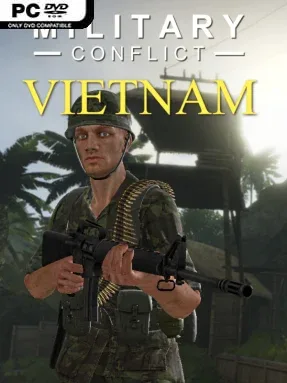
Military Conflict: Vietnam Cover Art

Military Conflict: Vietnam

FPS 13.12 GB v2025.08.27

Game Overview

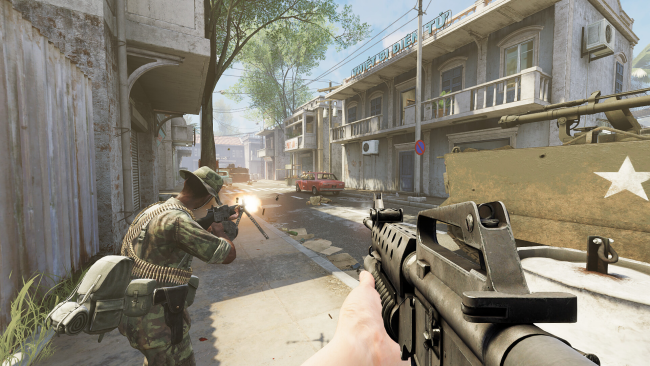
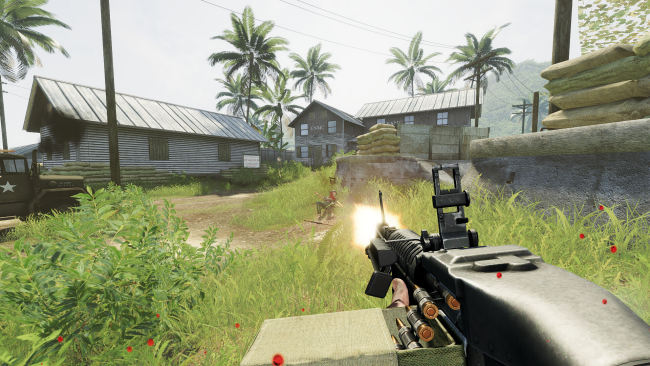
Vietnam War firefights provide the backdrop for a brisk, multiplayer-first FPS built around close-range pressure, rapid movement, and faction-based battles. Military Conflict: Vietnam lets players fight for either U.S. Army forces or Viet Cong guerrillas across recognizable wartime locations, giving each side a distinct visual identity without turning the action into a slow military simulation. The tone is competitive and accessible, favoring familiar shooter controls and immediate respawns over cautious tactical downtime. It aims for the kind of pick-up-and-play intensity that suits short sessions with friends as well as longer nights on a dedicated server.

Matches begin with a choice between six combat classes, allowing players to lean into frontline assault, support-oriented firepower, reconnaissance, or other specialized roles. Combat revolves around securing objectives, winning classic multiplayer modes, and adapting to opposing loadouts with an arsenal that includes more than 100 weapons. Ribbons and rank promotions give regular players tangible progression, while historically styled uniforms, skins, and cosmetic items provide a way to personalize a soldier without affecting balance. Players can join community servers or host their own, setting rules that favor anything from casual chaos to more organized team play.

What separates Military Conflict: Vietnam from many modern online shooters is its commitment to ongoing free content rather than paid gear or microtransactions. Developer tools and Steam Workshop support also make it more than a fixed map rotation, since players can create and share custom content to keep servers active and varied. Its combination of class combat, broad weapon selection, and mod-friendly server control should appeal to fans of Battlefield’s team battles or Day of Defeat’s historical multiplayer focus. Newcomers can settle in quickly thanks to conventional FPS handling, while veterans have enough classes, maps, modes, and community options to pursue a preferred style of play.

Installation

  1. Click the green button below to be redirected to UploadHaven.
  2. Wait 15 seconds, then hit “Free Download.” (Free downloads may be slower — upgrade to UploadHaven Pro for faster speeds.)
  3. Once downloaded, right-click the .zip file and choose “Extract to Military Conflict: Vietnam.” (You’ll need 7-Zip for this.)
  4. Open the extracted folder and run the game as administrator.
  5. Enjoy! 🎮 If you see missing DLL errors, check the <strong>_Redist</strong> folder inside and install what’s needed.

System Requirements

  • OS: Windows® 7 / 8 / 10 / 11 (64bit)
  • Processor: Intel Core i5-4440 (3.10GHz) / AMD FX-6300 (3.50GHz)
  • Memory: 4 GB RAM
  • Graphics: NVIDIA GeForce GTX 760 (2GB) / AMD Radeon HD 7970 (3GB)
  • DirectX: Version 9.0c
  • Storage: 13 GB available space

Setup Guide & Troubleshooting

How do I fix missing DLL errors for Military Conflict: Vietnam (v2025.08.27)?

After extracting Military Conflict: Vietnam (v2025.08.27), navigate to the _Redist or _CommonRedist folder inside the game directory and install DirectX, Vcredist, and any other dependencies included.

What should I do if the downloaded file is corrupted?

The full archive is 13.12 GB — make sure your download completed fully before extracting. Use 7-Zip to extract the files. If you still see a "file corrupted" error, re-download and try again.

Why should I run the game as administrator?

Right-click the game executable and select "Run as Administrator" to avoid save file issues and permission errors. This is especially important on the first launch.

How do I update my GPU drivers for this game?

Military Conflict: Vietnam (v2025.08.27) requires a NVIDIA GeForce GTX 760 (2GB) / AMD Radeon HD 7970 (3GB) or equivalent. Update your NVIDIA or AMD drivers to the latest version for the best performance.

The game won't launch — what should I try?

This game requires Version 9.0c. Try running in compatibility mode, install the latest DirectX runtime, or install the All-in-One VC Redist Package.

My antivirus is blocking the game — is it safe?

Antivirus false positives are common with pre-installed games. Temporarily pause your antivirus during extraction to prevent it from quarantining game files. You can re-enable it after the extraction completes.

Need more help? Browse our FAQ & Troubleshooting Guide for solutions to common issues.
Looking for something else? Explore all games on Steam Unlocked