
Game Overview
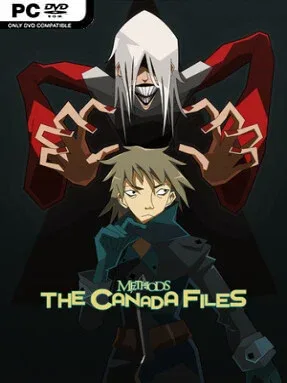
Canada’s sharpest detectives face a string of elaborate cases in a visual-novel mystery built around logic, personalities, and competing theories. Methods: The Canada Files serves as a prequel to Methods: The Detective Competition, but it tells a self-contained enough story for newcomers to follow the central investigations. Its tone balances colorful, stylized character drama with genuinely knotty crimes, making every revelation feel like a contest between clever minds. Rather than relying on action or horror, it creates tension through evidence, contradictions, and the fear of backing the wrong explanation.
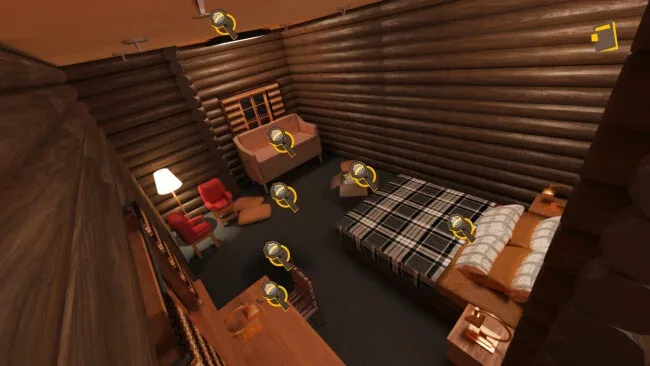
Each of the six files asks players to study crime scenes, weigh clues, question suspects, and determine how the facts fit together. The cases support five distinct investigative approaches, encouraging you to look at motives and evidence from more than one angle instead of simply selecting obvious dialogue options. A major part of the loop involves challenging flawed deductions: you must identify the weak point in another theory and use solid proof to replace it with a stronger conclusion. Individual cases run roughly two to four hours, so the game suits both extended deduction sessions and episodic play across several evenings.
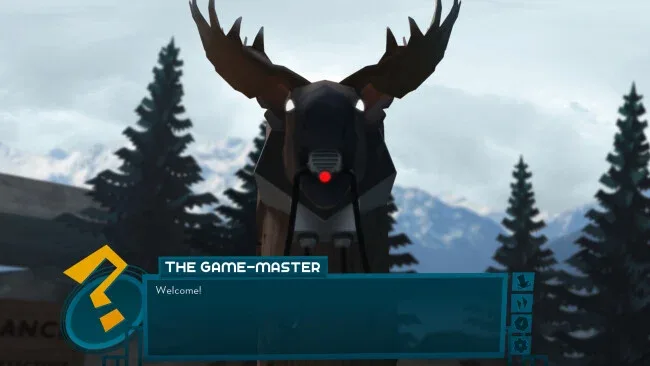
Distinctive illustrated portraits, expressive dialogue, and an original soundtrack give the proceedings a personality closer to Danganronpa or Ace Attorney than a dry police procedural, though the emphasis remains on reasoning rather than courtroom spectacle. The Canadian setting and detective-competition framework also let the cast approach mysteries with different methods, which keeps the six cases from feeling mechanically identical. Players familiar with the larger Methods storyline gain extra context from its prequel status, while first-timers can treat it as an accessible introduction to the series. Anyone who enjoys reading-heavy mysteries, testing theories, and catching logical gaps will find a satisfying indie detective package here; players seeking fast action or open-world investigation should look elsewhere.
Screenshots
Installation
- Select the <strong>Download</strong> button at the top of this page to open UploadHaven.
- On UploadHaven, wait for any countdown, then select <strong>Free Download</strong>. Optional: UploadHaven Pro for faster downloads.
- When complete, extract the archive to a <strong>Methods: The Canada Files</strong> folder using 7-Zip.
- Open the extracted folder and start the game normally.
- For errors, check <strong>Setup Guide & Troubleshooting</strong> below. Keep your security software enabled.
System Requirements
- OS: XP
- Processor: 1 GHz
- Memory: 2 GB RAM
- Storage: 2 GB available space
Setup Guide & Troubleshooting
How do I fix missing DLL errors for Methods: The Canada Files?
After extracting Methods: The Canada Files, navigate to the _Redist or _CommonRedist folder inside the game directory and install DirectX, Vcredist, and any other dependencies included.
What should I do if the downloaded file is corrupted?
The full archive is 3.36 GB — make sure your download completed fully before extracting. Use 7-Zip to extract the files. If you still see a "file corrupted" error, re-download and try again.
Why should I run the game as administrator?
Right-click the game executable and select "Run as Administrator" to avoid save file issues and permission errors. This is especially important on the first launch.
How do I update my GPU drivers for this game?
Update your NVIDIA or AMD drivers to the latest version for the best performance and compatibility.
The game won't launch — what should I try?
Try running in compatibility mode, install the latest DirectX runtime, or install the All-in-One VC Redist Package.
My antivirus is blocking the game — is it safe?
Antivirus false positives are common with pre-installed games. Temporarily pause your antivirus during extraction to prevent it from quarantining game files. You can re-enable it after the extraction completes.