
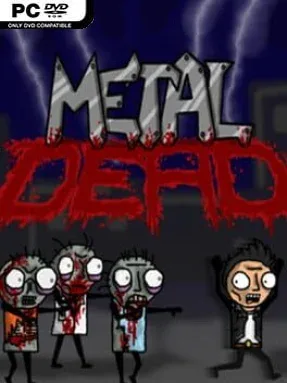
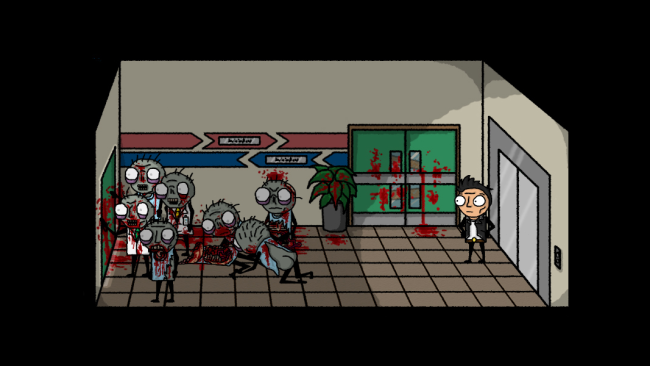
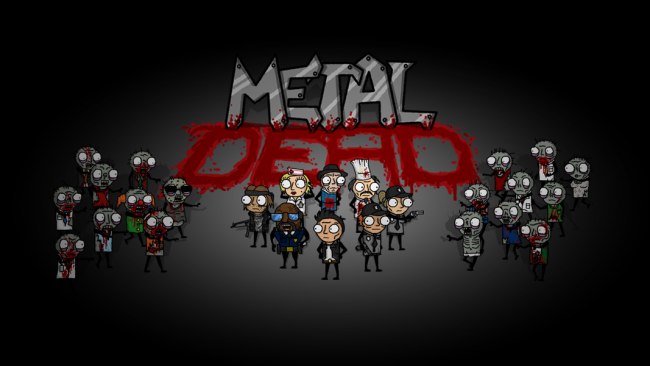
Metal Dead Cover Art

Metal Dead

INDIE 254.17 MB

Game Overview

A zombie outbreak collides with heavy-metal absurdity in a hand-drawn point-and-click adventure that treats gore, B-movie horror, and bad decisions as equal sources of comedy. Two long-haired metal fans crash outside a suspicious medical research complex, only to find that the building is crawling with undead and inhabited by people even less stable than the zombies. The tone is deliberately crude, cartoonish, and gleefully ridiculous, with blood-soaked scenarios balanced by rapid-fire jokes and genre references. Metal Dead is less about surviving through action than surviving the consequences of interacting with the strangest people imaginable.

Players guide the duo through a classic adventure-game structure: inspect rooms, collect questionable objects, combine inventory items, and use dialogue to pry clues from eccentric survivors. Progress depends on solving environmental puzzles, often by applying warped logic to bizarre situations involving laboratories, locked doors, corpses, and improvised tools. Conversations matter as much as item hunting, since the game’s humor comes from choosing responses and watching its characters spiral into increasingly unhinged exchanges. The challenge follows old-school point-and-click conventions, so players should expect to experiment with objects and revisit areas when a new clue changes the situation.

Its strongest feature is commitment to a specific comic-book horror identity rather than trying to play the apocalypse straight. The exaggerated art, metal-culture jokes, and deliberately tasteless splatter give it a personality closer to classic LucasArts-style adventures filtered through a low-budget zombie film. Writing takes center stage, with a cast designed to deliver punchlines as reliably as puzzle hints, making it a better fit for players who enjoy dialogue-heavy adventures than for anyone seeking tense survival horror. Fans of Monkey Island, The Walking Dead’s lighter moments, or deliberately cheesy cult horror will find a short, strange, and frequently funny escape-room romp here.

Installation

  1. Click the green button below to be redirected to UploadHaven.
  2. Wait 15 seconds, then hit “Free Download.” (Free downloads may be slower — upgrade to UploadHaven Pro for faster speeds.)
  3. Once downloaded, right-click the .zip file and choose “Extract to Metal Dead.” (You’ll need 7-Zip for this.)
  4. Open the extracted folder and run the game as administrator.
  5. Enjoy! 🎮 If you see missing DLL errors, check the <strong>_Redist</strong> folder inside and install what’s needed.

System Requirements

  • OS: XP, Vista, 7, 8
  • Processor: Any DirectX 9.0c capable processor
  • Memory: 512 MB RAM
  • Graphics: DirectDraw compatible. PixelShader 1.4/DirectX 9.0c capable.
  • DirectX: Version 9.0c
  • Storage: 1400 MB available space

Setup Guide & Troubleshooting

How do I fix missing DLL errors for Metal Dead?

After extracting Metal Dead, navigate to the _Redist or _CommonRedist folder inside the game directory and install DirectX, Vcredist, and any other dependencies included.

What should I do if the downloaded file is corrupted?

The full archive is 254.17 MB — make sure your download completed fully before extracting. Use 7-Zip to extract the files. If you still see a "file corrupted" error, re-download and try again.

Why should I run the game as administrator?

Right-click the game executable and select "Run as Administrator" to avoid save file issues and permission errors. This is especially important on the first launch.

How do I update my GPU drivers for this game?

Metal Dead requires a DirectDraw compatible. PixelShader 1.4/DirectX 9.0c capable. or equivalent. Update your NVIDIA or AMD drivers to the latest version for the best performance.

The game won't launch — what should I try?

This game requires Version 9.0c. Try running in compatibility mode, install the latest DirectX runtime, or install the All-in-One VC Redist Package.

My antivirus is blocking the game — is it safe?

Antivirus false positives are common with pre-installed games. Temporarily pause your antivirus during extraction to prevent it from quarantining game files. You can re-enable it after the extraction completes.

Need more help? Browse our FAQ & Troubleshooting Guide for solutions to common issues.
Looking for something else? Explore all games on Steam Unlocked