
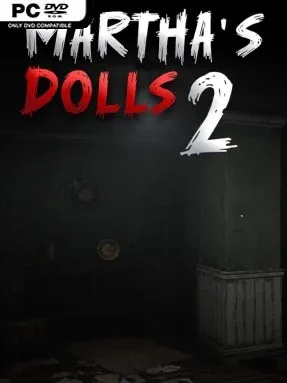
Game Overview
A decaying estate and its unnervingly lifelike porcelain residents drive this first-person horror sequel. Martha’s Dolls 2 returns to the site of the original chapter, but the familiar house has expanded into a more hostile labyrinth of sealed rooms, narrow passages, and evidence left behind by earlier intruders. You play a determined urban explorer chasing the truth behind Martha’s grim reputation, only to find that the building is far from abandoned. The mood is deliberately oppressive rather than action-heavy, leaning on silence, creaking floors, and the lingering suspicion that every doll has changed position when you look away.
Searching the house and its surrounding maze-like village forms the main loop, as you examine notes, collect useful items, manage inventory space, and solve environmental puzzles that open new routes. Traps and hazards turn simple exploration into a cautious process, while the dolls create constant pressure through distinct behaviors and abilities rather than serving as interchangeable monsters. Progress comes from piecing together the estate’s history and finding the tools or clues needed to reach previously inaccessible spaces. Expect tension built around navigation and observation, with survival depending more on awareness and problem-solving than on direct confrontation.
What separates Martha’s Dolls 2 from standard haunted-house fare is its focus on a recurring location that feels altered by its own history; returning players can recognize old halls while discovering what was concealed during the first visit. Stronger lighting effects and positional 3D audio make the mansion’s darkness and empty spaces part of the threat, especially when a faint sound suggests something moving nearby. Its small-scale, indie-style design suits players who enjoy eerie puzzle horror in the vein of Granny or short-form haunted-house experiences, rather than those seeking elaborate combat or a huge open world. Newcomers can follow the central mystery, though players familiar with Chapter 1 gain extra value from the revisited setting and escalating doll menace.
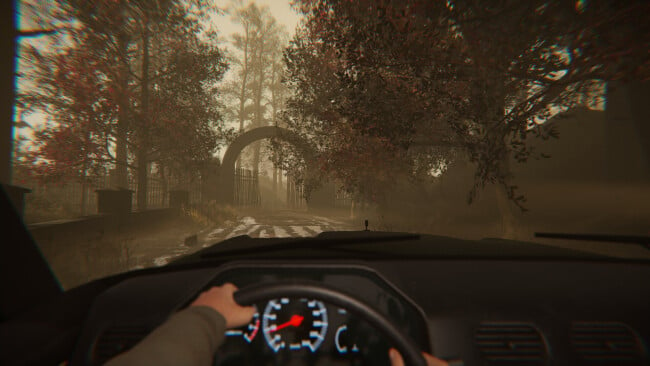
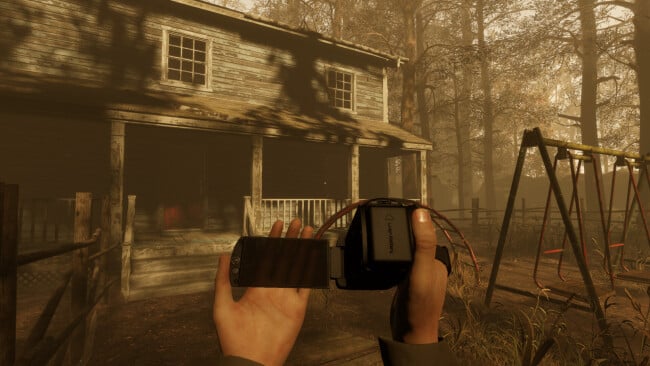
Screenshots
Installation
- Click the green button below to be redirected to UploadHaven.
- Wait 15 seconds, then hit “Free Download.” (Free downloads may be slower — upgrade to UploadHaven Pro for faster speeds.)
- Once downloaded, right-click the .zip file and choose “Extract to Martha's Dolls 2.” (You’ll need 7-Zip for this.)
- Open the extracted folder and run the game as administrator.
- Enjoy! 🎮 If you see missing DLL errors, check the <strong>_Redist</strong> folder inside and install what’s needed.
System Requirements
- Requires a 64-bit processor and operating system
- OS: Windows 10 – 64 bit
- Processor: Intel i5 or New-Gen i3 or the AMD equivalent.
- Memory: 6 GB RAM
- Graphics: NVIDIA GTX 970 or the AMD equivalent
- DirectX: Version 11
- Storage: 10 GB available space
Setup Guide & Troubleshooting
How do I fix missing DLL errors for Martha’s Dolls 2?
After extracting Martha’s Dolls 2, navigate to the _Redist or _CommonRedist folder inside the game directory and install DirectX, Vcredist, and any other dependencies included.
What should I do if the downloaded file is corrupted?
The full archive is 4.28 GB — make sure your download completed fully before extracting. Use 7-Zip to extract the files. If you still see a "file corrupted" error, re-download and try again.
Why should I run the game as administrator?
Right-click the game executable and select "Run as Administrator" to avoid save file issues and permission errors. This is especially important on the first launch.
How do I update my GPU drivers for this game?
Martha’s Dolls 2 requires a NVIDIA GTX 970 or the AMD equivalent or equivalent. Update your NVIDIA or AMD drivers to the latest version for the best performance.
The game won't launch — what should I try?
This game requires Version 11. Try running in compatibility mode, install the latest DirectX runtime, or install the All-in-One VC Redist Package.
My antivirus is blocking the game — is it safe?
Antivirus false positives are common with pre-installed games. Temporarily pause your antivirus during extraction to prevent it from quarantining game files. You can re-enable it after the extraction completes.