
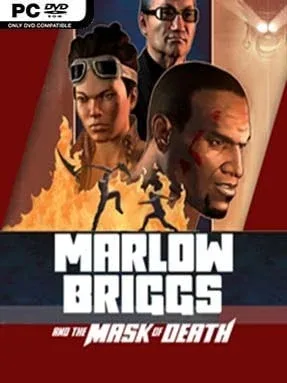
Game Overview
A wisecracking commando with an ancient death mask strapped to his face turns a Central American rescue mission into a loud, gleefully ridiculous action spectacle. Marlow Briggs And The Mask Of Death channels the swagger of early-2000s blockbuster games, mixing Mayan ruins, paramilitary goons, giant robots, collapsing temples, and an abducted girlfriend into one unapologetically pulpy campaign. Marlow is the muscle, while the chatty mask supplies magical powers, lore, and a steady stream of banter from its two-thousand-year silence. The tone is broad, bloody, and knowingly over-the-top rather than serious, with every encounter designed to make its hero look impossibly tough.
Combat revolves around fast third-person melee brawling, as Marlow chains light and heavy sword strikes, launches enemies, grabs weapons, and clears crowds with supernatural mask attacks. Gunplay supplements the blade work, letting him use rifles, shotguns, and mounted weapons when the situation calls for more explosive solutions. Linear levels alternate between arena fights, acrobatic platforming, environmental puzzles, quick-time events, and massive cinematic set pieces involving helicopters, machinery, and collapsing scenery. New abilities and weapons steadily expand the combat options, while the campaign keeps moving at a brisk pace instead of turning into an open-world checklist.
Its biggest strength is commitment to excess: enemies arrive in huge packs, bosses fill the screen, and the game rarely misses an excuse for slow-motion leaps or absurd destruction. The Mayan-inspired locations give the action more personality than a standard military shooter, even if the story largely exists to connect the next fight or catastrophe. Some platforming and quick-time sequences show the game’s older design sensibilities, but the straightforward controls and forgiving arcade energy make it easy to pick up. Players who enjoy God of War-style hack-and-slash combat, Devil May Cry’s combo-driven aggression, or the wild set pieces of action films will find a compact, entertaining throwback here; veterans seeking deep technical combat may want more, but anyone after a loud weekend romp is well served.
Installation
- Click the green button below to be redirected to UploadHaven.
- Wait 15 seconds, then hit “Free Download.” (Free downloads may be slower — upgrade to UploadHaven Pro for faster speeds.)
- Once downloaded, right-click the .zip file and choose “Extract to Marlow Briggs And The Mask Of Death.” (You’ll need 7-Zip for this.)
- Open the extracted folder and run the game as administrator.
- Enjoy! 🎮 If you see missing DLL errors, check the <strong>_Redist</strong> folder inside and install what’s needed.
System Requirements
- OS: Win 7
- Processor: 2ghz dual core CPU
- Memory: 2 GB RAM
- Graphics: AMD Radeon HD 4000 Series and up / NVIDIA GeForce 8 Series and up – excluding mobile variants
- DirectX: Version 9.0c
- Storage: 3 GB available space
Setup Guide & Troubleshooting
How do I fix missing DLL errors for Marlow Briggs And The Mask Of Death?
After extracting Marlow Briggs And The Mask Of Death, navigate to the _Redist or _CommonRedist folder inside the game directory and install DirectX, Vcredist, and any other dependencies included.
What should I do if the downloaded file is corrupted?
The full archive is 1.84 GB — make sure your download completed fully before extracting. Use 7-Zip to extract the files. If you still see a "file corrupted" error, re-download and try again.
Why should I run the game as administrator?
Right-click the game executable and select "Run as Administrator" to avoid save file issues and permission errors. This is especially important on the first launch.
How do I update my GPU drivers for this game?
Marlow Briggs And The Mask Of Death requires a AMD Radeon HD 4000 Series and up / NVIDIA GeForce 8 Series and up – excluding mobile variants or equivalent. Update your NVIDIA or AMD drivers to the latest version for the best performance.
The game won't launch — what should I try?
This game requires Version 9.0c. Try running in compatibility mode, install the latest DirectX runtime, or install the All-in-One VC Redist Package.
My antivirus is blocking the game — is it safe?
Antivirus false positives are common with pre-installed games. Temporarily pause your antivirus during extraction to prevent it from quarantining game files. You can re-enable it after the extraction completes.