
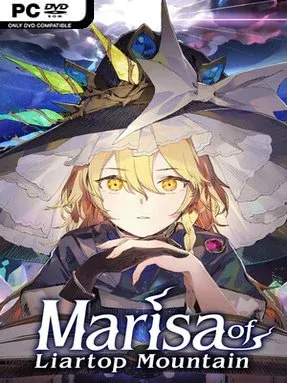
Game Overview
A missing magician turns a seemingly simple search into a storybook labyrinth of suspicious allies, dangerous detours, and bad luck delivered by a roll of the dice. Marisa of Liartop Mountain casts Reimu Hakurei as the reluctant investigator, following clues through a literary fantasy realm that feels closer to a tabletop gamebook than a conventional action RPG. The tone is playful and distinctly Touhou, but the stakes behind each choice remain real: a reckless decision can end the expedition early, while a careful one may reveal an entirely different route. Its appeal lies in watching a familiar cast collide with an unpredictable choose-your-own-adventure structure.
Reimu advances by reading scenes, selecting responses at branching moments, and rolling dice whenever the journey demands skill, courage, or plain fortune. Success and failure both push the narrative forward in different directions, so losing a roll does not always mean simply reloading; it can create a new complication, encounter, or outcome. Four Touhou heroines accompany and advise her along the way, yet their suggestions do not necessarily align, making trust another part of the challenge. Multiple endings encourage repeat runs, with players testing alternate decisions, different companion guidance, and riskier paths to uncover more of Marisa’s fate.
The strongest feature is its commitment to the uncertainty of pen-and-paper adventures, where chance is not an interruption but the engine that makes each playthrough personal. Rather than relying on reflex-heavy combat, it builds tension through decisions, character interactions, and the knowledge that one unlucky throw can reshape the entire tale. Colorful presentation and recognizable Touhou personalities keep the experience approachable even when the narrative takes a strange or perilous turn. Fans of visual novels, branching RPGs, and tabletop-inspired games such as Sorcery! should find plenty to enjoy, while Touhou veterans get the extra pleasure of seeing Reimu and her companions in an unusually interactive format.
Installation
- Click the green button below to be redirected to UploadHaven.
- Wait 15 seconds, then hit “Free Download.” (Free downloads may be slower — upgrade to UploadHaven Pro for faster speeds.)
- Once downloaded, right-click the .zip file and choose “Extract to Marisa Of Liartop Mountain.” (You’ll need 7-Zip for this.)
- Open the extracted folder and run the game as administrator.
- Enjoy! 🎮 If you see missing DLL errors, check the <strong>_Redist</strong> folder inside and install what’s needed.
System Requirements
- Requires a 64-bit processor and operating system
- OS: Windows10/11 64bit
- Processor: Core i5-9400
- Memory: 4 GB RAM
- Graphics: GeForce GTX1050 Ti 4GB
- DirectX: Version 11
Setup Guide & Troubleshooting
How do I fix missing DLL errors for Marisa Of Liartop Mountain (v1.0.3)?
After extracting Marisa Of Liartop Mountain (v1.0.3), navigate to the _Redist or _CommonRedist folder inside the game directory and install DirectX, Vcredist, and any other dependencies included.
What should I do if the downloaded file is corrupted?
The full archive is 4.49 GB — make sure your download completed fully before extracting. Use 7-Zip to extract the files. If you still see a "file corrupted" error, re-download and try again.
Why should I run the game as administrator?
Right-click the game executable and select "Run as Administrator" to avoid save file issues and permission errors. This is especially important on the first launch.
How do I update my GPU drivers for this game?
Marisa Of Liartop Mountain (v1.0.3) requires a GeForce GTX1050 Ti 4GB or equivalent. Update your NVIDIA or AMD drivers to the latest version for the best performance.
The game won't launch — what should I try?
This game requires Version 11. Try running in compatibility mode, install the latest DirectX runtime, or install the All-in-One VC Redist Package.
My antivirus is blocking the game — is it safe?
Antivirus false positives are common with pre-installed games. Temporarily pause your antivirus during extraction to prevent it from quarantining game files. You can re-enable it after the extraction completes.