
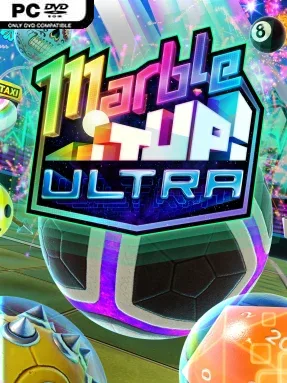
Game Overview
A small marble carries surprising momentum through a bright, toybox-like obstacle course built for speed, precision, and the occasional spectacular wipeout. Marble It Up! Ultra takes the classic marble-platforming formula and gives it responsive modern handling, colorful courses, and a constant temptation to shave another second from every run. Its campaign moves from approachable ramps and jumps to rotating hazards, fragile pathways, gravity-bending routes, and airborne shortcuts that demand careful control. The mood stays playful and energetic, but the challenge can become seriously demanding when medals and leaderboard times are on the line.
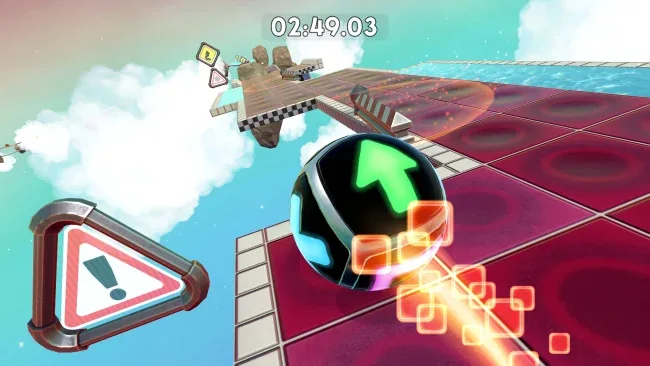
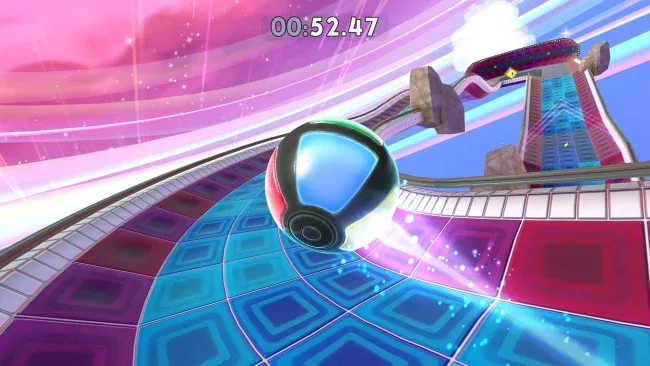
Each level is a compact time-trial playground where players roll, jump, steer through the air, manage momentum, collect gems, and use power-ups to reach the goal efficiently. Success is not just about finishing: hidden trophies, alternate paths, and increasingly strict medal targets encourage repeated attempts and reward learning a course’s physics. Controls are deliberately smooth and readable, making restarts feel quick rather than punishing, while the advanced stages ask for clean landings, sharp turns, and confident use of speed. Online multiplayer adds a different kind of chaos through competitive modes involving races, team gem hunts, goal scoring, and a zombie-style escape mode.
What makes the package stand out is how much it understands the appeal of classic Marble Blast-style games: every course feels like a miniature skill test with room for both safe routes and risky optimizations. The visual style is polished without becoming distracting, and the large selection of unlockable marble designs, trails, and hats gives dedicated players something tangible to chase beyond faster times. Weekly modifier challenges and extensive community Workshop support keep the rotation of courses fresh long after the main campaign, with a substantial pool of player-made maps available. Fans of Super Monkey Ball, trackmania-style time attacks, or exacting platformers should find plenty to love, while newcomers can enjoy the early courses before deciding how deeply they want to pursue mastery.
Screenshots
Installation
- Select the <strong>Download</strong> button at the top of this page to open UploadHaven.
- On UploadHaven, wait for any countdown, then select <strong>Free Download</strong>. Optional: UploadHaven Pro for faster downloads.
- When complete, extract the archive to a <strong>Marble It Up! Ultra</strong> folder using 7-Zip.
- Open the extracted folder and start the game normally.
- For errors, check <strong>Setup Guide & Troubleshooting</strong> below. Keep your security software enabled.
System Requirements
- OS: Windows 7 (64-bit)
- Processor: 2.4 GHz Dual core
- Memory: 4 GB RAM
- Graphics: Intel HD Graphics 630 or Iris Pro Graphics
- DirectX: Version 11
- Storage: 2 GB available space
Setup Guide & Troubleshooting
How do I fix missing DLL errors for Marble It Up! Ultra?
After extracting Marble It Up! Ultra, navigate to the _Redist or _CommonRedist folder inside the game directory and install DirectX, Vcredist, and any other dependencies included.
What should I do if the downloaded file is corrupted?
The full archive is 733.24 MB — make sure your download completed fully before extracting. Use 7-Zip to extract the files. If you still see a "file corrupted" error, re-download and try again.
Why should I run the game as administrator?
Right-click the game executable and select "Run as Administrator" to avoid save file issues and permission errors. This is especially important on the first launch.
How do I update my GPU drivers for this game?
Marble It Up! Ultra requires a Intel HD Graphics 630 or Iris Pro Graphics or equivalent. Update your NVIDIA or AMD drivers to the latest version for the best performance.
The game won't launch — what should I try?
This game requires Version 11. Try running in compatibility mode, install the latest DirectX runtime, or install the All-in-One VC Redist Package.
My antivirus is blocking the game — is it safe?
Antivirus false positives are common with pre-installed games. Temporarily pause your antivirus during extraction to prevent it from quarantining game files. You can re-enable it after the extraction completes.