
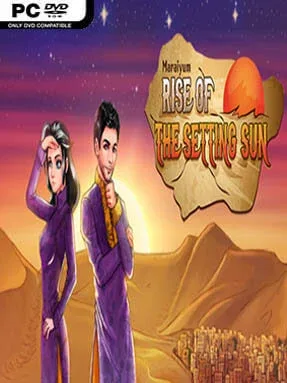
Game Overview
A fragile throne, an empty treasury, and a single year to prevent an empire from disintegrating define this unusual imperial simulator. Maraiyum: Rise Of The Setting Sun casts you as an unprepared relative elevated by a military coup after the previous emperor’s catastrophic rule. Famine, rival faiths, insurgencies, and court politics turn every day into a potential disaster, while the desert kingdom’s sun-baked atmosphere gives the story a tense, fatalistic mood. It is part visual novel, part RPG, and part ruthless management game where good intentions rarely guarantee a good outcome.
Most of your time goes into choosing how the new ruler develops: studying statecraft, military matters, religion, diplomacy, or other vital skills before making major political calls. Decisions are not simple morality tests, since a choice that calms one faction may anger another, drain resources, or leave you too weak to handle a later crisis. Trips beyond the palace let you investigate the deserts of Maraiyum, uncover secrets, and find plot-changing opportunities that are easy to miss on an initial run. Failure is built into the design rather than treated as a dead end; executions, assassinations, collapses, and other grim conclusions provide knowledge and unlock options for the next attempt.
Its strongest feature is the sheer scale of its branching outcomes, with more than a hundred endings and numerous regime-defining titles that judge your reign. Two playable major characters offer noticeably different story angles, encouraging players to revisit familiar events with new context and priorities. Permanent unlocks, including outfits, actions, and locations, make repeated failures feel like progression rather than wasted time. Fans of stat-raising visual novels such as Long Live the Queen, or players who enjoy the political uncertainty of Crusader Kings without its sprawling map management, should find plenty to chew on; newcomers should expect a demanding, trial-and-error campaign rather than an easy power fantasy.
Installation
- Click the green button below to be redirected to UploadHaven.
- Wait 15 seconds, then hit “Free Download.” (Free downloads may be slower — upgrade to UploadHaven Pro for faster speeds.)
- Once downloaded, right-click the .zip file and choose “Extract to Maraiyum: Rise Of The Setting Sun.” (You’ll need 7-Zip for this.)
- Open the extracted folder and run the game as administrator.
- Enjoy! 🎮 If you see missing DLL errors, check the <strong>_Redist</strong> folder inside and install what’s needed.
System Requirements
- OS: Windows 7 and above
- Processor: 2.33GHz or faster x86-compatible processor, or Intel Atom™ 1.6GHz or faster processor for netbook class devices
- Memory: 512 MB RAM
- Storage: 200 MB available space
Setup Guide & Troubleshooting
How do I fix missing DLL errors for Maraiyum: Rise Of The Setting Sun?
After extracting Maraiyum: Rise Of The Setting Sun, navigate to the _Redist or _CommonRedist folder inside the game directory and install DirectX, Vcredist, and any other dependencies included.
What should I do if the downloaded file is corrupted?
The full archive is 189.50 MB — make sure your download completed fully before extracting. Use 7-Zip to extract the files. If you still see a "file corrupted" error, re-download and try again.
Why should I run the game as administrator?
Right-click the game executable and select "Run as Administrator" to avoid save file issues and permission errors. This is especially important on the first launch.
How do I update my GPU drivers for this game?
Update your NVIDIA or AMD drivers to the latest version for the best performance and compatibility.
The game won't launch — what should I try?
Try running in compatibility mode, install the latest DirectX runtime, or install the All-in-One VC Redist Package.
My antivirus is blocking the game — is it safe?
Antivirus false positives are common with pre-installed games. Temporarily pause your antivirus during extraction to prevent it from quarantining game files. You can re-enable it after the extraction completes.