
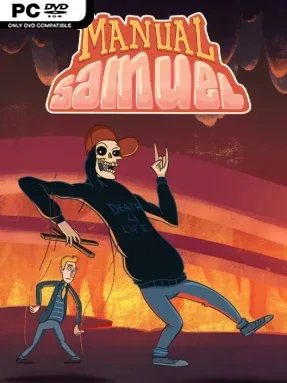
Game Overview
Every mundane action becomes a potential disaster in this gleefully absurd 2D adventure. Samuel, a selfish rich kid with a freshly ended life, bargains with Death for another chance and must prove himself by manually operating every part of his body for a single day. Breathing, blinking, walking, sitting, speaking, and even keeping his posture straight all demand attention, turning an ordinary quest for redemption into a slapstick struggle against catastrophe. The tone is knowingly silly and crude, but its story of love, consequences, and second chances gives the nonsense a surprisingly focused backbone.
Control revolves around assigning buttons or inputs to Samuel’s individual bodily functions, then maintaining the correct rhythm while navigating hazards and conversations. Simple tasks such as crossing a street, making coffee, going to work, or driving a car become multi-layered timing puzzles as missed blinks, forgotten breaths, and bad footing quickly send him tumbling into trouble. Death accompanies Samuel throughout the day, serving as both a sarcastic guide and a source of escalating complications, while secrets and optional details reward players who pay attention to the environments. Local co-op lets two players split responsibility for Sam’s body, which can either make difficult sequences more manageable or turn them into wonderfully chaotic arguments; a demanding time-attack mode offers an extra challenge after the story.
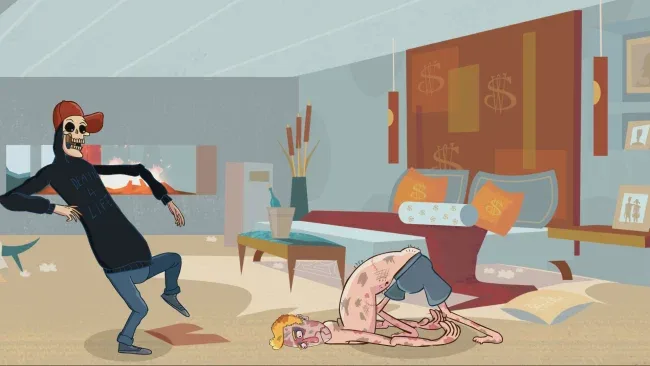
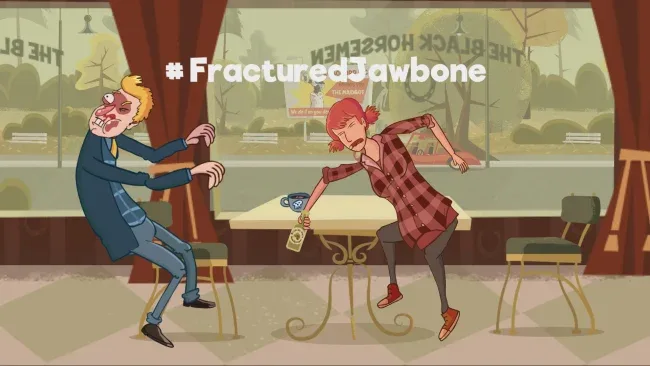
Hand-drawn animation is the standout attraction, selling every clumsy stumble and exaggerated expression with the energy of a twisted Saturday-morning cartoon. Strong voice performances, a large amount of dialogue, and a lively soundtrack keep the jokes moving even when repeated failures force a restart. Rather than offering the inventory-heavy puzzle solving of traditional point-and-click adventures, Manual Samuel builds its puzzles around awkward physical coordination, closer in spirit to Octodad or Surgeon Simulator’s intentional incompetence. It suits players who enjoy comedy, short story-driven indies, and co-op chaos, while veterans chasing clean runs will find plenty to master in its more punishing challenges.
Screenshots
Installation
- Select the <strong>Download</strong> button at the top of this page to open UploadHaven.
- On UploadHaven, wait for any countdown, then select <strong>Free Download</strong>. Optional: UploadHaven Pro for faster downloads.
- When complete, extract the archive to a <strong>Manual Samuel - Anniversary Edition</strong> folder using 7-Zip.
- Open the extracted folder and start the game normally.
- For errors, check <strong>Setup Guide & Troubleshooting</strong> below. Keep your security software enabled.
System Requirements
- OS *: Windows /7/8/8.1/10 both x86 and x64
- Processor: Intel Core 2 Quad Q9300 or equivalent
- Memory: 2 GB RAM
- Graphics: Intel HD Graphics 5500 or equivalent
- Storage: 500 MB available space
Setup Guide & Troubleshooting
How do I fix missing DLL errors for Manual Samuel – Anniversary Edition?
After extracting Manual Samuel – Anniversary Edition, navigate to the _Redist or _CommonRedist folder inside the game directory and install DirectX, Vcredist, and any other dependencies included.
What should I do if the downloaded file is corrupted?
The full archive is 415.19 MB — make sure your download completed fully before extracting. Use 7-Zip to extract the files. If you still see a "file corrupted" error, re-download and try again.
Why should I run the game as administrator?
Right-click the game executable and select "Run as Administrator" to avoid save file issues and permission errors. This is especially important on the first launch.
How do I update my GPU drivers for this game?
Manual Samuel – Anniversary Edition requires a Intel HD Graphics 5500 or equivalent or equivalent. Update your NVIDIA or AMD drivers to the latest version for the best performance.
The game won't launch — what should I try?
Try running in compatibility mode, install the latest DirectX runtime, or install the All-in-One VC Redist Package.
My antivirus is blocking the game — is it safe?
Antivirus false positives are common with pre-installed games. Temporarily pause your antivirus during extraction to prevent it from quarantining game files. You can re-enable it after the extraction completes.