
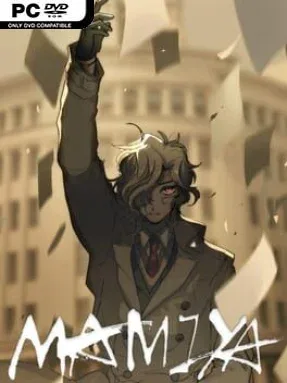
MAMIYA Cover Art

MAMIYA

ADVENTURE 1.00 GB v2023.11.23 & ALL DLC

Game Overview

Tokyo feels unnervingly ordinary even as a prophecy hangs over it: the world is expected to end within the year, yet school, work, funerals, and empty routines continue. MAMIYA is a dark visual novel about young men confronting grief, alienation, and the frightening possibility that their lives have no larger meaning. Its horror is intimate rather than loud, rooted in the thoughts people hide from friends and the quiet desperation that appears when tomorrow no longer feels guaranteed. The arrival of the enigmatic child Mamiya turns that emotional stagnation into something far more dangerous.

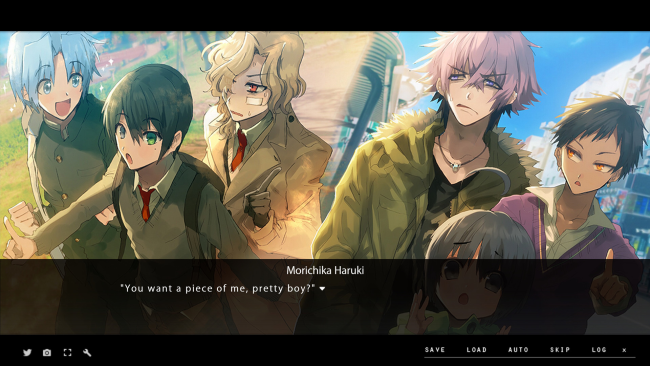
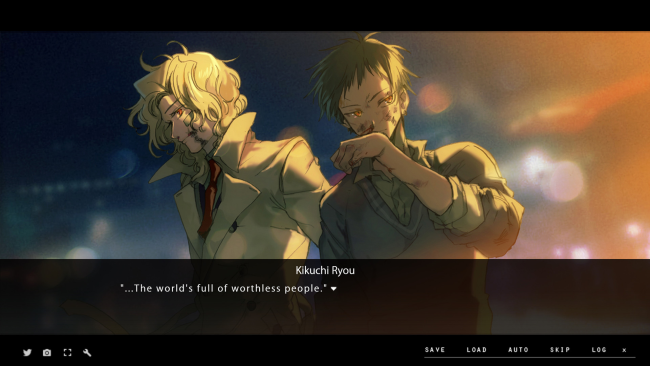
Reading is the heart of the experience, with lengthy scenes focused on character perspectives, dialogue, internal monologues, and the strained relationships within a small social circle. Rather than relying on action sequences, MAMIYA builds tension through revelations, shifting emotional loyalties, and the growing influence Mamiya has over people who need someone to believe in. The narrative follows everyday life as it gradually slips off course, asking players to sit with uncomfortable ideas about suicide, mourning, dependency, and apathy. Expect a deliberately paced story where the impact comes from following damaged characters toward choices that may not have a safe way back.

What stands out is the way its apocalyptic premise remains grounded in personal misery instead of spectacle; the looming end of the world matters less as an event than as a lens exposing how each character already feels. Mamiya is not presented as a simple savior or villain, which gives the central mystery a disturbing pull and keeps the story’s emotional stakes uncertain. The art and text-driven presentation suit readers who value atmosphere, psychological unease, and character writing over constant interactivity. Fans of darker visual novels such as Saya no Uta or The House in Fata Morgana, especially those comfortable with bleak subject matter, are likely to find MAMIYA memorable, while newcomers should be prepared for a heavy, deliberately unsettling read.

Installation

  1. Click the green button below to be redirected to UploadHaven.
  2. Wait 15 seconds, then hit “Free Download.” (Free downloads may be slower — upgrade to UploadHaven Pro for faster speeds.)
  3. Once downloaded, right-click the .zip file and choose “Extract to MAMIYA.” (You’ll need 7-Zip for this.)
  4. Open the extracted folder and run the game as administrator.
  5. Enjoy! 🎮 If you see missing DLL errors, check the <strong>_Redist</strong> folder inside and install what’s needed.

System Requirements

  • OS: Windows 10/8/7
  • Processor: Intel Pentium 2.4GHz or higher
  • Memory: 2 GB RAM
  • Graphics: Direct3D compatible video card with 256MB memory or more
  • DirectX: Version 9.0c
  • Storage: 2 GB available space
  • Sound Card: DirectSound compatible sound card

Setup Guide & Troubleshooting

How do I fix missing DLL errors for MAMIYA (v2023.11.23 & ALL DLC)?

After extracting MAMIYA (v2023.11.23 & ALL DLC), navigate to the _Redist or _CommonRedist folder inside the game directory and install DirectX, Vcredist, and any other dependencies included.

What should I do if the downloaded file is corrupted?

The full archive is 1.00 GB — make sure your download completed fully before extracting. Use 7-Zip to extract the files. If you still see a "file corrupted" error, re-download and try again.

Why should I run the game as administrator?

Right-click the game executable and select "Run as Administrator" to avoid save file issues and permission errors. This is especially important on the first launch.

How do I update my GPU drivers for this game?

MAMIYA (v2023.11.23 & ALL DLC) requires a Direct3D compatible video card with 256MB memory or more or equivalent. Update your NVIDIA or AMD drivers to the latest version for the best performance.

The game won't launch — what should I try?

This game requires Version 9.0c. Try running in compatibility mode, install the latest DirectX runtime, or install the All-in-One VC Redist Package.

My antivirus is blocking the game — is it safe?

Antivirus false positives are common with pre-installed games. Temporarily pause your antivirus during extraction to prevent it from quarantining game files. You can re-enable it after the extraction completes.

Need more help? Browse our FAQ & Troubleshooting Guide for solutions to common issues.
Looking for something else? Explore all games on Steam Unlocked