

Game Overview
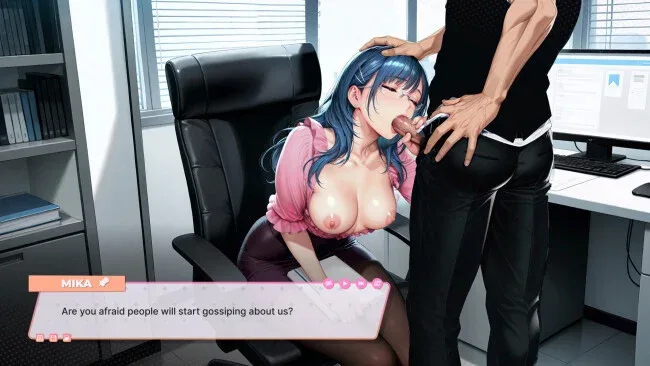
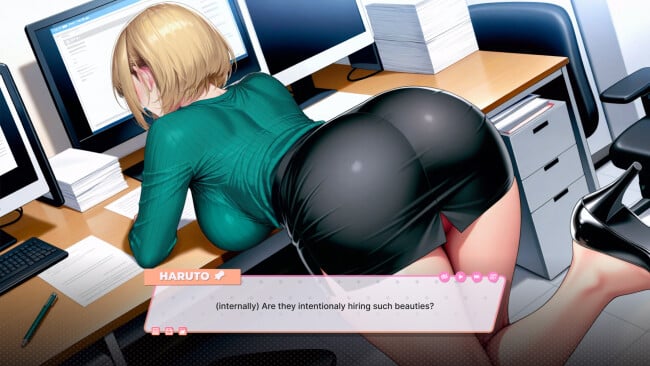
Behind the rigid routines of a contemporary Japanese workplace, an ordinary new hire finds that the office is built on far more than paperwork and etiquette. You play Haruto, a newcomer drawn into a web of flirtation, secrets, and after-hours tension involving four older colleagues: Yuki, Aya, Mika, and Mizuki. The tone leans firmly into mature visual-novel fantasy, using the contrast between professional restraint and private desire to fuel its drama. Rather than presenting a corporate satire or management sim, it treats the workplace as a stage for intimate relationships and escalating adult situations.
Most of the experience revolves around reading dialogue, following character-driven scenes, and moving through small workplace scenarios that give the story a sense of daily rhythm. Haruto handles office tasks, takes calls, spends time with colleagues outside work, and occasionally gets involved in more suspicious business, including dealing with confidential material. These interactive beats are simple, but they break up the narrative and make the setting feel less like a series of disconnected scenes. Progress comes from learning what each woman wants, uncovering her personal circumstances, and watching professional boundaries gradually give way to private encounters. Players looking for tactical combat, difficult puzzles, or a deep simulation will not find them here; the focus stays on story pacing, character chemistry, and adult payoff.
What separates it from a generic erotic visual novel is its committed office backdrop and its emphasis on slow-building temptation rather than immediately throwing every character into the same situation. Each colleague is framed around a different personality and hidden motive, which gives the routes a modest sense of variety even within a focused premise. The everyday details—work hours, casual drinks, closed meeting rooms, and company secrets—help sell the fantasy of a mundane environment becoming increasingly charged. Fans of mature dating sims and linear adult visual novels with a Japanese office-drama flavor are the natural audience, while newcomers should find its straightforward structure easy to follow.
Screenshots
Installation
- Click the green button below to be redirected to UploadHaven.
- Wait 15 seconds, then hit “Free Download.” (Free downloads may be slower — upgrade to UploadHaven Pro for faster speeds.)
- Once downloaded, right-click the .zip file and choose “Extract to Lust Office MILFs.” (You’ll need 7-Zip for this.)
- Open the extracted folder and run the game as administrator.
- Enjoy! 🎮 If you see missing DLL errors, check the <strong>_Redist</strong> folder inside and install what’s needed.
System Requirements
- OS *: Windows 7,8,10,11
- Processor: Intel Core i5-4460 / AMD FX-630
- Memory: 2000 MB RAM
- Graphics: NVIDIA GeForce GTX 760 / AMD Radeon R7 260
- Storage: 400 MB available space
Setup Guide & Troubleshooting
How do I fix missing DLL errors for Lust Office MILFs (Uncensored)?
After extracting Lust Office MILFs (Uncensored), navigate to the _Redist or _CommonRedist folder inside the game directory and install DirectX, Vcredist, and any other dependencies included.
What should I do if the downloaded file is corrupted?
The full archive is 568.71 MB — make sure your download completed fully before extracting. Use 7-Zip to extract the files. If you still see a "file corrupted" error, re-download and try again.
Why should I run the game as administrator?
Right-click the game executable and select "Run as Administrator" to avoid save file issues and permission errors. This is especially important on the first launch.
How do I update my GPU drivers for this game?
Lust Office MILFs (Uncensored) requires a NVIDIA GeForce GTX 760 / AMD Radeon R7 260 or equivalent. Update your NVIDIA or AMD drivers to the latest version for the best performance.
The game won't launch — what should I try?
Try running in compatibility mode, install the latest DirectX runtime, or install the All-in-One VC Redist Package.
My antivirus is blocking the game — is it safe?
Antivirus false positives are common with pre-installed games. Temporarily pause your antivirus during extraction to prevent it from quarantining game files. You can re-enable it after the extraction completes.