
Game Overview
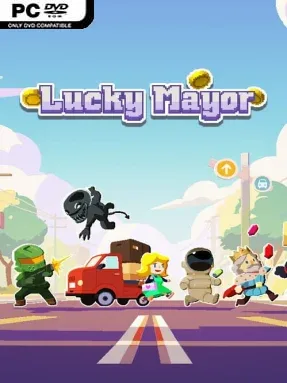
Running a city here feels less like zoning on a quiet map and more like assembling a high-stakes deck under pressure. Lucky Mayor is an indie roguelike city-management game built around recruiting unusual citizens, cultivating businesses, and turning scattered services into a functioning industrial economy. Each run asks you to satisfy a growing population before a final deadline, with your success measured in the coins your city produces. The tone is bright and approachable on the surface, but its constant demand for efficient planning gives every decision real weight.
The central loop revolves around choosing citizen cards and arranging your economy so their individual preferences are fulfilled. More than 150 potential residents bring different abilities, demands, and potential synergies, so a strong strategy is not simply grabbing every card that appears; it is building a city capable of supporting the people you invite. Businesses and production links help generate the resources and income needed to keep growth moving, while items can alter a run’s direction or shore up a weak plan. Reaching the required coin total by the deadline means balancing immediate profit against long-term infrastructure, and higher difficulty settings make that balancing act considerably less forgiving.
Lucky Mayor stands out by condensing city-building’s familiar supply-chain puzzles into a run-based card framework. Instead of spending hours carefully laying roads and districts, you make compact, consequential choices and adapt when the available citizens or tools do not match your original plan. The large citizen pool gives repeat attempts variety, since different combinations encourage different economic engines and priorities. Fans of compact deckbuilders and economy-focused strategy games, especially players who enjoy the shifting plans of roguelikes, should find plenty to chew on. It also suits newcomers to management games better than a dense simulation, although veterans will get the most from learning card interactions, anticipating needs, and pushing higher difficulty runs.
Installation
- Click the green button below to be redirected to UploadHaven.
- Wait 15 seconds, then hit “Free Download.” (Free downloads may be slower — upgrade to UploadHaven Pro for faster speeds.)
- Once downloaded, right-click the .zip file and choose “Extract to Lucky Mayor.” (You’ll need 7-Zip for this.)
- Open the extracted folder and run the game as administrator.
- Enjoy! 🎮 If you see missing DLL errors, check the <strong>_Redist</strong> folder inside and install what’s needed.
System Requirements
- Requires a 64-bit processor and operating system
- OS: Windows 10
- Processor: Intel Core2 Duo or higher
- Memory: 2 GB MB RAM
- Graphics: Open GL compliant video card
- Storage: 200 MB available space
Setup Guide & Troubleshooting
How do I fix missing DLL errors for Lucky Mayor (v1.2.3)?
After extracting Lucky Mayor (v1.2.3), navigate to the _Redist or _CommonRedist folder inside the game directory and install DirectX, Vcredist, and any other dependencies included.
What should I do if the downloaded file is corrupted?
The full archive is 152.35 MB — make sure your download completed fully before extracting. Use 7-Zip to extract the files. If you still see a "file corrupted" error, re-download and try again.
Why should I run the game as administrator?
Right-click the game executable and select "Run as Administrator" to avoid save file issues and permission errors. This is especially important on the first launch.
How do I update my GPU drivers for this game?
Lucky Mayor (v1.2.3) requires a Open GL compliant video card or equivalent. Update your NVIDIA or AMD drivers to the latest version for the best performance.
The game won't launch — what should I try?
Try running in compatibility mode, install the latest DirectX runtime, or install the All-in-One VC Redist Package.
My antivirus is blocking the game — is it safe?
Antivirus false positives are common with pre-installed games. Temporarily pause your antivirus during extraction to prevent it from quarantining game files. You can re-enable it after the extraction completes.