

Game Overview
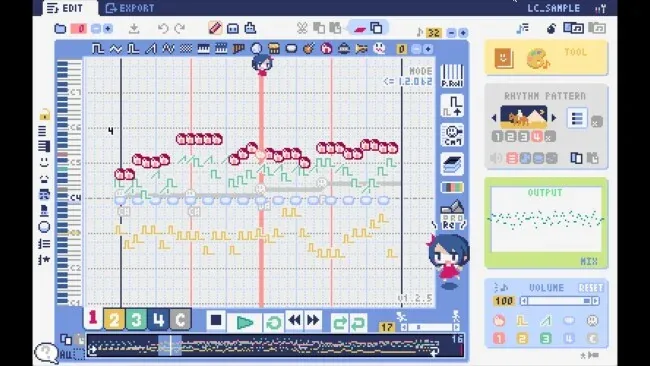
A candy-colored tracker interface turns retro-game musical ideas into complete chiptunes without demanding a traditional studio setup. Lovely Composer is a lightweight music creation tool built around the spirit of console-era composition software, letting users write melodies, basslines, percussion, and punchy sound effects with deliberately lo-fi character. Its presentation is cheerful and approachable rather than intimidating, but the focus remains practical: making usable 8-bit-inspired audio for games, videos, prototypes, or personal projects. The result feels less like wrestling with a dense DAW and more like arranging a soundtrack on a handheld game system.
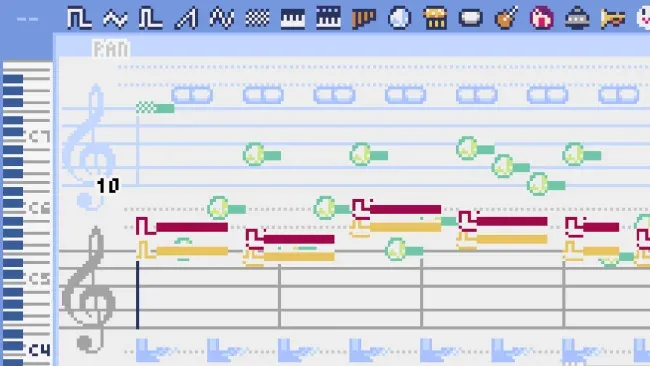
Composition revolves around placing notes and patterns into tracks, choosing instrument tones, and building songs section by section. Chord-entry tools and selectable rhythm patterns help turn a rough melodic idea into something fuller, while MIDI keyboard support makes it easier to test notes and find harmonies in real time. Users can also create short effects for menus, pickups, attacks, and other classic game-style cues, rather than being limited to full songs. Finished work exports quickly to Wave and MIDI formats, so a sketch made here can stay in a game project or move into a larger production workflow. More than 50 included sample pieces provide useful starting points for studying arrangements, remixing ideas, or simply learning how tracker-like music is structured.
What separates Lovely Composer from more technical trackers is its friendly visual design and emphasis on immediate results. It trades the enormous sound-design depth of tools such as FL Studio or Ableton Live for a focused, charming workflow aimed at retro audio, much like a simplified modern cousin to FamiTracker-style software. Steam Deck support also suits short composing sessions away from a desk, whether that means tweaking a loop on the sofa or drafting a level theme on the move. Beginners who want to make convincing chiptunes without music-production experience get the most from it, while experienced composers may appreciate it as a fast sketchpad for nostalgic game music.
Screenshots
Installation
- Select the <strong>Download</strong> button at the top of this page to open UploadHaven.
- On UploadHaven, wait for any countdown, then select <strong>Free Download</strong>. Optional: UploadHaven Pro for faster downloads.
- When complete, extract the archive to a <strong>Lovely Composer</strong> folder using 7-Zip.
- Open the extracted folder and start the game normally.
- For errors, check <strong>Setup Guide & Troubleshooting</strong> below. Keep your security software enabled.
System Requirements
- Requires a 64-bit processor and operating system
- OS: Windows 10 / 11 64bit (x64)
- Processor: Intel Core i 2GHz / AMD Ryzen 2GHz
- Memory: 4 GB RAM
- Graphics: Integrated Graphics Chip (Onboard)
- Storage: 2 GB available space
- Sound Card: Onboard