
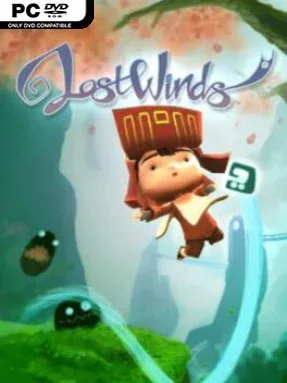
LostWinds Cover Art

LostWinds

INDIE 295.60 MB

Game Overview

A gentle breeze becomes the central tool in a colorful fantasy adventure where a young boy and an ancient wind spirit work to lift a curse from the land of Mistralis. LostWinds pairs the warmth of a storybook platformer with an unusually hands-on control scheme: rather than simply directing Toku from left to right, players shape the air around him. The mood stays whimsical and inviting even as the journey leads through ruined settlements, dangerous caverns, and areas warped by the malicious spirit Balasar. Its compact scope makes it feel like a carefully built fable rather than an oversized open-world quest.

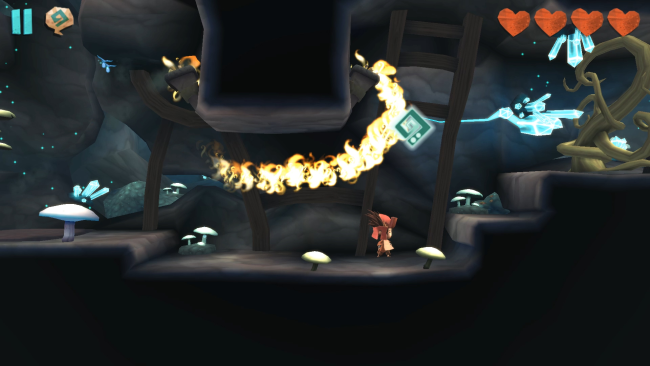
Players use the cursor to draw gusts of wind, pushing Toku across gaps, extending his jumps, softening falls, and letting him glide through the air. Enril’s powers also interact with the environment, moving objects, activating mechanisms, stirring up hazards, and knocking hostile creatures away without turning the adventure into a demanding combat game. Progress comes from reaching new sections of Mistralis, learning how the wind affects different puzzles, and gradually gaining the tools needed to overcome obstacles that initially seem out of reach. Platforming can require a little precision, especially when chaining gusts during long aerial routes, but failure is rarely punishing and the game keeps its focus on playful experimentation.

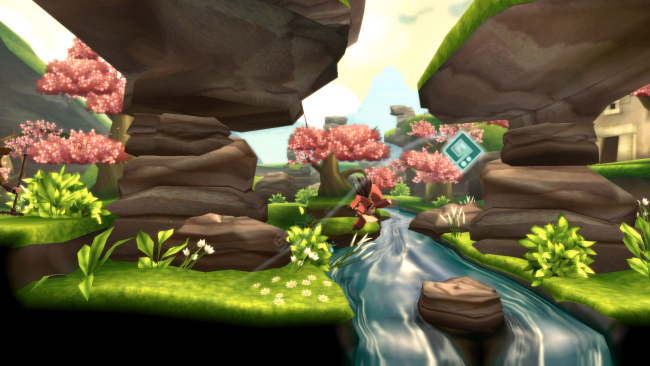
What makes LostWinds memorable is the feeling that the player controls an invisible force rather than merely giving commands to a hero. Its hand-painted environments and responsive wind physics give even small actions personality, whether Toku is being carried over a ravine or leaves and debris are swept across the screen. The adventure is shorter and more linear than modern puzzle-platformers, yet that brevity suits its polished ideas and relaxed pace. Fans of Okami’s magical brush interactions, Trine’s environmental puzzles, or classic Nintendo-style platforming will find plenty to enjoy, while newcomers get an approachable, imaginative introduction to the genre.

Installation

  1. Click the green button below to be redirected to UploadHaven.
  2. Wait 15 seconds, then hit “Free Download.” (Free downloads may be slower — upgrade to UploadHaven Pro for faster speeds.)
  3. Once downloaded, right-click the .zip file and choose “Extract to LostWinds.” (You’ll need 7-Zip for this.)
  4. Open the extracted folder and run the game as administrator.
  5. Enjoy! 🎮 If you see missing DLL errors, check the <strong>_Redist</strong> folder inside and install what’s needed.

System Requirements

  • OS: Windows 7
  • Processor: Dual-core CPU (2x2GHz)
  • Memory: 2 GB RAM
  • Graphics: Intel HD Graphics 3000 / AMD HD 6320
  • DirectX: Version 10
  • Storage: 512 MB available space
  • Sound Card: DirectX 9 capable

Setup Guide & Troubleshooting

How do I fix missing DLL errors for LostWinds?

After extracting LostWinds, navigate to the _Redist or _CommonRedist folder inside the game directory and install DirectX, Vcredist, and any other dependencies included.

What should I do if the downloaded file is corrupted?

The full archive is 295.60 MB — make sure your download completed fully before extracting. Use 7-Zip to extract the files. If you still see a "file corrupted" error, re-download and try again.

Why should I run the game as administrator?

Right-click the game executable and select "Run as Administrator" to avoid save file issues and permission errors. This is especially important on the first launch.

How do I update my GPU drivers for this game?

LostWinds requires a Intel HD Graphics 3000 / AMD HD 6320 or equivalent. Update your NVIDIA or AMD drivers to the latest version for the best performance.

The game won't launch — what should I try?

This game requires Version 10. Try running in compatibility mode, install the latest DirectX runtime, or install the All-in-One VC Redist Package.

My antivirus is blocking the game — is it safe?

Antivirus false positives are common with pre-installed games. Temporarily pause your antivirus during extraction to prevent it from quarantining game files. You can re-enable it after the extraction completes.

Need more help? Browse our FAQ & Troubleshooting Guide for solutions to common issues.
Looking for something else? Explore all games on Steam Unlocked