
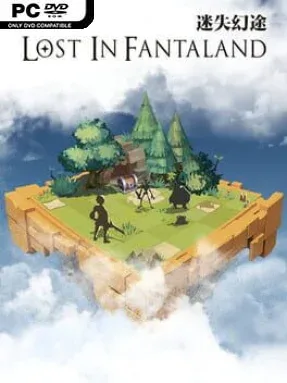
Game Overview
A compact 8×8 battlefield gives every encounter in Lost in Fantaland the tension of a chess puzzle, while its pixel-art presentation keeps the mood colorful and approachable rather than grim. This roguelite blends tactical movement with deckbuilding, asking players to survive a shifting fantasy journey through carefully chosen card plays instead of brute-force attacks. Three very different adventurers—the sturdy Warrior, spell-focused Mage, and trick-oriented Deceiver—offer distinct ways to approach danger. Randomly assembled runs, strange treasures, and escalating enemy formations ensure that even familiar battles can demand a new plan.
Combat revolves around positioning, timing, and making the most of a hand built during the current expedition. Cards can move a hero around the board, strike targets, manipulate enemies, create openings, or set up combinations that become far more effective than their individual effects suggest. Choosing rewards between fights matters as much as surviving them, since a deck clogged with unfocused options can leave a promising build unable to respond when the board turns hostile. Persistent unlocks and upgrades carry progress between attempts, giving failed runs a sense of forward momentum without removing the need to understand enemy patterns and tactical spacing.
What separates Lost in Fantaland from more traditional card roguelites is its physical board: range, blocked paths, enemy placement, and escape routes are always part of the equation. It has some of Slay the Spire’s run-based deck experimentation, but its battles feel closer to a bite-sized turn-based tactics game, where one misplaced move can ruin a strong hand. The retro visuals are clean and readable, letting players focus on card synergies and the growing complexity of each run rather than dense interface clutter. Fans of roguelites who want more spatial strategy than a standard lane of enemies receive the most from it, while newcomers can learn its fundamentals through the clear, deliberately paced turn structure.
Installation
- Click the green button below to be redirected to UploadHaven.
- Wait 15 seconds, then hit “Free Download.” (Free downloads may be slower — upgrade to UploadHaven Pro for faster speeds.)
- Once downloaded, right-click the .zip file and choose “Extract to Lost in Fantaland.” (You’ll need 7-Zip for this.)
- Open the extracted folder and run the game as administrator.
- Enjoy! 🎮 If you see missing DLL errors, check the <strong>_Redist</strong> folder inside and install what’s needed.
System Requirements
- Requires a 64-bit processor and operating system
- OS: Windows 7
- Processor: 1.6GHZ
- Memory: 512 MB RAM
- Storage: 700 MB available space
Setup Guide & Troubleshooting
How do I fix missing DLL errors for Lost in Fantaland (v1.0.12)?
After extracting Lost in Fantaland (v1.0.12), navigate to the _Redist or _CommonRedist folder inside the game directory and install DirectX, Vcredist, and any other dependencies included.
What should I do if the downloaded file is corrupted?
The full archive is 243.72 MB — make sure your download completed fully before extracting. Use 7-Zip to extract the files. If you still see a "file corrupted" error, re-download and try again.
Why should I run the game as administrator?
Right-click the game executable and select "Run as Administrator" to avoid save file issues and permission errors. This is especially important on the first launch.
How do I update my GPU drivers for this game?
Update your NVIDIA or AMD drivers to the latest version for the best performance and compatibility.
The game won't launch — what should I try?
Try running in compatibility mode, install the latest DirectX runtime, or install the All-in-One VC Redist Package.
My antivirus is blocking the game — is it safe?
Antivirus false positives are common with pre-installed games. Temporarily pause your antivirus during extraction to prevent it from quarantining game files. You can re-enable it after the extraction completes.