
Game Overview
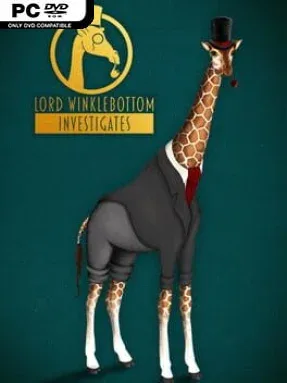
An isolated island, a murdered old friend, and a gentleman giraffe in a sharp suit set the tone for a delightfully odd take on the classic British whodunit. Lord Winklebottom Investigates places its 1920s mystery in a world populated by talking animals, but the eccentric premise supports a genuinely sinister case involving secretive guests, grisly discoveries, and a looming deadline. Lord Winklebottom and his dependable doctor companion, Dr Frumple, bring the poised deduction of Sherlock Holmes and the suspect-driven structure of Agatha Christie to a colorful hand-painted adventure. The result is cozy in presentation yet pleasantly macabre in its murder-mystery plotting.
Players travel around the Isle of Barghest, inspect scenes, collect useful objects, question a varied cast of animal suspects, and combine clues to open the next lead. Its streamlined point-and-click interface keeps the focus on reasoning rather than fighting menus or pixel-hunting, while puzzles range from conversational deductions and inventory problems to more self-contained logic challenges. Progress comes from paying attention to dialogue, examining the environment thoroughly, and working out who has the means and motive to kill. There is no action combat or sprawling character build system here; the momentum comes from steadily peeling back layers of the investigation and moving closer to the culprit.
What stands out most is the balance between polished period-mystery atmosphere and unapologetically silly animal casting: a giraffe detective may sound like a joke, yet the game treats its central case with enough care to make the revelations land. Full English voice performances and a live-instrument soundtrack give the island’s parlors, laboratories, and shadowy corridors a theatrical old-radio flavor, while the illustrated 2D art makes every location feel deliberately staged. Dozens of puzzles provide a solid traditional adventure-game campaign without overwhelming newcomers with needlessly obscure systems. Fans of Broken Sword, The Darkside Detective, or classic LucasArts-style investigation games should find plenty to enjoy, especially if they prefer clever dialogue and a contained mystery over fast reflexes.
Installation
- Click the green button below to be redirected to UploadHaven.
- Wait 15 seconds, then hit “Free Download.” (Free downloads may be slower — upgrade to UploadHaven Pro for faster speeds.)
- Once downloaded, right-click the .zip file and choose “Extract to Lord Winklebottom Investigates.” (You’ll need 7-Zip for this.)
- Open the extracted folder and run the game as administrator.
- Enjoy! 🎮 If you see missing DLL errors, check the <strong>_Redist</strong> folder inside and install what’s needed.
System Requirements
- OS: Windows 7 or above
- Processor: SSE2 instruction set support
- Memory: 4 GB RAM
- Graphics: Graphics card with DX10 (shader model 4.0) capabilities.
- DirectX: Version 10
- Storage: 4 GB available space
Setup Guide & Troubleshooting
How do I fix missing DLL errors for Lord Winklebottom Investigates?
After extracting Lord Winklebottom Investigates, navigate to the _Redist or _CommonRedist folder inside the game directory and install DirectX, Vcredist, and any other dependencies included.
What should I do if the downloaded file is corrupted?
The full archive is 584.23 MB — make sure your download completed fully before extracting. Use 7-Zip to extract the files. If you still see a "file corrupted" error, re-download and try again.
Why should I run the game as administrator?
Right-click the game executable and select "Run as Administrator" to avoid save file issues and permission errors. This is especially important on the first launch.
How do I update my GPU drivers for this game?
Lord Winklebottom Investigates requires a Graphics card with DX10 (shader model 4.0) capabilities. or equivalent. Update your NVIDIA or AMD drivers to the latest version for the best performance.
The game won't launch — what should I try?
This game requires Version 10. Try running in compatibility mode, install the latest DirectX runtime, or install the All-in-One VC Redist Package.
My antivirus is blocking the game — is it safe?
Antivirus false positives are common with pre-installed games. Temporarily pause your antivirus during extraction to prevent it from quarantining game files. You can re-enable it after the extraction completes.