
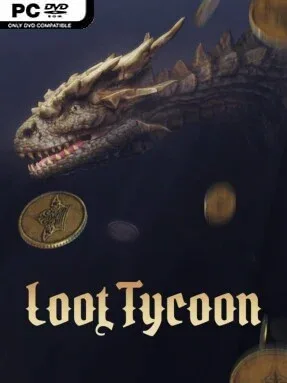
Game Overview
A grim medieval economy runs on monster corpses, rare relics, and the willingness to risk everything for one more descent. Loot Tycoon blends the constant reward drip of an idle action RPG with the satisfying long-term planning of a merchant sim, placing you between dangerous expeditions and a steadily growing fantasy storefront. Battles unfold automatically, but the tone is far from passive: every run can end in a difficult choice between banking valuable finds or gambling them on tougher enemies below. The result is a dark, loot-driven experience built around pressure, experimentation, and watching a carefully planned build pay off.
Your role centers on shaping the adventurer rather than directly swinging every weapon. Equipment drops with randomized properties, while runes add specialized effects that can transform the same basic character into a heavy-hitting melee fighter, a fire-focused damage dealer, or a lightning-based crowd controller. Combat rewards flow into the shop, where gear sells to visiting customers and produces gold for stat upgrades and access to stronger rune tiers. Adventure Rank continues rising without a hard ceiling, bringing increasingly punishing encounters alongside better-quality drops, so progression becomes a cycle of refining your setup, improving the business, and deciding how aggressively to push forward.
What makes Loot Tycoon appealing is the way its shop system gives idle loot collection a practical purpose beyond simply chasing bigger numbers. Instead of treating inventory as clutter, the game turns every sword, trinket, and legendary find into either a potential build piece or fuel for the next upgrade. Its huge pool of rune effects and item modifiers encourages repeated experimentation, especially for players who enjoy Diablo-style theorycrafting but prefer a lower-input, management-oriented format. Loot Tycoon suits fans of incremental RPGs, auto-battlers, and build-heavy dungeon crawlers who enjoy optimizing systems over mastering twitch combat; veterans can chase deep synergies, while newcomers can learn its loop gradually through constant rewards.
Installation
- Click the green button below to be redirected to UploadHaven.
- Wait 15 seconds, then hit “Free Download.” (Free downloads may be slower — upgrade to UploadHaven Pro for faster speeds.)
- Once downloaded, right-click the .zip file and choose “Extract to Loot Tycoon.” (You’ll need 7-Zip for this.)
- Open the extracted folder and run the game as administrator.
- Enjoy! 🎮 If you see missing DLL errors, check the <strong>_Redist</strong> folder inside and install what’s needed.
System Requirements
- Requires a 64-bit processor and operating system
- OS: Windows 10/11
- Processor: Intel Core i5-4430/AMD FX-6300
- Memory: 8 GB RAM
- Graphics: NVIDIA GeForce GTX 1060/AMD Radeon RX 6500 XT
- Storage: 15 GB available space
Setup Guide & Troubleshooting
How do I fix missing DLL errors for Loot Tycoon (v0.5.2 & ALL DLC)?
After extracting Loot Tycoon (v0.5.2 & ALL DLC), navigate to the _Redist or _CommonRedist folder inside the game directory and install DirectX, Vcredist, and any other dependencies included.
What should I do if the downloaded file is corrupted?
The full archive is 5.99 GB — make sure your download completed fully before extracting. Use 7-Zip to extract the files. If you still see a "file corrupted" error, re-download and try again.
Why should I run the game as administrator?
Right-click the game executable and select "Run as Administrator" to avoid save file issues and permission errors. This is especially important on the first launch.
How do I update my GPU drivers for this game?
Loot Tycoon (v0.5.2 & ALL DLC) requires a NVIDIA GeForce GTX 1060/AMD Radeon RX 6500 XT or equivalent. Update your NVIDIA or AMD drivers to the latest version for the best performance.
The game won't launch — what should I try?
Try running in compatibility mode, install the latest DirectX runtime, or install the All-in-One VC Redist Package.
My antivirus is blocking the game — is it safe?
Antivirus false positives are common with pre-installed games. Temporarily pause your antivirus during extraction to prevent it from quarantining game files. You can re-enable it after the extraction completes.