
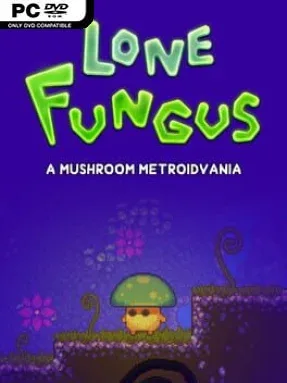
Lone Fungus Cover Art

Lone Fungus

INDIE 631.12 MB v1.1.14

Game Overview

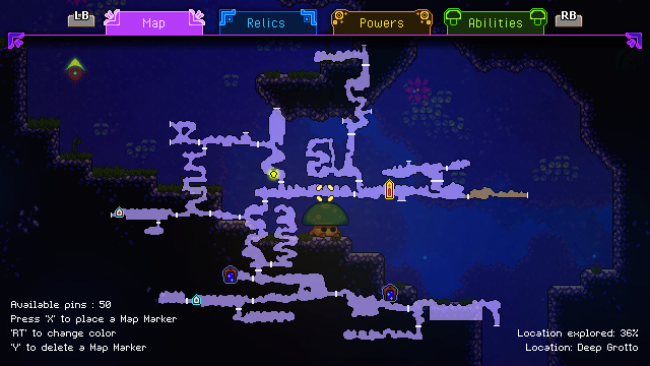
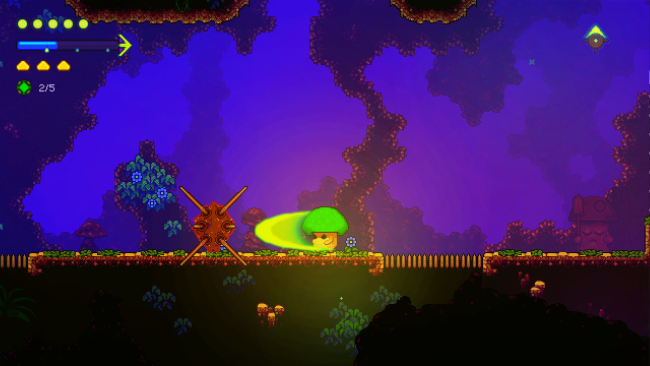
A lonely mushroom warrior navigates the ruins of a fungal civilization in a demanding 2D Metroidvania built around discovery, movement, and precision. Lone Fungus pairs a melancholic premise with colorful hand-drawn environments, taking players through an ancient interconnected kingdom where nearly every locked path hints at a future ability. The mood sits somewhere between peaceful exploration and tense survival, with quiet stretches of wandering regularly interrupted by hostile creatures, hazardous rooms, and demanding traversal. Its world feels deliberately constructed for players who enjoy mapping routes, remembering unreachable ledges, and returning stronger.

Combat centers on a quick sword and an inventive spell system that changes according to how attacks trigger each spell. Rather than simply casting from a menu, players experiment with sword strikes to direct magic in different ways, giving fights against regular enemies and bosses a more active, improvisational rhythm. Relics, Emblems, extra health, and Mindpoint upgrades steadily expand both survivability and possible builds, while movement abilities unlock new sections across ten distinct regions. Platforming plays an equally large role: optional challenge rooms lean into the tight air control, hazards, and repeated practice associated with Celeste, but players who prefer exploration can avoid the harshest tests. Four difficulty settings and Assist Mode make the adventure far more approachable than its demanding movement system initially suggests.

What separates Lone Fungus from the crowded Metroidvania field is how confidently it treats platforming as a major progression tool instead of a brief distraction between fights. The large web of secrets rewards thorough players without forcing every player into completionist play, and the flexible spell interactions add welcome personality to its combat. Fans of Hollow Knight’s exploratory structure, Axiom Verge’s upgrade-driven access, or Celeste’s precise jumps find plenty to appreciate here. It suits genre veterans hungry for elaborate optional challenges, while adjustable difficulty ensures curious newcomers can still enjoy its unusual mushroom-built world.

Installation

  1. Click the green button below to be redirected to UploadHaven.
  2. Wait 15 seconds, then hit “Free Download.” (Free downloads may be slower — upgrade to UploadHaven Pro for faster speeds.)
  3. Once downloaded, right-click the .zip file and choose “Extract to Lone Fungus.” (You’ll need 7-Zip for this.)
  4. Open the extracted folder and run the game as administrator.
  5. Enjoy! 🎮 If you see missing DLL errors, check the <strong>_Redist</strong> folder inside and install what’s needed.

System Requirements

  • OS: Windows 7 and above
  • Processor: Intel Core 2 Duo 2.1ghz or equivalent
  • Memory: 4 GB RAM
  • Graphics: GeForce 9800GTX+
  • DirectX: Version 11
  • Storage: 1 GB available space

Setup Guide & Troubleshooting

How do I fix missing DLL errors for Lone Fungus (v1.1.14)?

After extracting Lone Fungus (v1.1.14), navigate to the _Redist or _CommonRedist folder inside the game directory and install DirectX, Vcredist, and any other dependencies included.

What should I do if the downloaded file is corrupted?

The full archive is 631.12 MB — make sure your download completed fully before extracting. Use 7-Zip to extract the files. If you still see a "file corrupted" error, re-download and try again.

Why should I run the game as administrator?

Right-click the game executable and select "Run as Administrator" to avoid save file issues and permission errors. This is especially important on the first launch.

How do I update my GPU drivers for this game?

Lone Fungus (v1.1.14) requires a GeForce 9800GTX+ or equivalent. Update your NVIDIA or AMD drivers to the latest version for the best performance.

The game won't launch — what should I try?

This game requires Version 11. Try running in compatibility mode, install the latest DirectX runtime, or install the All-in-One VC Redist Package.

My antivirus is blocking the game — is it safe?

Antivirus false positives are common with pre-installed games. Temporarily pause your antivirus during extraction to prevent it from quarantining game files. You can re-enable it after the extraction completes.

Need more help? Browse our FAQ & Troubleshooting Guide for solutions to common issues.
Looking for something else? Explore all games on Steam Unlocked