
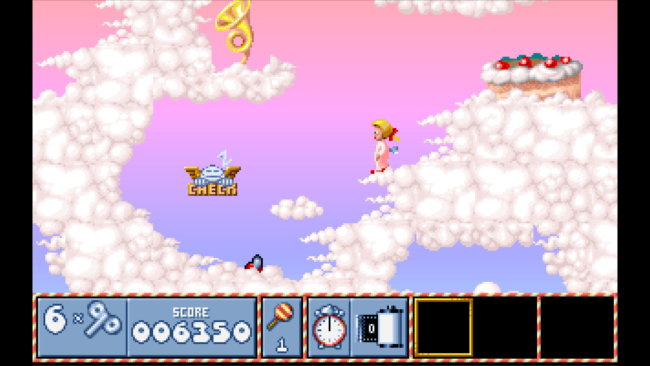
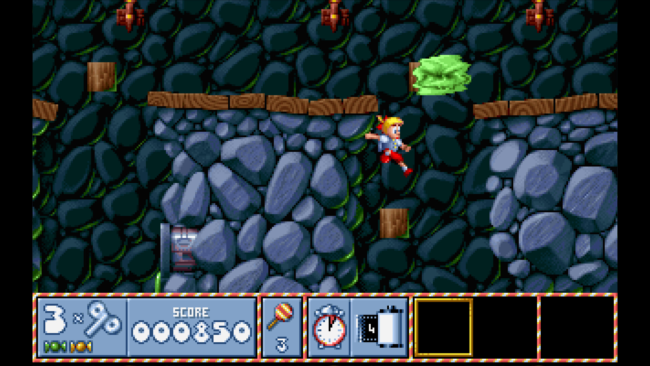
Screenshots
Installation
- Select the <strong>Download</strong> button at the top of this page to open UploadHaven.
- On UploadHaven, wait for any countdown, then select <strong>Free Download</strong>. Optional: UploadHaven Pro for faster downloads.
- When complete, extract the archive to a <strong>Lollypop</strong> folder using 7-Zip.
- Open the extracted folder and start the game normally.
- For errors, check <strong>Setup Guide & Troubleshooting</strong> below. Keep your security software enabled.
System Requirements
- OS: Windows 7 or later, 32-bit or 64-bit
- Processor: Pentium 4 or later
- Memory: 256 MB RAM
- Graphics: DirectX 9 graphics device with WDDM 1.0 or higher driver
- DirectX: Version 9.0c
- Storage: 900 MB available space
- Additional Notes: This game is powered by DOSBox.
Setup Guide & Troubleshooting
Is Lollypop (v1.1) completely free?
Yes. This listing is marked as Free, and the download is hosted on UploadHaven. No purchase is required to grab the 730.30 MB package.
How do I install Lollypop (v1.1)?
Download the archive from the button, wait for any UploadHaven countdown, then extract it to a Lollypop folder using 7-Zip. Open the folder and start the game normally — it's a pre-installed build, so there's no setup wizard.
What are the system requirements for Lollypop (v1.1)?
Windows 7 or later (32-bit or 64-bit), a Pentium 4 or later, 256 MB RAM, a DirectX 9 graphics device with WDDM 1.0 or higher, DirectX 9.0c, and 900 MB of storage. The game runs on DOSBox.
Is Lollypop (v1.1) safe to download?
We can't confirm malware status from the download source alone, and no scan report was provided with this listing. Keep your security software enabled, review any detection details, and don't restore a flagged file unless you've verified it's a false positive.
The game won't launch — what should I try?
Confirm the archive extracted fully and your PC meets the requirements, including DirectX 9.0c. If an error names a missing runtime, install the DirectX components or the Microsoft Visual C++ Redistributable. Also try updating your GPU drivers.